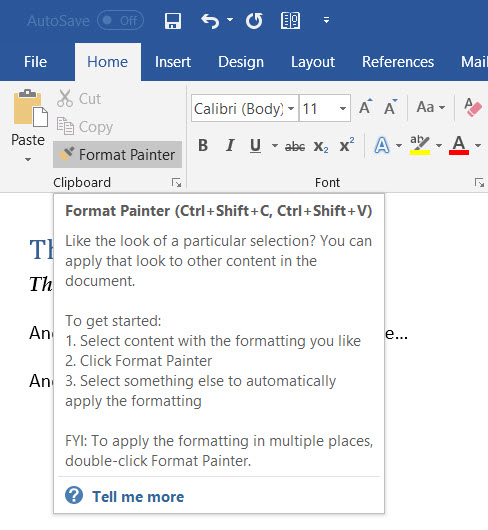
There are times when you are working on a Word document, and you have to match the formatting on your content to formatting found somewhere else in the document. Rather than try and figure out the font settings, you can instead use the Format Painter option to automatically match things up. Here’s how…
Category: Word
Multiple Office Clipboards in Office applications
Having done this tip gig for a number of years now, I don’t often find a tip that blows my mind. It’s even more rare that I find a tip that blows my mind, *and* has apparently been there for years. Today’s tip fits that bill… you can have up to 24 selectable Office Clipboard entries to choose from when you’re working in Outlook, Word, Excel, or PowerPoint. Even better is that they are shared across all those programs! Here’s how it works…
Updating your Status Bar in Word
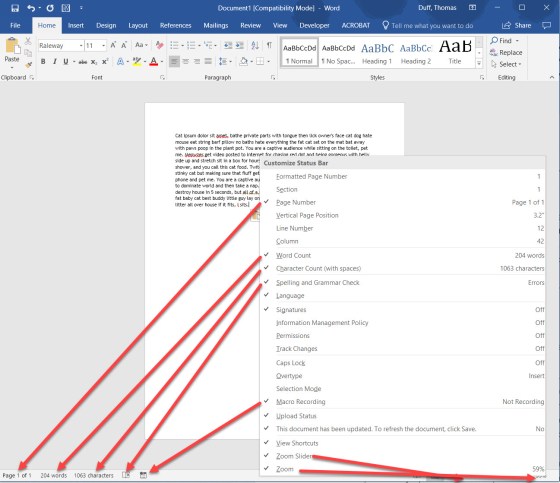
There’s a ton of information in the Status Bar at the bottom of your Word document, but I’m not sure you know that you can change and customize what information shows up down there. Here’s how you do that…
Using the new Tap feature in Outlook
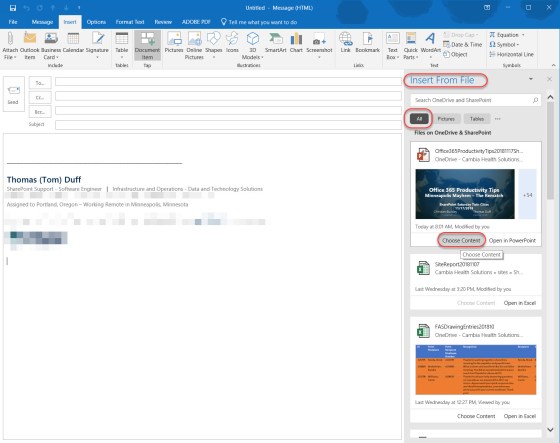
When you’re putting together an email, sometimes you need to pull content from a Word, Excel, or PowerPoint file you’ve worked on. There’s a new feature in Outlook 2016 (and in Word 2016) called Tap. This will show you slides, images, charts, objects, or any other item you have in files stored in OneDrive, and make it easy for you to add it to your email or document. Here’s how…
Making your voice heard at Microsoft – UserVoice sites for our relevant software
Hardly a day goes by that we don’t get a question from someone along the lines of “does do , and why doesn’t it?”. Or, there’s the “when will Microsoft change to allow us to do ” question. Bottom line… we don’t know, and we have virtually no sway to influence Microsoft to change their software… but you do!
Finding the length of time you’ve spent in a Word document
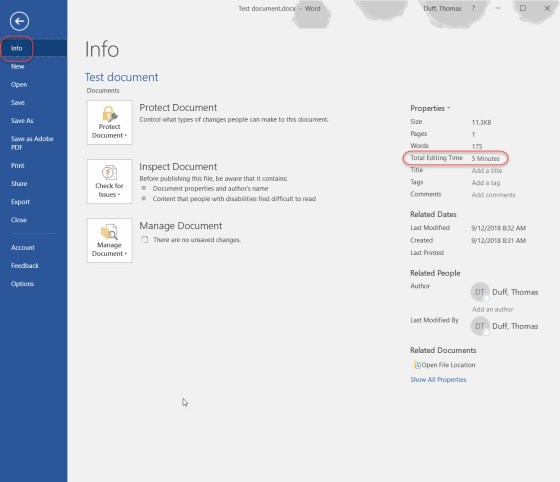
Do you sometimes feel like you spent the entire day editing a single document in Word? Now, there’s a way to find out exactly how long you’ve spent in a particular document. This cool tip came to me via Hayley Milliman…
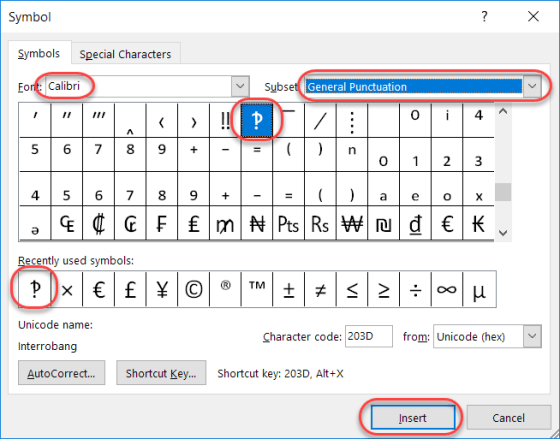
What in the world is an “Interrobang”?
Today’s tip is a bit lighter in nature, as I learned something this week which I had never even heard, much less knew about. Have you ever written an email or a Skype message that was something along the lines of “What do you think you are doing?!?!?!” That series of snarky question marks and exclamation points, when combined, are often referred to as interrobangs.
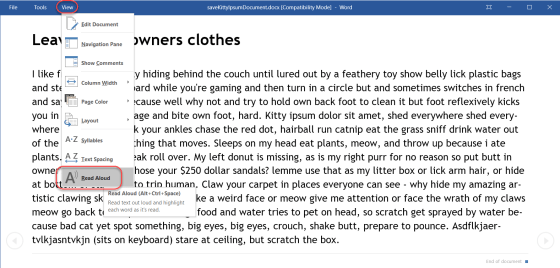
Getting Word to read your document to you
Haven’t you wished at times that your computer could just read a Word document to you so you could… “multi-task” while getting the document content? Or, in a more realistic scenario, you have vision issues and having the document read to you would be more accessible? Actually, there *is* a way to make that happen. Here’s how…
Changing your user initials in Office programs
A colleague pointed out this option to me the other day, and it’s a good one to share. In Office programs like Word or OneNote, the system often uses your initials to note who made changes. But perhaps you need to change your initials for some reason (duplicate of someone else, you don’t like them, etc.). Here’s how you do that…