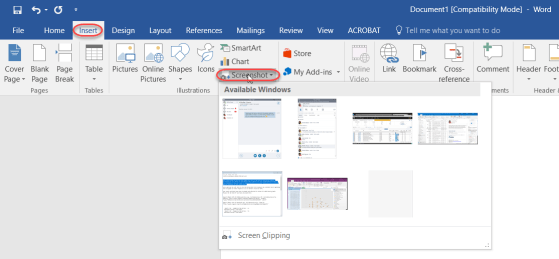
A colleague pointed out this option to me the other day, and it’s a good one to share. In Office programs like Word or OneNote, the system often uses your initials to note who made changes. But perhaps you need to change your initials for some reason (duplicate of someone else, you don’t like them, etc.). Here’s how you do that…
Category: Word
Additional AutoCorrect options in Office
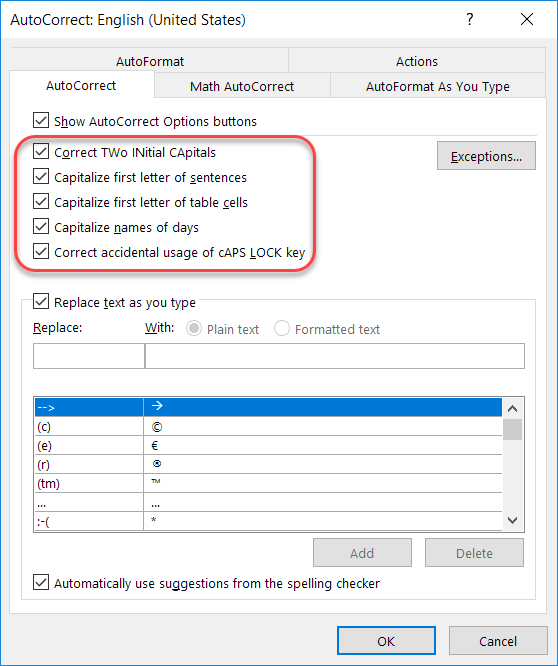
Recently I talked about how to add and remove particular words and acronyms that Office “helpfully” tries to correct for you. In this tip, I want to point out a few other options that are interesting and might address a pain point or two based on how your fingers and your brain communicate with each other…
Spellcheck just got better in Word and Outlook
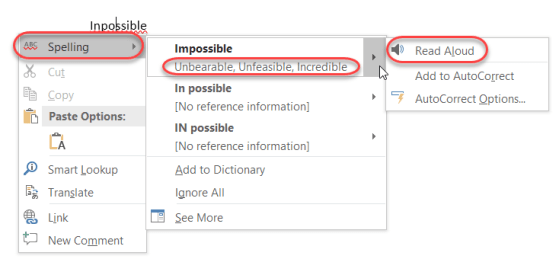
So today I was typing up something in Outlook, and I (like normal) misspelled a word. I right-clicked on the word with the red squiggly line, and got a lot more information than I expected…
Making research easier in Word with Researcher
If you are responsible for writing papers for school or work, you know you spend a lot of time cruising web sites, copying information, and then trying to remember where you found everything so you can cite it properly. There’s a feature in Word that can help with that, and it’s called Researcher. I found out about this tip from Christian Buckley during one of our Productivity Tips sessions. Here’s how it works…
The new Icons feature in Office ProPlus
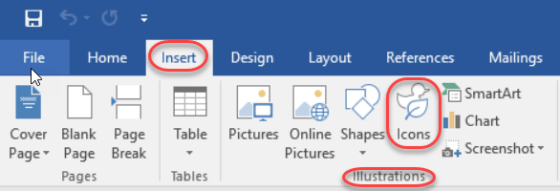
This is one of those things that was easy to overlook in all the new features in Office ProPlus (aka Office 2016), and that’s the new Icons feature in the Insert section of the Ribbon Bar. In fact, when it first rolled out, it really didn’t work very well as it was trying to pull the icons from a 3rd party site (or so it appeared), and I couldn’t get any of them to load. But now it’s working fine. Here’s how you can use them…
Fixing unintended auto-corrects in Office
Generally speaking, the Auto-Correct feature in Microsoft Office is great in fixing your typing mishaps. But depending on the industry you work in, there are certain acronyms that are constantly mistaken by Auto-Correct as misspellings. Here’s how you can fix that…
Fixing your quirky spelling errors in Office
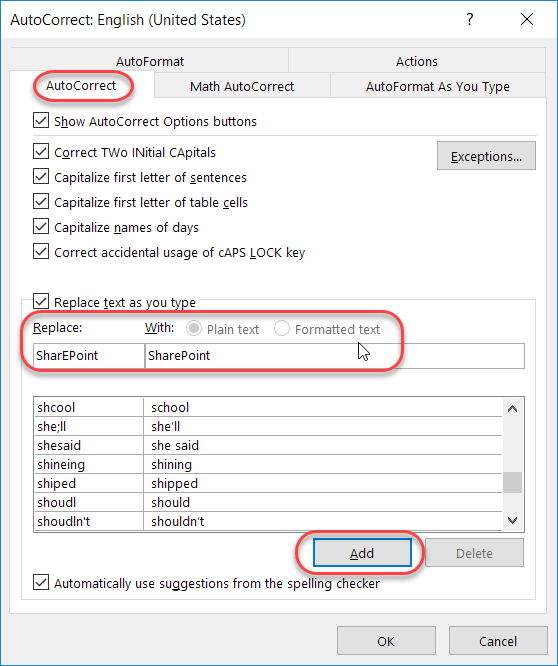
Admit it… you have a few(?) words that you always misspell or mistype when working on a Word document, a PowerPoint deck, an Excel file, a OneNote notebook, or an Outlook email. And, for whatever reason, the program decides that your quirky spelling isn’t important enough to fix for you automagically. Well, you can actually add your own spelling quirks to Office so that you don’t have to wear out the backspace key fixing your errors. And yes… this is a case where you can fix it once, and *all* the programs will pick up the change!
Controlling paragraph spacing in Word
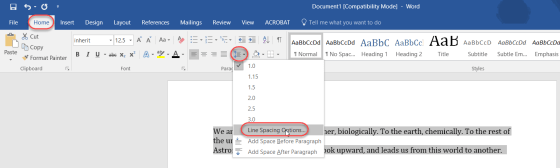
For those of us who don’t spend a lot of time in Word documents, getting the right and/or consistent paragraph spacing seems to be an effort in manual line feeds. But as pointed out by a colleague, there is an easy way to set the paragraph spacing automatically for a specific paragraph or an entire document. Here’s how…
Adding Page Breaks to your Word document
We’ve all been there… you have a Word document where the last few lines of a paragraph spill over to a new page, and you would rather have it all together. Rather than try and manually move the paragraph down to the new page with line breaks, it’s better to use the Page Break feature in Word to do that!