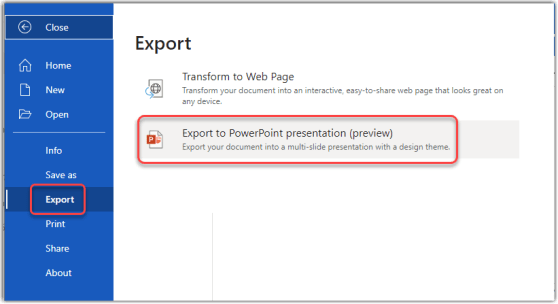
OK… this blew my mind this morning. Joanne C Klein tweeted about the new Export to PowerPoint preview feature in Word on the Web. I gave it a try, and it’s pretty impressive! Here’s how it works…
Category: Word
Tracking action items in a Microsoft Word web document
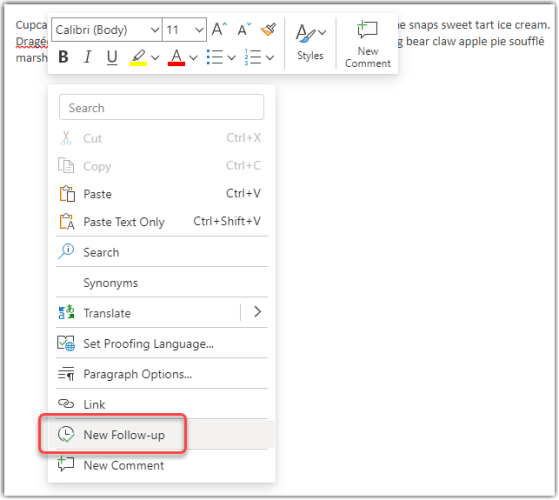
There are times when you’d like to keep track of things to do in a document, such as reminders to find more information, get reviews from particular people, and so forth. When you’re using Word on the web for a document stored in SharePoint Online or OneDrive, you can now do that with the Follow-up and @mention features. Here’s how that works…
Getting notifications when adding comments to an Office file
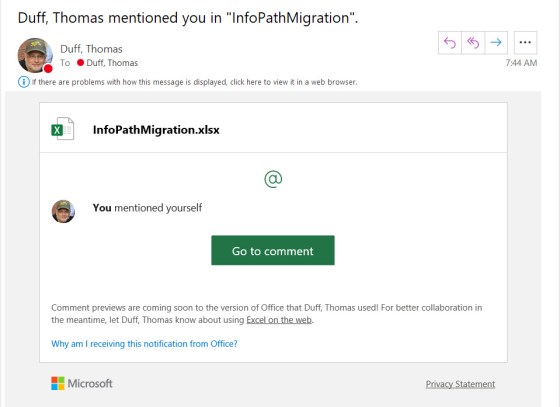
Using the Comments feature in Office is a great way to collaborate on a file, and to provide additional context and information. However, it’s entirely possible that someone may add a comment where your input would be valuable, and you might never see it. Now Office files will sent out a notification if your name is mentioned using the @ symbol. Here’s how that works…
Updating hyperlinks in a Word document
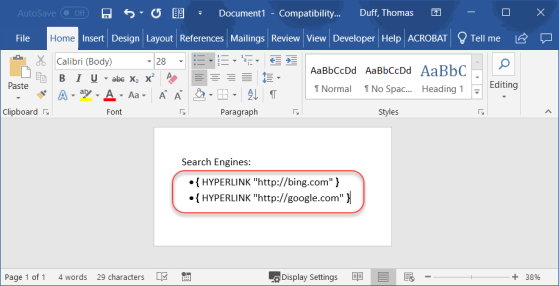
Sandra Mahan recently found a cool tip for a customer who needed to update hyperlinks in a Word document, preferably without having to edit each hyperlink separately. She found the keyboard shortcut of ALT-F9 which displays the underlying hyperlink so you can do replacing. Here’s how that works…
My slides from the Minnesota SharePoint User Group presentation on Office 365 Productivity Tips
Adding a link to a Word document using CTRL-K
I will admit that I’m a mouse person, in that I don’t use a lot of keyboard shortcuts. But this is one that’s handy and saves a lot of clicking around in the Ribbon Bar. You can easily add a hyperlink in a Word document by using the CTRL-K keyboard shortcut. Here’s how…
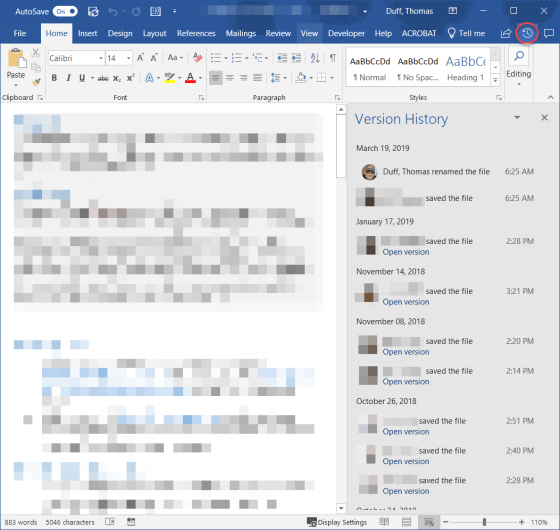
Version History on Office files shared in SharePoint and OneDrive
When you have an Excel, Word, or PowerPoint file open that has been shared in SharePoint Online or OneDrive, there’s an easy way to see when and who updated the file using the Version History icon in the Ribbon Bar. You can also easily see the actual file in earlier versions. Here’s how…
Sorting a list of content in Word
I’m used to sorting columns in Excel, as that’s one of the main things you do. But I never really thought about sorting content in a Word document, as it (in my mind) is just unformatted “stuff.” But, you *can* sort a list of content in Word, and it’s pretty slick. Here’s how…
Checking for gender-inclusivity when using Word
If you’re old like me, words like “policeman” and “fireman” just want to roll off your tongue, as that’s what you grew up with. But today’s communication often requires a more gender-inclusive word selection like “police officer” or “fire fighter.” Microsoft Word has an option that will allow you to do grammar checks for that very scenario. Here’s how to activate that…