Episode 289 of the Microsoft 365 Pulse Roadmap webcast is now out on YouTube. Join Tamara Bredemus, Matthew Ruderman, and Thomas Duff as we cover this week’s updates.
Learning new Microsoft Office tricks in "just a minute"
Episode 289 of the Microsoft 365 Pulse Roadmap webcast is now out on YouTube. Join Tamara Bredemus, Matthew Ruderman, and Thomas Duff as we cover this week’s updates.
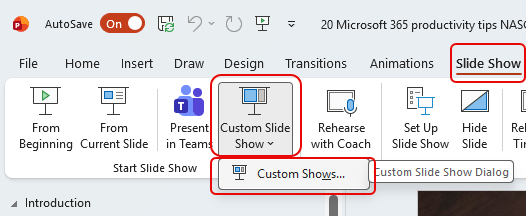
It’s tips like this that make me happy to have a wife who also works in the same tech field as I do. 🙂 Have you ever had a PowerPoint slide deck that has a significant number of slides, but you wish you could create smaller custom versions of that deck without having to maintain multiple files? Well, you can using the Custom Slide Show feature! Here’s how that works…
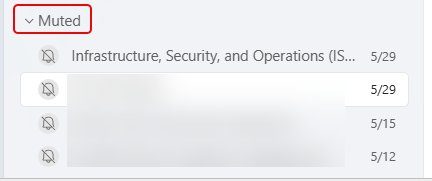
There’s little that is more irritating than getting pop-up chat notifications for a meeting you were invited to but aren’t attending. You can mute the chat, but what happens if you need to go back and look at the chat after the fact? This is where the muted Teams meeting chats hang out…
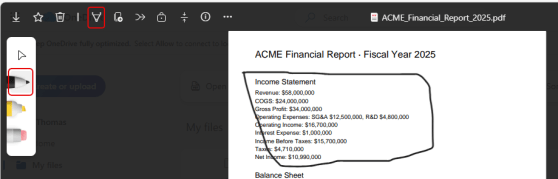
Being able to make annotations on PDF files when in SharePoint or OneDrive is great, and now when you’re working in the browser version, you can Undo and Redo those annotations without having to use 3rd party software. Here’s how that works…
Episode 288 of the Microsoft 365 Pulse Roadmap webcast is now out on YouTube. Join Tamara Bredemus, Matthew Ruderman, and Thomas Duff as we cover this week’s updates.
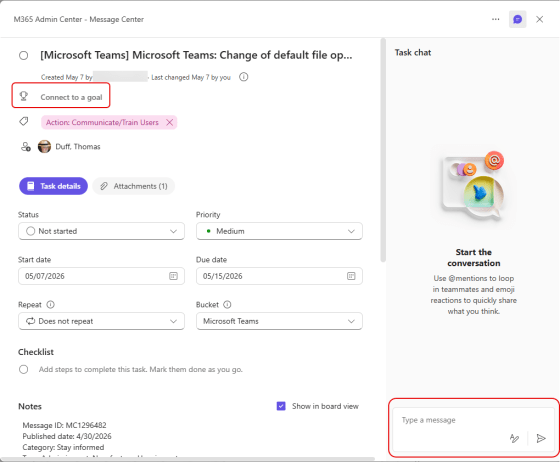
When I was working in Planner today, I opened up an existing task and found a significant change in the layout. Here’s a brief look at the new layout as well as a couple of new features…
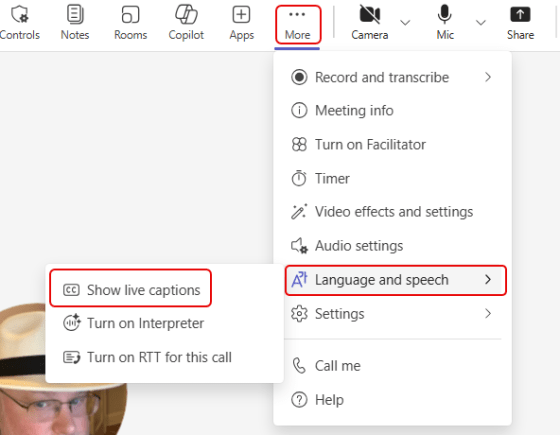
Live Captions in Microsoft Teams meeting is a somewhat hidden but very useful feature. If you are having issues understanding someone’s speech or if you have a hearing impairment, you might want to check this out. The best thing is… Live Captions are specific to you, and are not part of a meeting recording. Here’s how that works…
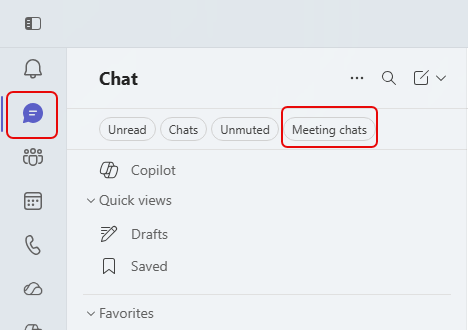
In Microsoft Teams, every meeting you have may have a chat associated with it. And while all those chats will show up in your Chat navigation area, good luck in scrolling through the mix of meeting chats, group chats, and one-on-one chats you’ve had over time. Fortunately, Microsoft is rolling out a change that allows you to filter your chat area to ONLY show your meeting chats. Here’s what it looks like…
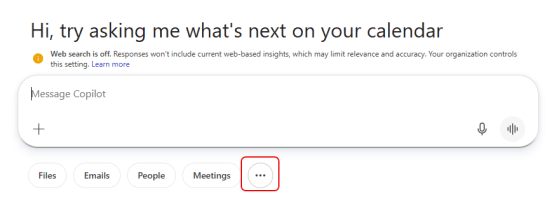
When you’re working with Copilot in Microsoft Teams or a web browser, you can save your prompts so that it’s easy to use them repeatedly. But it feels like Microsoft changed the way you get to the Copilot Prompt Gallery lately. If you’re having problems on how to find your saved prompts, here’s how that works…
 One Minute Office Magic