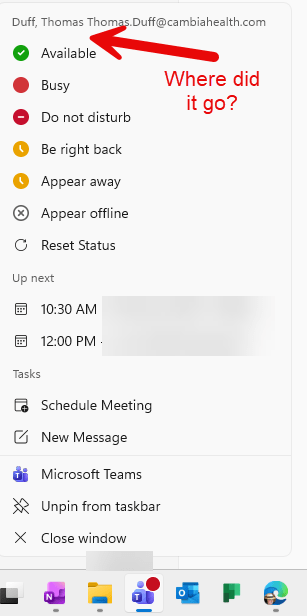
I had a customer ask a question the other day, and the question was “where did the Quit Teams option go?” When I checked my Teams client, I noticed I didn’t have it either. With the help of a few people, we were able to find where it *did* go…
Learning new Microsoft Office tricks in "just a minute"
I had a customer ask a question the other day, and the question was “where did the Quit Teams option go?” When I checked my Teams client, I noticed I didn’t have it either. With the help of a few people, we were able to find where it *did* go…
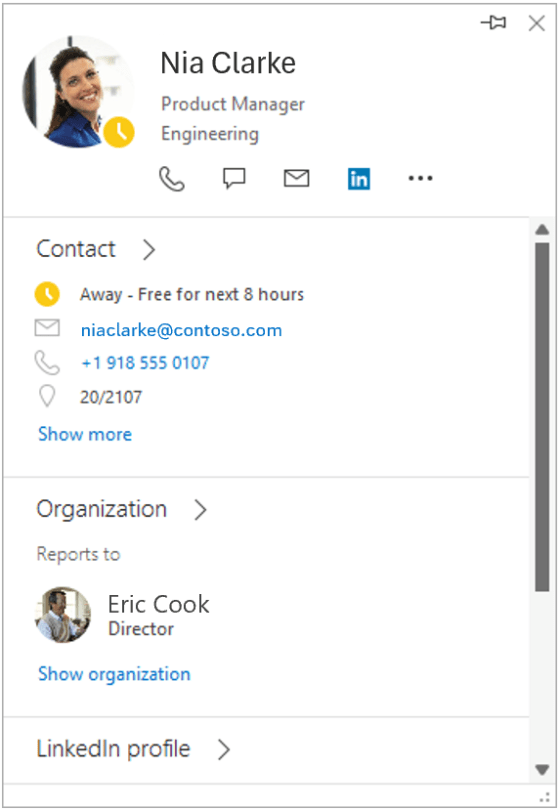
Late last week, Microsoft announced that the expanded people card in Classic Outlook would be retired, and you would only see the standard card instead. Here’s the announcement…
Episode 283 of the Microsoft 365 Pulse Roadmap webcast is now out on YouTube. Join Tamara Bredemus, Matthew Ruderman, and Thomas Duff as we cover this week’s updates.
Episode 282 of the Microsoft 365 Pulse Roadmap webcast is now out on YouTube. Join Jennifer Mason, Tamara Bredemus, Matthew Ruderman, and Thomas Duff as we cover this week’s updates.
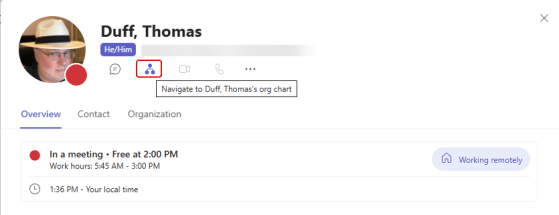
You’ve been able to view your organization chart in the People Card for quite some time, but they are always tweaking it to make it even more useful. The latest tweak was pointed out to me by Sandra, and it’s pretty cool. You can now use it to find out how many Reports and Direct Reports someone in management has. Here’s how that looks…
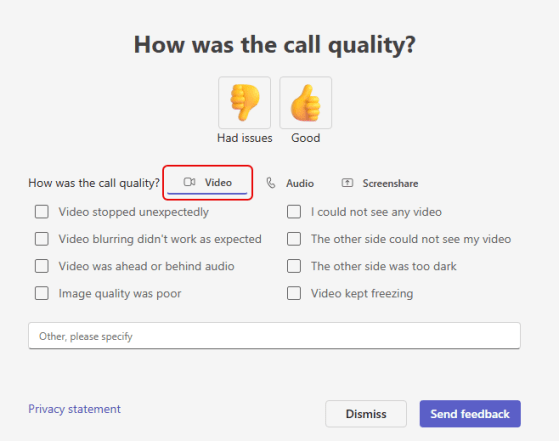
For a number of years, the “random” Call Quality feedback panel would pop up after you finished your call or meeting, and you could say whether it was good or bad. However, it didn’t dive down very deep. Coming very soon to Teams, you’ll see a different version of that Call Quality feedback panel that has separate areas for Video, Audio, and Screenshare, along with a number of checkbox options and a comment field. Here’s what it looks like…
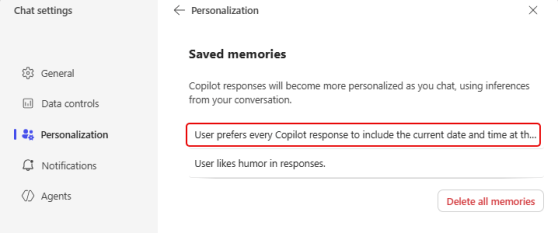
Copilot has some interesting ways to handle personalization when you want it to aways respond in certain ways. One of those techniques is Saved Memories, and you can pass along those memories in the middle of having an ongoing chat. Here’s how that works…
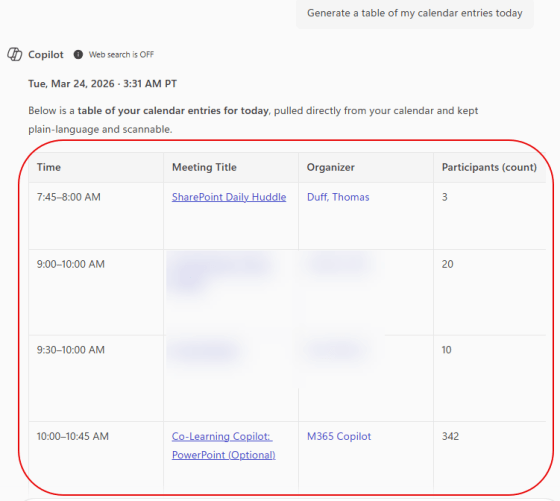
One of the recent Copilot changes is the ability to copy AI-generated tables from Copilot and paste them in other M365 applications. I guess I just assumed that would always be possible, but I had never tried it before. Here’s how it works…
Episode 281 of the Microsoft 365 Pulse Roadmap webcast is now out on YouTube. Join Tamara Bredemus, Matthew Ruderman, and Thomas Duff as we cover this week’s updates
 One Minute Office Magic