Where do I find my prompts in the Copilot Prompt Gallery?

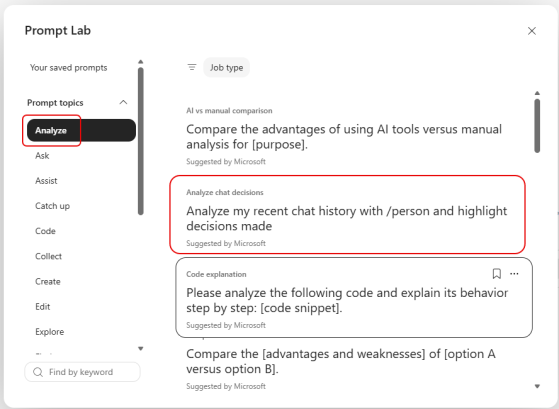
When you’re working with Copilot in Microsoft Teams or a web browser, you can save your prompts so that it’s easy to use them repeatedly. But it feels like Microsoft changed the way you get to the Copilot Prompt Gallery lately. If you’re having problems on how to find your saved prompts, here’s how that works…

Copying tables from Copilot

One of the recent Copilot changes is the ability to copy AI-generated tables from Copilot and paste them in other M365 applications. I guess I just assumed that would always be possible, but I had never tried it before. Here’s how it works…

Filtering your Copilot Chat history

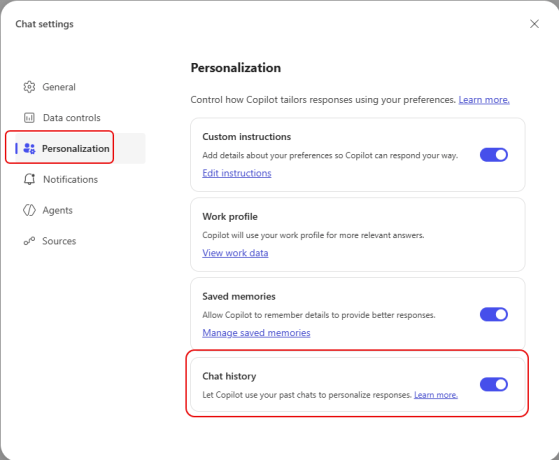
When you are looking at your Copilot Chat history, it could be a bit overwhelming to filter down what you’re looking for. Yes, you do have search, but what if you’re unsure of the keywords you used? Now you can use a filter pill to pare down the list to results from Agents or things you sent to Copilot Pages. Here’s how that works…

Scheduling your prompts in Microsoft Copilot

It’s not uncommon to have prompts that you run reach morning (or at other parts of your day) to gather information that you will need for various events. Instead of triggering each of those prompts manually, you can schedule those prompts to run at a set time every day (with a few caveats). Here’s what that looks like…

Copilot now supports GPT-5.2

In the world of AI, things move fast and furious. Following close on the heels of GPT-5.1 becoming the default in Copilot, you now have the ability to let Copilot use the latest and greatest Large Language Model (LLM)… GPT-5.2. Here’s how you can use that…

Scheduling a meeting from an email thread in Copilot

One thing I really dislike doing is trying to turn a lengthy email thread into a meeting. You have to find all the people who were involved in the thread, try to find a time that works for *most* of the people, try to somehow come up with a summary and agent… But with Copilot, you can let it do most of the heavy lifting for you, turning email threads into cohesive meetings with little effort. Here’s how that works…