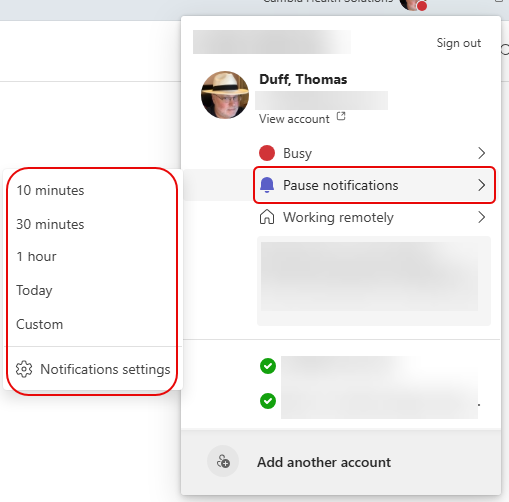
There is a new way to pause your Microsoft Teams notifications for a set period of time. The feature is Pause notifications, and it’s very easy to set. Here’s how you do that…
Click on your profile picture in the upper-right corner of your Teams client, and you’ll see the new Pause notifications setting. When you click on that, you have the option to pick one of the pre-defined time frames or set a Custom time frame:
While you have your notifications paused, you will show as Do not disturb. Once the time frame is over, it puts you back in Available mode:
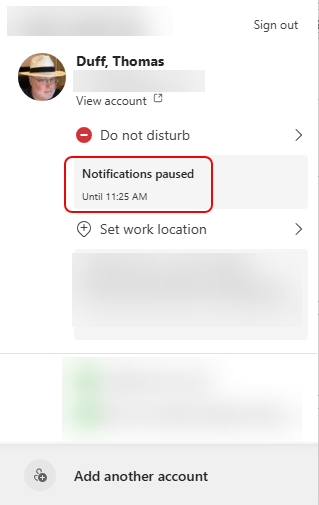
You could do the same thing by just changing your status to Do not disturb, but you might forget to change it back when you’re done. This is a nice way to make sure that you leave Do not disturb at some point in the day. 🙂


