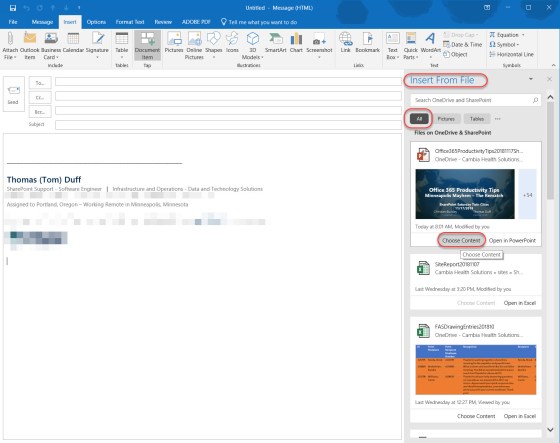
When you’re putting together an email, sometimes you need to pull content from a Word, Excel, or PowerPoint file you’ve worked on. There’s a new feature in Outlook 2016 (and in Word 2016) called Tap. This will show you slides, images, charts, objects, or any other item you have in files stored in OneDrive, and make it easy for you to add it to your email or document. Here’s how…
Category: Outlook
Making your voice heard at Microsoft – UserVoice sites for our relevant software
Hardly a day goes by that we don’t get a question from someone along the lines of “does do , and why doesn’t it?”. Or, there’s the “when will Microsoft change to allow us to do ” question. Bottom line… we don’t know, and we have virtually no sway to influence Microsoft to change their software… but you do!
Pinning email messages in Outlook Online on Office 365
We’re doing a lot of pilot testing on various parts of Office 365, and a colleague pointed out something yesterday that I hadn’t noticed. You can pin an email in Outlook Online so that it stays at the top of your Inbox and doesn’t get buried. Here’s how you do that…
Updating your Skype presence based on what you’re actually doing
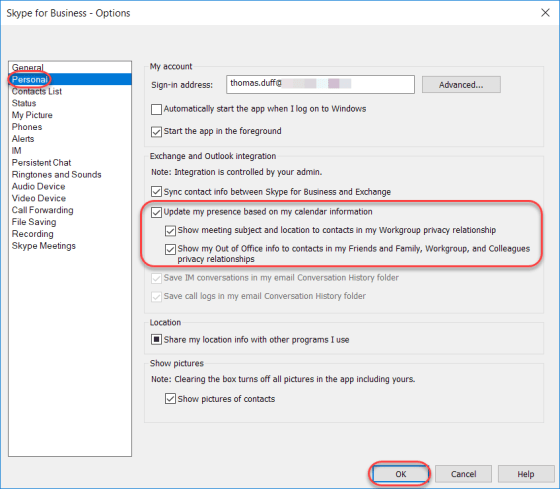
Sandra shared a cool tip with me today. You know how when you have a meeting on your Outlook calendar and it ends early, your Skype presence indicator shows that you’re still in the meeting until it actually ends on the calendar? There’s a setting in Skype that allows the presence indicator to actually show based on what you’re doing, not just on what your calendar *says* you’re scheduled to be doing. Here’s how you set and/or change it…
Focused Inbox in Outlook 2016
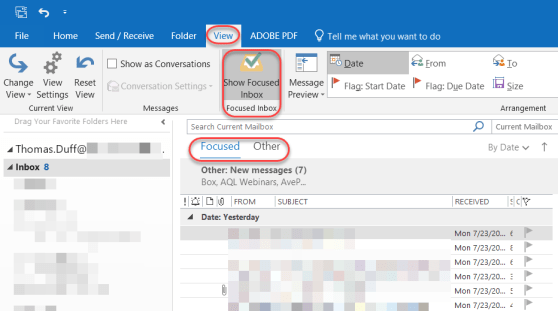
With all the email we get daily, it would be nice to have Outlook separate email into categories of what’s important and what may be less important using machine learning. Based on a recent update to Outlook 2016, we now have that with the Focused Inbox. Here’s how it works…
What in the world is an “Interrobang”?
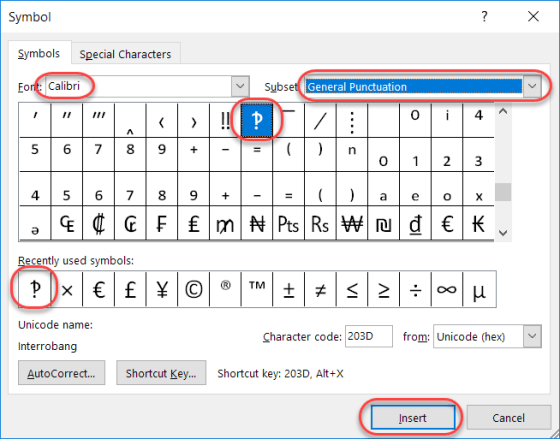
Today’s tip is a bit lighter in nature, as I learned something this week which I had never even heard, much less knew about. Have you ever written an email or a Skype message that was something along the lines of “What do you think you are doing?!?!?!” That series of snarky question marks and exclamation points, when combined, are often referred to as interrobangs.
Using @mentions in your Outlook email
One of the new features when using Outlook is that you can @mention someone’s name in the body of the email, and it will automagically put that name into the To field of the email so you don’t forget to send it to them. Here’s how that works…
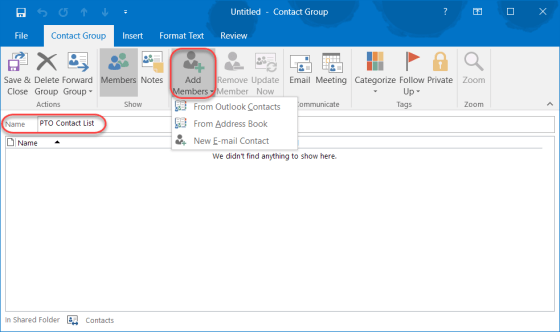
Creating your own private Outlook Contact Lists
There are times when you want to create distribution lists that serve your organization as a whole. But there are also instances when you want a personal contact list that only affects you and the people you want to reach on a regular basis. This is how you set one up in Outlook…