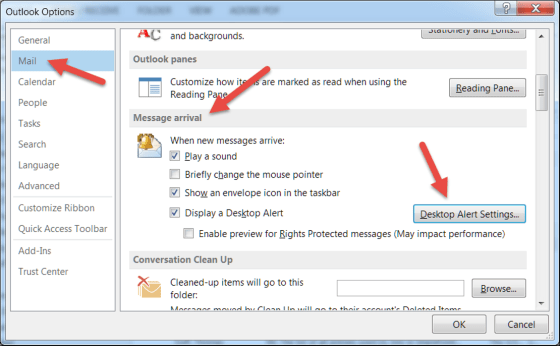
Do you wish there was some way to be notified when new emails come in? Do you hate the fact that you *do* get notified when new emails come in?
Learning new Microsoft Office tricks in "just a minute"
Do you wish there was some way to be notified when new emails come in? Do you hate the fact that you *do* get notified when new emails come in?

Some time and somehow over the last couple of days, my Outlook email started showing up with the Ribbon Bar tabs appearing but none of the commands underneath them. To do anything with my email, I had to click the Messages tab to get all the related commands. Since this had One Minute Office Magic tip written all over it, I decided to figure out what I did and how to fix it.
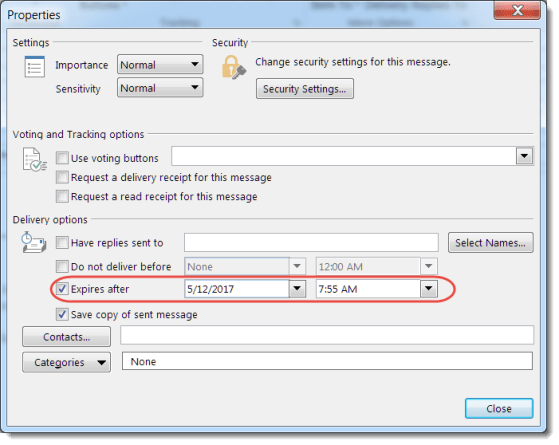
There’s a feature in Outlook that allows you to send an email that “expires” at a certain date and time. Sandra and I were discussing it the other day, and we really didn’t know what it would do. I decided to figure it out for today’s tip. 🙂
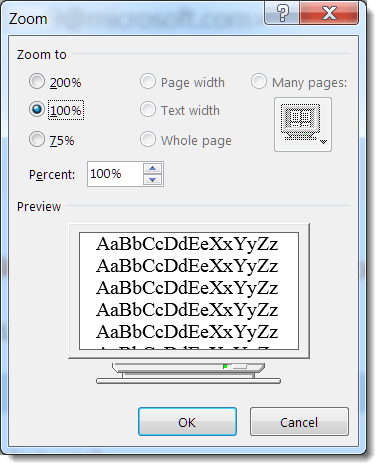
Depending on the quality of your eyesight (and the font size choice of your email sender), you might find that you need some extra “help” in reading the text in a particular email. Outlook provides a couple of ways that you can easily zoom in and increase the text size of your email.

Have you ever been asked, “What days and times are you free to meet this week?” Rather than jotting down all the dates and times manually, there’s a quicker way to provide the information.
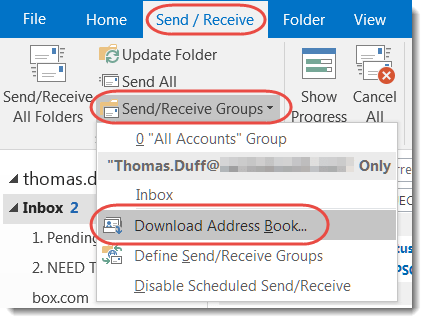
Earlier this week, I was getting bounced mail to a person who I knew was still with the company, and it was part of a Reply To email. I couldn’t figure out why, until our mail administrator asked me to update my cached Outlook address book from the Global Address Book in Exchange. Here’s how that works…

I’m sure you’ve had the issue before… you have a number of emails related to a particular thread, but one of them had a piece of information that didn’t get copy and pasted in the Reply follow-ups. You’ve filed some of the emails, trashed others, and the rest are in your inbox…
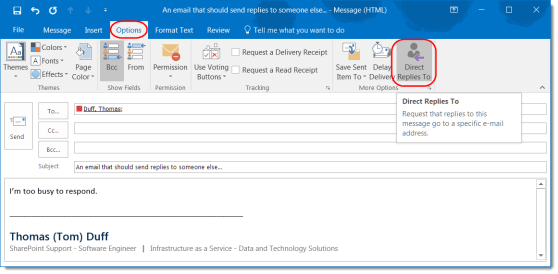
This is a great feature if someone else should be handling responses to a particular email.
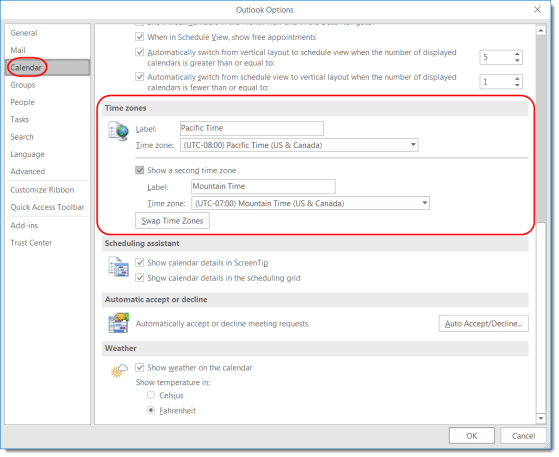
This feature can make it easier to answer the question “what time is it there?”
 One Minute Office Magic