Saving time in a SharePoint Person/Group field

When you’re working in SharePoint and you have to fill in someone’s name, you’re seeing what is commonly called a People Picker field. It’s a field that’s set up to allow for names, and it has two icons to check the name format as well as to look up a name in the Select People and Groups dialog box.

However, I often see people clicking on the Address Book icon even if they know the name of the person they want to add to the field. Following are some various ways to add a person’s name into the field and maybe save yourself some clicking around to do so.

Adding Favorites to a minimized Outlook Folder Pane

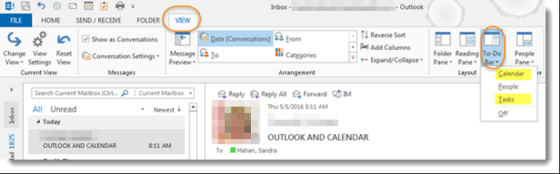
Sandra showed me a cool trick last week that I was unaware of. She likes to keep her Outlook Folder Pane minimized down the left side of the screen, but I’ve always disliked it because it didn’t list the folders I cared about. She fixed that problem by showing me how to add Favorites there! Here’s how you do it…

Removing names from the Outlook Autocomplete list

Over time, Outlook builds up quite a collection of email addresses that it “helpfully” assists you with when you start to type a name in the To field. However, people move on, change email addresses, or no longer qualify as someone you want or need to email. Here’s how you can get rid of those names that just clutter things up.

Where did my Ribbon Bar commands go?

Some time and somehow over the last couple of days, my Outlook email started showing up with the Ribbon Bar tabs appearing but none of the commands underneath them. To do anything with my email, I had to click the Messages tab to get all the related commands. Since this had One Minute Office Magic tip written all over it, I decided to figure out what I did and how to fix it.