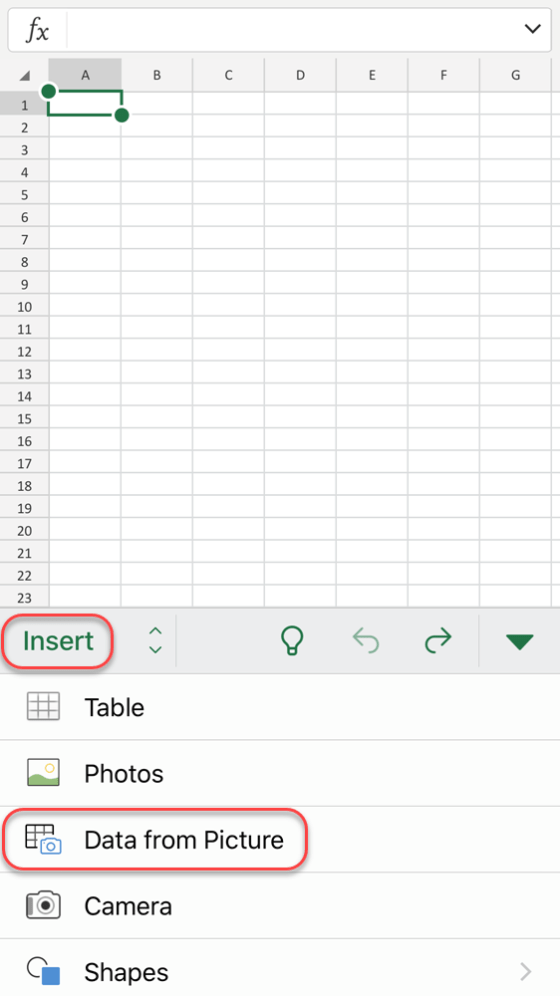
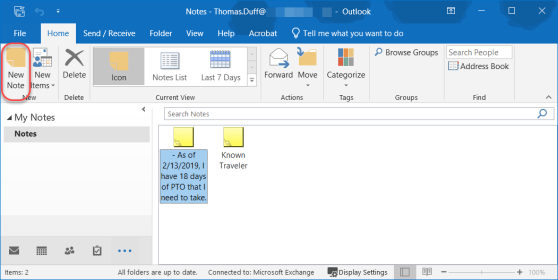
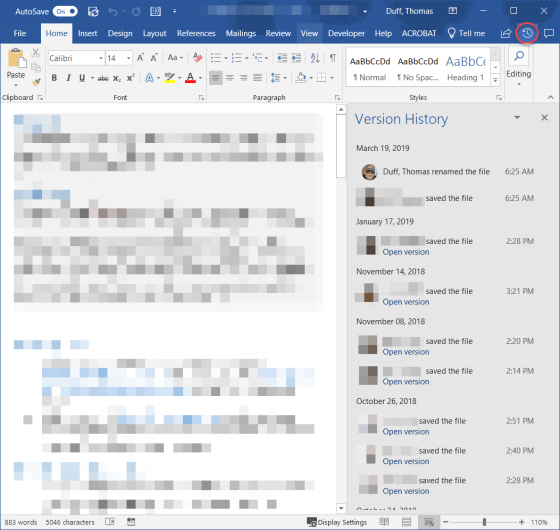
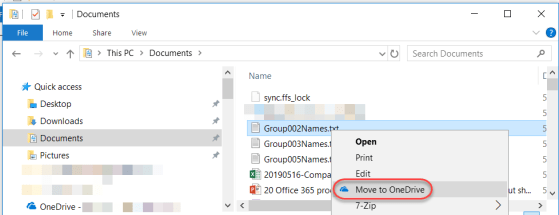
A colleague passed along a cool tip on how to easily see what folder an email is in, especially when you’re doing a search. Here’s how you add an In Folder column to your Inbox in Outlook…
Generating random numbers in Excel
On Twitter this weekend, I found a cool link on how to generate random numbers in Excel. Considering I normally use a random number generator site to do this, I thought it was a pretty cool tip.
Making research easier in Word with Researcher
If you are responsible for writing papers for school or work, you know you spend a lot of time cruising web sites, copying information, and then trying to remember where you found everything so you can cite it properly. There’s a feature in Word that can help with that, and it’s called Researcher. I found out about this tip from Christian Buckley during one of our Productivity Tips sessions. Here’s how it works…
Selecting all the content in your Excel spreadsheet
Not being an Excel guru, I tend to do things manually instead of using features that can make things a LOT faster… such as selecting all the data in an Excel spreadsheet. I’ve been known to do a lot of scrolling to find the end points and dragging to select everything. It’s a lot easier just to use the CTRL-A keyboard shortcut!
The new Icons feature in Office ProPlus
This is one of those things that was easy to overlook in all the new features in Office ProPlus (aka Office 2016), and that’s the new Icons feature in the Insert section of the Ribbon Bar. In fact, when it first rolled out, it really didn’t work very well as it was trying to pull the icons from a 3rd party site (or so it appeared), and I couldn’t get any of them to load. But now it’s working fine. Here’s how you can use them…
Fixing unintended auto-corrects in Office
Generally speaking, the Auto-Correct feature in Microsoft Office is great in fixing your typing mishaps. But depending on the industry you work in, there are certain acronyms that are constantly mistaken by Auto-Correct as misspellings. Here’s how you can fix that…
Fixing your quirky spelling errors in Office
Admit it… you have a few(?) words that you always misspell or mistype when working on a Word document, a PowerPoint deck, an Excel file, a OneNote notebook, or an Outlook email. And, for whatever reason, the program decides that your quirky spelling isn’t important enough to fix for you automagically. Well, you can actually add your own spelling quirks to Office so that you don’t have to wear out the backspace key fixing your errors. And yes… this is a case where you can fix it once, and *all* the programs will pick up the change!
Controlling paragraph spacing in Word
For those of us who don’t spend a lot of time in Word documents, getting the right and/or consistent paragraph spacing seems to be an effort in manual line feeds. But as pointed out by a colleague, there is an easy way to set the paragraph spacing automatically for a specific paragraph or an entire document. Here’s how…
Adding Page Breaks to your Word document
We’ve all been there… you have a Word document where the last few lines of a paragraph spill over to a new page, and you would rather have it all together. Rather than try and manually move the paragraph down to the new page with line breaks, it’s better to use the Page Break feature in Word to do that!