I know I’ve covered the use of CTRL-K in Word before, as a means to create “pretty links” in a Word document. There were alternative ways to do that in Word, but there seems to be a lack of user interface options to do the same thing in Microsoft Teams. Here’s how you can use the keyboard shortcut of CTRL-K to format words and phrases into hyperlink URLs…
Getting notifications when adding comments to an Office file
Using the Comments feature in Office is a great way to collaborate on a file, and to provide additional context and information. However, it’s entirely possible that someone may add a comment where your input would be valuable, and you might never see it. Now Office files will sent out a notification if your name is mentioned using the @ symbol. Here’s how that works…
Background images in Microsoft Teams meetings
With the massive increase in Microsoft Teams meetings due to people working remote because of the COVID-19 virus, there’s been a lot of comparisons between Teams and Zoom for online meetings. One of the things that Zoom does that Teams meetings didn’t was allow for background images. That is now corrected with the latest Teams update. Here’s how that works…
Next Steps in a SharePoint Online Team Site
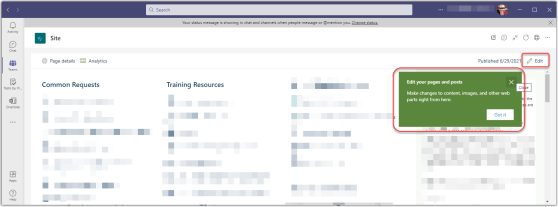
This is a pretty minor feature, but it can help your new SharePoint Online Team Site owners figure out what to do next with their site… Next Steps. Here’s what it is and how it works…
Play My Emails for Outlook for iOS
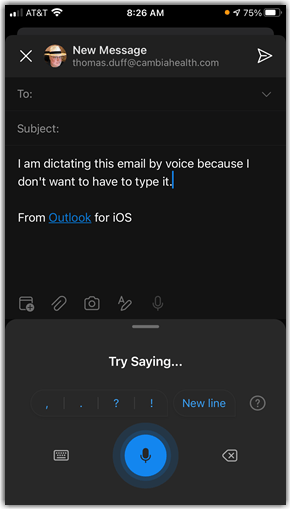
If you have an iPhone, there’s a cool new feature in Outlook that will read your emails to you if you want to have a hands-free experience or catch up while you’re commuting. Yeah, I realize that not a lot of people are commuting these days, but play along with me here… It’s called Play My Emails, and here’s how it works…
Resizing images in the SharePoint Online Image Web Part
Image web parts in SharePoint Online are used to easily add images to your web page. However, rarely is your image the perfect size when you first upload it, and you’d be surprised how big a photo can be in full resolution. 🙂 There is now an option in the Image Web Part that allows you to resize your image. Here’s how it works…
Using Tags in Microsoft Teams channels
With the increase of Microsoft Teams usage during the virus stay-at-home orders, the message traffic in various channels has skyrocketed. This can make it hard to notice things that are relevant to you and your job function. A new feature called Tags can make it easier to target messaging to specific groups of people in a channel. Here’s how it works…
Testing your Microsoft Teams calling with /testcall
With the corona virus running rampant around the world, many people are working remotely from home in order to help stop the spread of the disease. Microsoft Teams has become a vital part of this remote working scenario, but not everyone is sure that they’re set up properly to have a call or a meeting using Teams. You can use the /testcall feature in Teams to see how your remote set-up is working. Here’s how to do that…
Sharing Reports for SharePoint Online
Some SharePoint Online sites are easy to manage when it comes to permissions (especially if there’s no unique permissions on the site). But attempting to find a single place where you can review all the permissions of everything on your site was difficult… until now. If you’re a Site Administrator for a given site, you can use the new Sharing Report to create a spreadsheet of all the permissions on all the items in the site. Here’s how it works and looks…