I’ve been asked about some of the odd parameters that are now part of sharing links when you’re grabbing a copy of a link to a file or folder to share with someone else. In trying to research the answer, I found that there’s very little information in a single location that addresses this, so I’m going to give it a shot here. Keep in mind that this is my “best guess” on the topic, and it may not be totally correct and/or may change without notice. 🙂
User-friendly links in Outlook on the Web
This is a rather cool way to get user-friendly link from SharePoint Online or OneDrive in an email without a lot of work… just copy the link into an email created in Outlook on the Web, and Outlook will do all the hard work for you! Here’s how it works and looks…
Seeing your Planner Tasks in Microsoft Teams
While working with Sandra Mahan the other day, she happened to notice a feature in Microsoft Teams that shows you all the Planner Tasks that have been assigned to you. The best thing is… it’s automatic! Here’s what it looks like…
Enhanced Meeting Scheduling in Microsoft Teams
In their quest to get Microsoft Teams to have feature parity with Outlook when it comes to meetings, there’s been a few features added to Microsoft Teams meeting scheduling that make it even closer to how you schedule meetings in Outlook. Here’s an overview of the ones that are most important and/or apparent…
Read Receipts in Microsoft Teams
Read receipts in Microsoft Teams is one of those features that will have two very distinct reactions from people. Some will love the idea of being able to tell when people have read the latest information in the chat (I fall into that camp). Others will have a strong “it’s none of your business” reaction, much like read receipts in email (which I will admit to hating). So I’ll put this out there for your viewing pleasure, and you can react as you see fit. 🙂
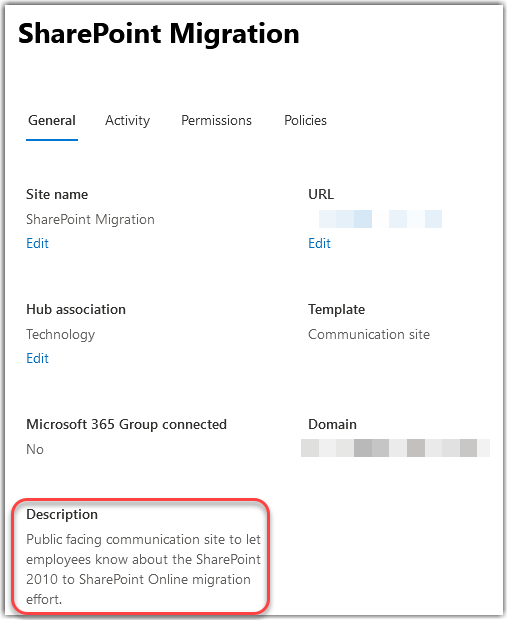
Renaming URLs in a SharePoint Online site
One of the questions I’ve grown to dread in my years of working with SharePoint is “can we change the URL of my site?” Up until now, the answer was pretty much no, unless you wanted to go through major hassles to create a new site, copy over content, etc. However, Microsoft has finally rolled out a feature to allow you to truly rename a URL, *and* it handles automatic redirects if someone uses the old URL. There are some caveats that I’ll point out at the end of this tip, but here’s how it works…
Using the new File Upload question in Microsoft Forms
Microsoft Forms is a great survey tool, but a number of people were wanting to have a question type that would allow people to upload files when responding to a Forms survey. Microsoft listened, and now Forms will allow for people to create File Upload questions as part of their survey response experience. Here’s now that works…
Using the My Day feature on Outlook in the browser
Microsoft’s been doing a good job in getting the web-based Outlook client to feature-parity with the Outlook client. One of the latest additions to web-based Outlook is the My Day feature, which easily allows you to see your to-do and calendar in the main email page. Here’s how it works…
Meeting Insights in Mobile Outlook
If you live off your mobile device, you know it’s not very easy to look at a meeting on your calendar and find any related information that might help you prepare. Now in the mobile version of Outlook on iOS and Android, there’s a new feature called Meeting Insights, and it will gather any documents or emails that might be relevant for you. It’s a great example of how Microsoft is using machine learning to make you more efficient. Here’s what it looks like…