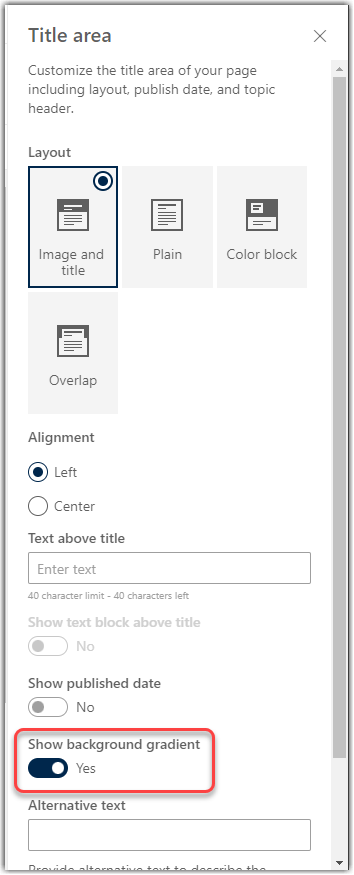
more). But now, you have the option to turn off the Title Region Gradient for more control over that image. Here’s how that works…
Learning new Microsoft Office tricks in "just a minute"
more). But now, you have the option to turn off the Title Region Gradient for more control over that image. Here’s how that works…
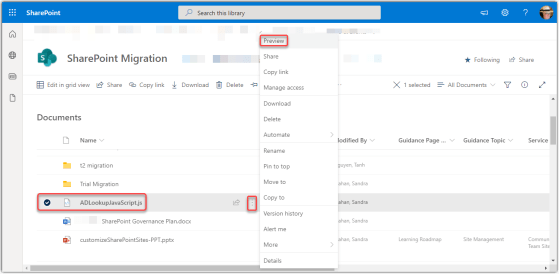
Sandra Mahan just blew my mind with a feature in SharePoint Online that makes cleaning up document libraries *so* much easier… the Preview feature. It’s probably been there for a long time, but neither of us had really used it before. Here’s how it works…
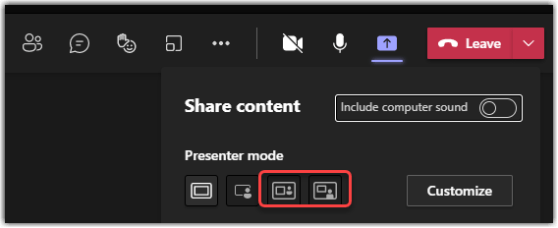
Microsoft continues to come up with new ways to allow presenters to show their content and, if desired, the presenter at the same time. The latest changes along this line are the Side-by-Side and Reporter presenter modes in Microsoft Teams. Here’s how they work and what they look like…

Much like you’ll find in the browser-based version of Microsoft Outlook, you can now have the browser-based version of Microsoft Word offer up text predictions, saving you time as you type. Here’s what that looks like…

hard to find a consistent look-and-feel on a document that you’re creating in Microsoft Word. Now you have some help in the browser-based version of Word… Designer. Here’s how it works…
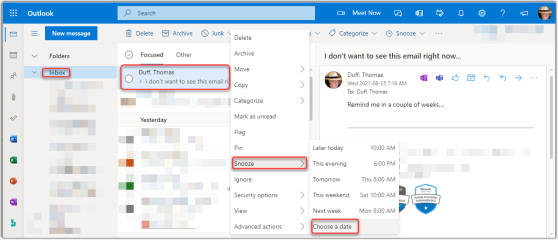
nd to live in my inbox (don’t judge), and it’s a bit irritating when you get an email that you need to act on, but not for a period of time… and it just sits in your inbox until then. Sandra Mahan showed me a better way to deal with that… Snooze! It’s possible to use the Snooze function to set a future date to have the email show back up in your inbox, and you can ignore it until then. Here’s how it works…
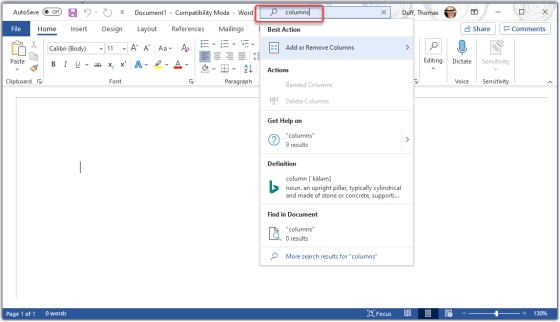
Tamara Bredemus wandered into my office yesterday and said “here’s a tip you might want to use…”, and she was right! You can ask the Tell Me feature in Microsoft Office to show you how to accomplish tasks without having to figure out the exact search terms or find the menu options. Here’s how it works…
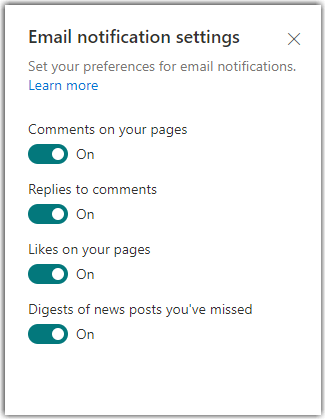
Microsoft has rolled out a new option that helps you control certain automatic email notifications you get within your SharePoint environment. Here’s how this option works…
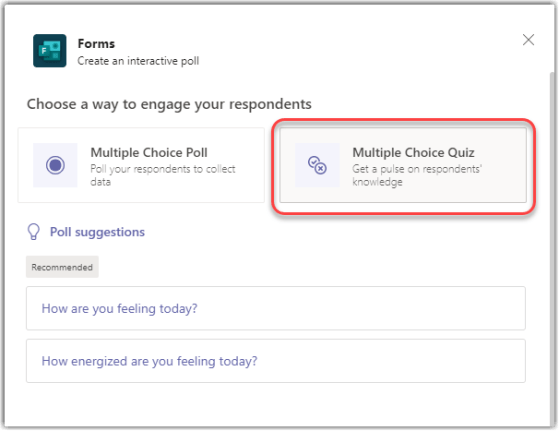
Microsoft Forms is a great way to poll your audience in a Microsoft Teams meeting. Now there’s a feature that also allows you to select a correct answer in a Poll question so that people know if their answer was right. Here’s how that works…
 One Minute Office Magic