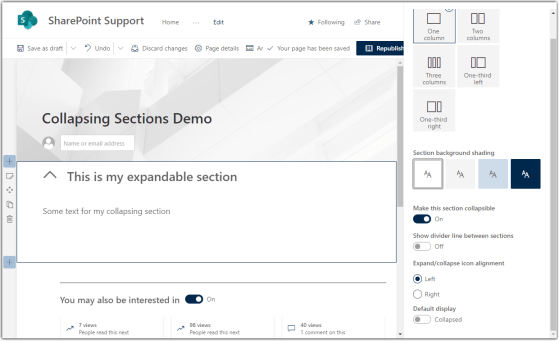
This is another new feature that I’ve been watching for, as it’ll allow for some great page design techniques to reduce visual overload. It’s the ability to create collapsible sections on your modern SharePoint page. Here’s how it works…
Learning new Microsoft Office tricks in "just a minute"
This is another new feature that I’ve been watching for, as it’ll allow for some great page design techniques to reduce visual overload. It’s the ability to create collapsible sections on your modern SharePoint page. Here’s how it works…
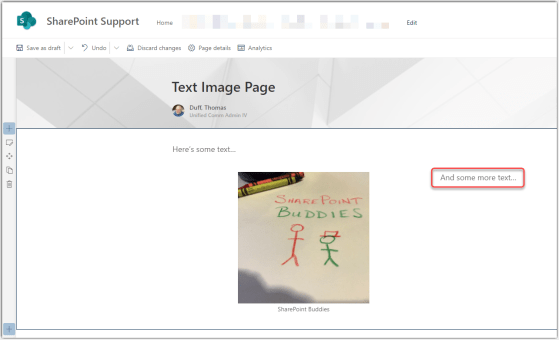
This is a change I’ve been waiting for ever since I saw it hit the Microsoft 365 roadmap… the ability to paste combined text and images into a SharePoint Online text web part. Here’s how it works…

Back in July, Microsoft added the ability to include comments on Microsoft list items. While I like the idea of being able to comment on list content, it may be something that doesn’t work well for certain styles of work or list content. To remove that distraction or avoid overlooking comments, you can turn off comments in a list. Here’s how you do that…
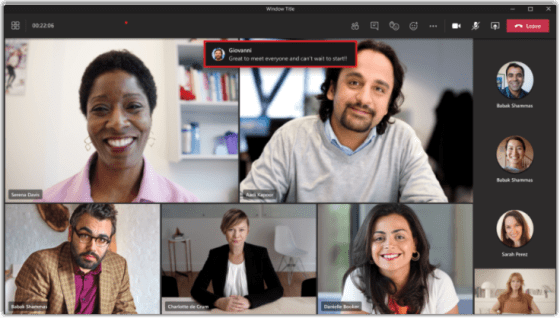
I find that it can be difficult during a Teams meeting to keep track of attendees, videos, and most of all… chat. However, Teams meetings now have a new feature called Chat Bubbles that makes it easier to see new messages without having to direct your attention somewhere else. Here’s how it works…

When you are creating a new Planner task, there’s a reasonable chance that you may want to add a relevant file to the task. Now Microsoft provides a list of suggested files at the bottom of the task when you’re setting it up. Here’s what that looks like…
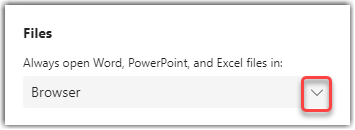
If you open files in Microsoft Teams, you may have noticed that they might open in the browser, in the desktop client, or directly in Teams. I didn’t know you could actually control your default method for opening files in Teams, but Jennifer Andre shared a way to do that which blew me away… and now I’ll share it with you. Here’s how it works…
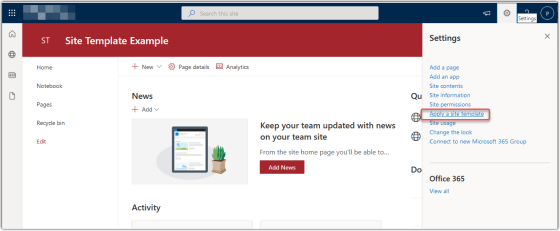
Microsoft has added a new feature for SharePoint Online sites involving the ability to apply a site template to your site. They have provided a number of templates for both Communication sites and Team sites. I’m going to show you how it’s done, and then give you some guidance on what you need to consider before you try this out…
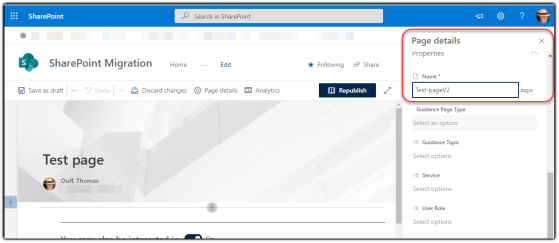
There are times when you need to change the URL (or even delete) a SharePoint Online page. It’s now a lot easier to do both of those items using the Page Details panel when you’re editing a modern SharePoint Online page. Here’s what that looks like…

I had a question come up today, and I realize I haven’t mentioned this feature before. If you are sharing your screen in a Microsoft Teams meeting and you want to play a video for people, they may not be able to hear it (even though you can hear it perfectly fine). You need to use the Include computer sound option to let everyone else hear what you’re showing. Here’s how that works…
 One Minute Office Magic