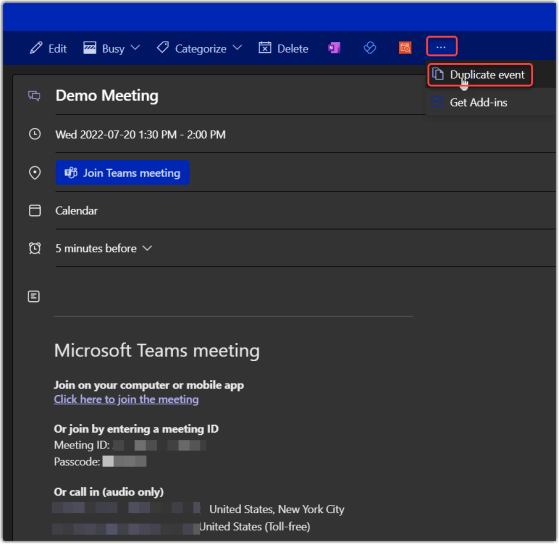
Have you ever had to set up a series of meetings with the same information, and you have to enter the information over and over and over? My wife Tamara showed me a cool feature I never noticed before that works on the calendar in Outlook on the Web… Duplicate Event! Here’s how it works…
Category: Outlook
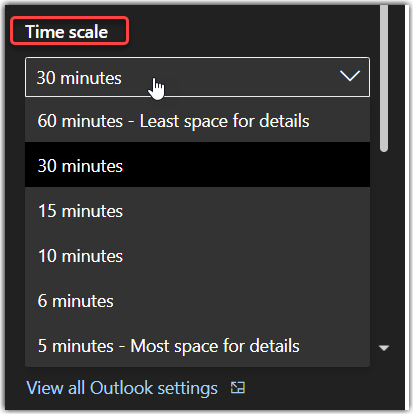
Changing your calendar time scale on Outlook for the Web
Depending on how you track your time on your calendar, you may need to adjust your calendar time scale to show more or less detail on your Outlook calendar (the web version, not the Outlook client). This is how that works and what it looks like…
Dismiss Reminders for Past Events
Have you ever returned from PTO and as soon as you log into Outlook, all of the meetings and events that occurred while you were away pop up? Wouldn’t it be nice to automatically dismiss them? Well here’s how to do just that:
Sharing Your Calendar Externally
Are you scheduling a meeting with a person outside the company and want to easily share your availability with them? Here’s a quick way to do that:
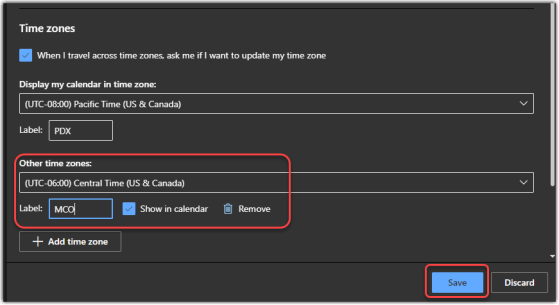
Adding time zones to your Outlook calendar on the web
My colleague Sandra got a nice surprise today… she got a pop-up in her web-based Outlook calendar that pointed her to a new feature… adding time zones! This is a really cool feature for those of us who work and live in more than one time zone. Here’s how it works…
Tone detection in Microsoft Editor for Outlook on the Web
Writing an email in a business environment is vastly different than jotting off a quick note to your best friend about having lunch next week. You need to keep many things in mind these days, such as inclusiveness, formality, and clarity. In order to help you out, you can use Microsoft Editor in Outlook on the Web to get grammar suggestions and hints that can make your writing better suited to your style and environment. Here’s how it works…
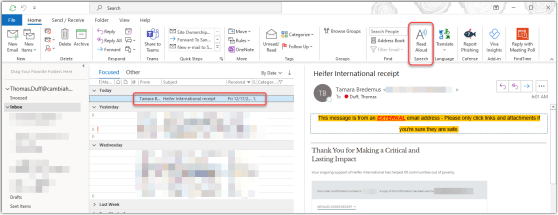
Using the Read Aloud feature in the Outlook client
he Read Aloud feature in the Outlook client is a good way for people with vision issues to get through an email without having to visually read it. Here’s how that feature works…
Drag and drop an email into a SharePoint Online document library
id you know you can drag and drop an email from Outlook into a SharePoint document library? This is a feature I really like, as it allows me to store relevant emails in a document library that is being used as a project repository. Here’s how it works…
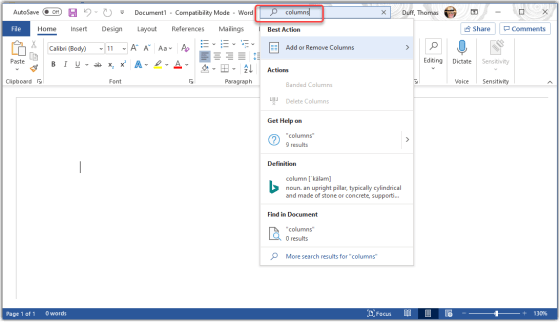
Using the Tell Me feature in Microsoft Office
Tamara Bredemus wandered into my office yesterday and said “here’s a tip you might want to use…”, and she was right! You can ask the Tell Me feature in Microsoft Office to show you how to accomplish tasks without having to figure out the exact search terms or find the menu options. Here’s how it works…