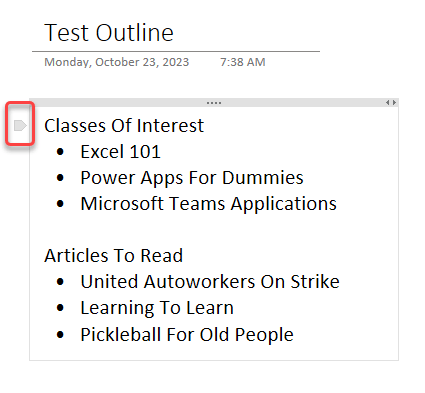
A colleague at work brought this to my attention, and it’s a cool OneNote feature. If you have a bulleted list of items with a title above the bullets, you can expand and collapse the bulleted section. Here’s how that works…
Learning new Microsoft Office tricks in "just a minute"
A colleague at work brought this to my attention, and it’s a cool OneNote feature. If you have a bulleted list of items with a title above the bullets, you can expand and collapse the bulleted section. Here’s how that works…
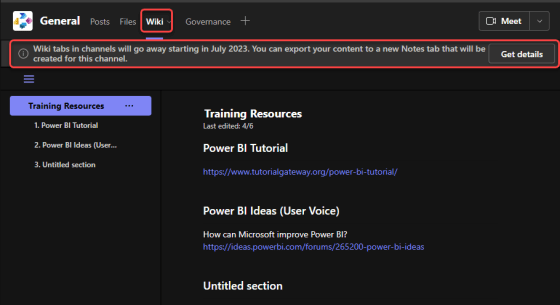
As if there are not enough migrations going on already… Microsoft has deprecated the Wiki application in Microsoft Teams, and you will need to export the contents of your standard channel wikis to the OneNote application that is part of your Microsoft Teams space. Fortunately, there is a tool that will do that export for you. Here’s how to make that happen…
My slides from the Minnesota SharePoint User Group presentation on Office 365 Productivity Tips
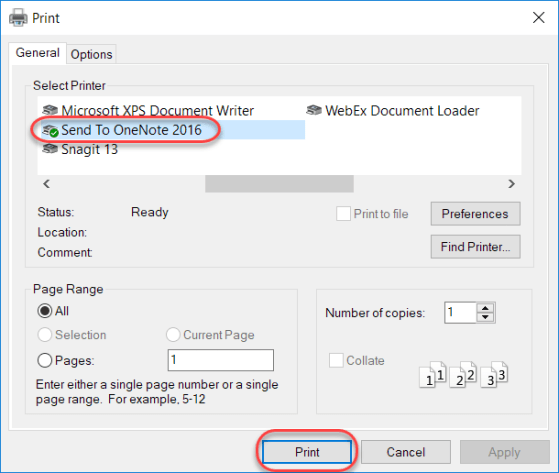
I think that OneNote is one of the coolest tools in the entire Microsoft portfolio of products. It’s like the Ginsu knife of personal productivity (if I just aged myself with that reference, you can catch up here… The Ginsu (Commercial Offer, 1980)). One feature of OneNote I want to cover today is the ability to print to OneNote just like you would print to a printer or a PDF file. Here’s how…
Hardly a day goes by that we don’t get a question from someone along the lines of “does do , and why doesn’t it?”. Or, there’s the “when will Microsoft change to allow us to do ” question. Bottom line… we don’t know, and we have virtually no sway to influence Microsoft to change their software… but you do!
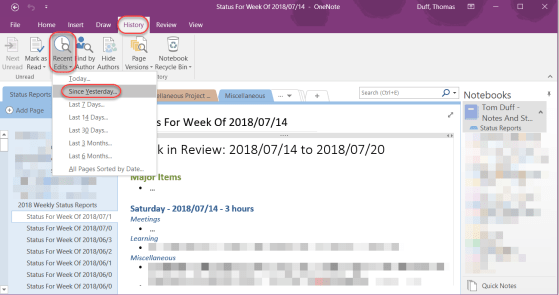
With the amount of work we do on a daily basis, it’s often hard to remember just exactly where you updated or changed information. You know you did it in the last couple of days, but you can’t specifically remember where it was done.
If you’re using OneNote to store information, OneNote makes it easy to find everything you changed and where exactly it was updated using the Recent Edits feature. Here’s how that works…
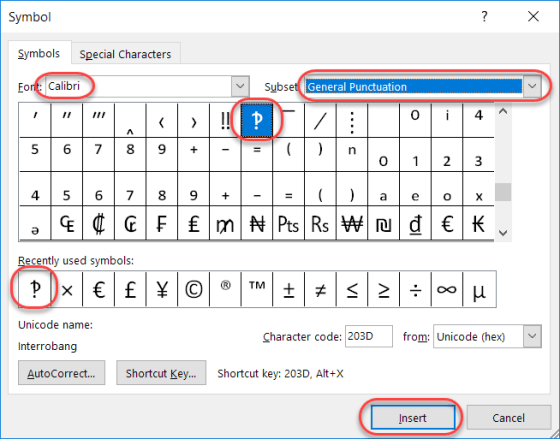
Today’s tip is a bit lighter in nature, as I learned something this week which I had never even heard, much less knew about. Have you ever written an email or a Skype message that was something along the lines of “What do you think you are doing?!?!?!” That series of snarky question marks and exclamation points, when combined, are often referred to as interrobangs.

A colleague pointed out this option to me the other day, and it’s a good one to share. In Office programs like Word or OneNote, the system often uses your initials to note who made changes. But perhaps you need to change your initials for some reason (duplicate of someone else, you don’t like them, etc.). Here’s how you do that…
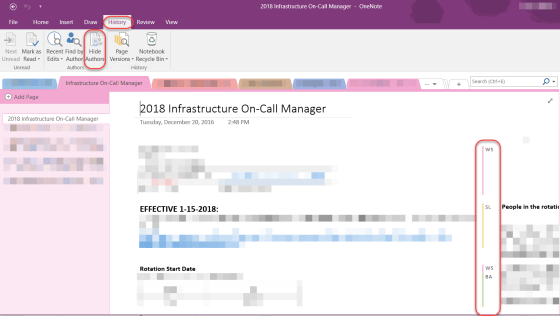
Depending on how you use OneNote, you may want to be able to see who updated parts of a OneNote page. There’s an option on the Ribbon Bar called Hide Authors that does that for you.
 One Minute Office Magic