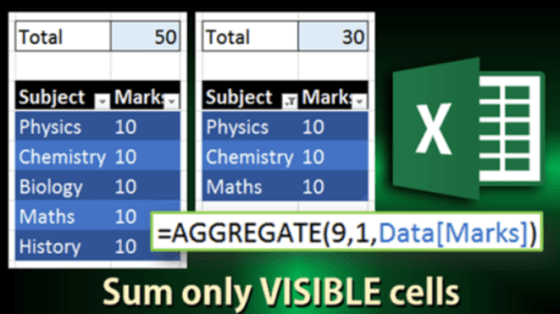
A customer asked us a question a while back related to Auto Sum on a column with hidden rows. Not being an Excel wizard, I left the question in my inbox to investigate later. Fortunately, the answer arrived in an Efficiency 365 email!
Learning new Microsoft Office tricks in "just a minute"
A customer asked us a question a while back related to Auto Sum on a column with hidden rows. Not being an Excel wizard, I left the question in my inbox to investigate later. Fortunately, the answer arrived in an Efficiency 365 email!
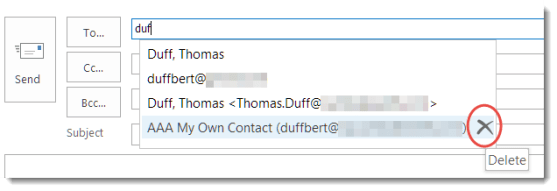
Over time, Outlook builds up quite a collection of email addresses that it “helpfully” assists you with when you start to type a name in the To field. However, people move on, change email addresses, or no longer qualify as someone you want or need to email. Here’s how you can get rid of those names that just clutter things up.
But sometimes I read something that is a bit more general, but is *very* important in terms of being effective with the Office tools that you have. In this case, I read the following article: How to Write Effective Emails that People Will Actually Read.
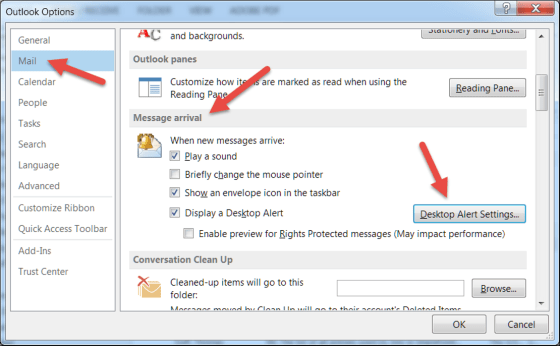
Do you wish there was some way to be notified when new emails come in? Do you hate the fact that you *do* get notified when new emails come in?

Some time and somehow over the last couple of days, my Outlook email started showing up with the Ribbon Bar tabs appearing but none of the commands underneath them. To do anything with my email, I had to click the Messages tab to get all the related commands. Since this had One Minute Office Magic tip written all over it, I decided to figure out what I did and how to fix it.
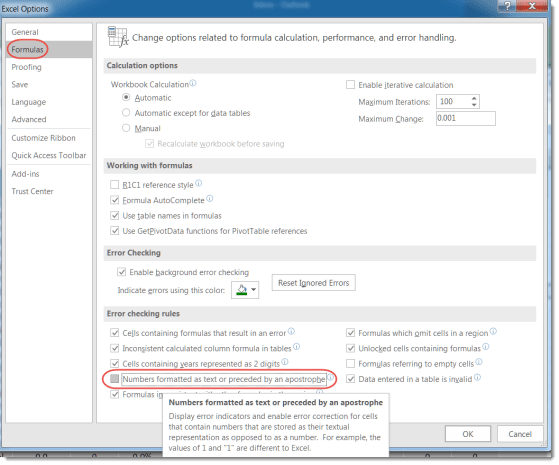
Last month, I shared a tip about how to clear out the numeric/text error in Excel without having to correct it one cell at a time. I mentioned there was no blanket way to turn it off, but I was… WRONG! A colleague pointed out an option setting in Excel that allows you to ignore that error completely.
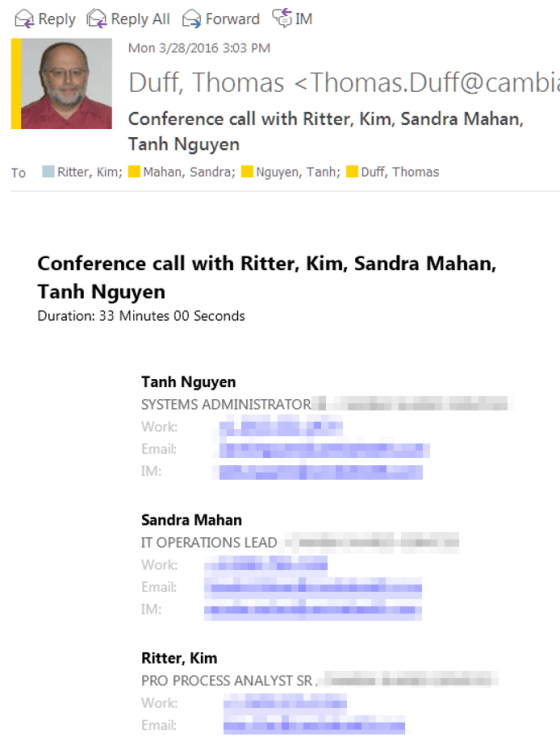
Have you ever been in a Skype meeting, and wondered who all attended after the fact? Here’s a cool trick to see who was in the meeting…
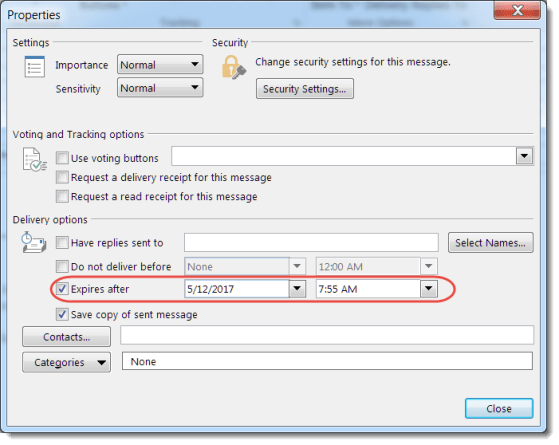
There’s a feature in Outlook that allows you to send an email that “expires” at a certain date and time. Sandra and I were discussing it the other day, and we really didn’t know what it would do. I decided to figure it out for today’s tip. 🙂

So have you ever been working away on a Word document or Excel file, only to have the power go out or your laptop throw the Blue Screen of Death? All your work… gone.
But not necessarily… if you have AutoRecover configured in your Office programs (specifically, I’m referring to Word, Excel, and PowerPoint), you will only lose a limited amount of work. Here’s how you do that…
 One Minute Office Magic