When I’ve been working with people and ask them to share their desktop, I’ve noticed that a lot of people select the desktop sharing option, but forget to click the Present button at the bottom…

Learning new Microsoft Office tricks in "just a minute"
When I’ve been working with people and ask them to share their desktop, I’ve noticed that a lot of people select the desktop sharing option, but forget to click the Present button at the bottom…
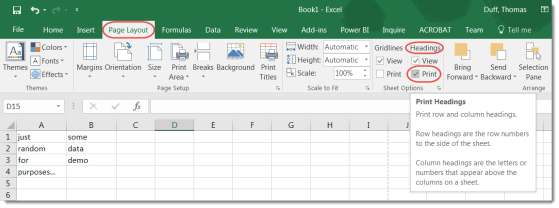
Most of the time when you print a spreadsheet, you only want to see the data, not the letters for each column and the numbers for each row. However, there is a way to get the letters and numbers to show up if you need them on your printout.
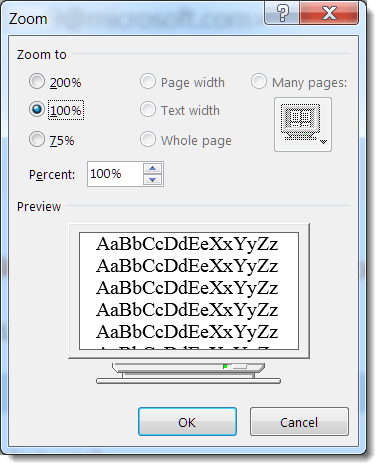
Depending on the quality of your eyesight (and the font size choice of your email sender), you might find that you need some extra “help” in reading the text in a particular email. Outlook provides a couple of ways that you can easily zoom in and increase the text size of your email.
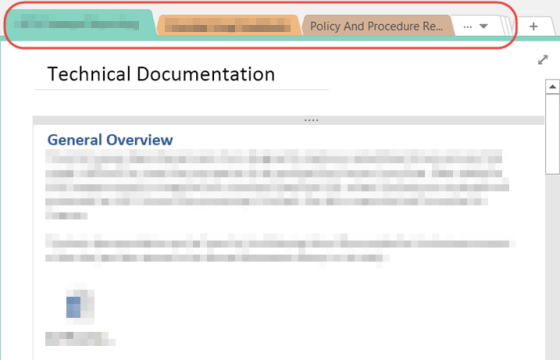
If you use the CTRL+Tab key combination, you can move across the section tabs from left to right at the top of your OneNote notebook.
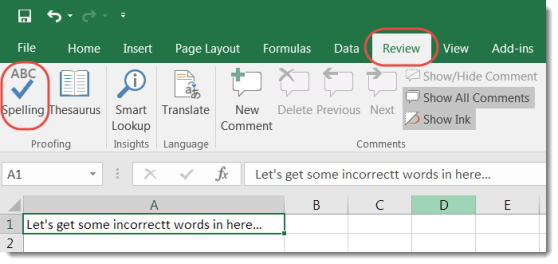
One of our Enterprise Service Center (ESC) supervisors shared a cool Excel tip yesterday. They often hear complaints about how there is no automated Spell Checker in Excel. However, there are a couple of different ways that you can complete a spell check.
We were recently asked about what shortcut keys exist for Skype. Sandra found a great list of all the Skype shortcut key combinations at Microsoft’s support.office.com site.
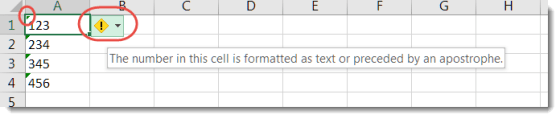
While there’s no way to shut off the numeric/text error in Excel completely, there is a way to clear the error on a number of cells at once rather than one at a time. Here’s how it works…

Have you ever been asked, “What days and times are you free to meet this week?” Rather than jotting down all the dates and times manually, there’s a quicker way to provide the information.
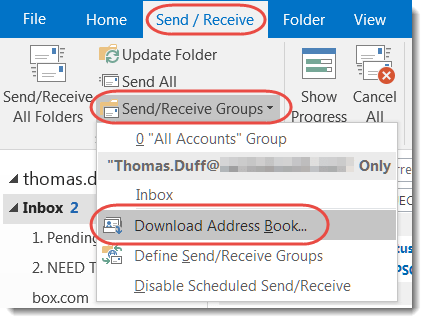
Earlier this week, I was getting bounced mail to a person who I knew was still with the company, and it was part of a Reply To email. I couldn’t figure out why, until our mail administrator asked me to update my cached Outlook address book from the Global Address Book in Exchange. Here’s how that works…
 One Minute Office Magic