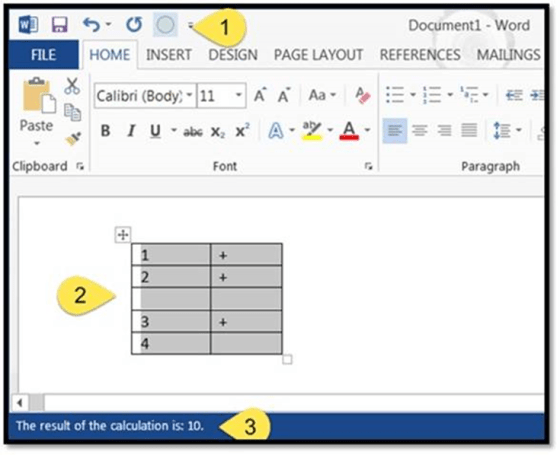
A colleague sent me an email after last week’s tip on creating a calculator in Word. She wondered if you could create a “spreadsheet” of claims in Word, and use the calculator to add up the claim totals. Much to my surprise, you *can* do something like what she suggested.
Author: oneminuteofficemagic
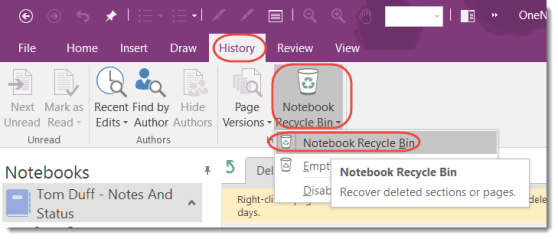
Finding deleted content in the OneNote Notebook Recycle Bin
Lately I’ve had a few panicked phone calls from my customers who are missing content (either pages or whole sections) in their OneNote notebooks. In order to help everyone reduce those feelings of dread, I’d like to make sure you know about the OneNote Recycle Bin, which almost always has the material that was deleted.
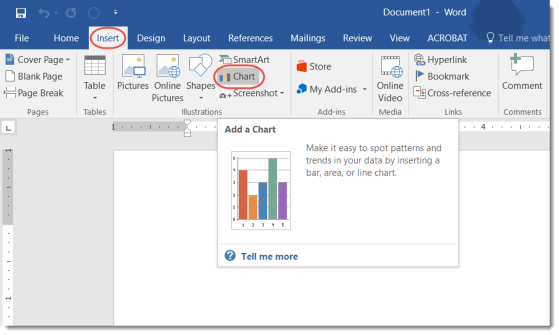
Quick charting from within Word
Normally if I have a chart that I want to add to a Word document, I create it in Excel and then copy and paste it over. However, Word has a decent charting function that makes it pretty easy to add basic charting on the fly.
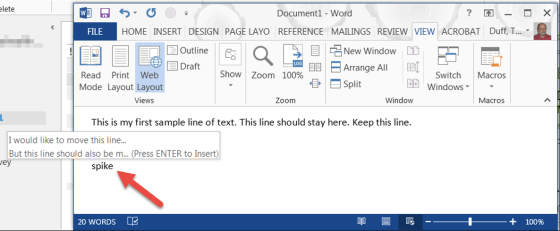
Did you know about the “spike” function in Word?
OK… this tip borders on pure magic, and I had never heard of it before. The spike function in Word allows you to cut multiple sections in a Word document, and then paste them together in a single function. No more “cut, then paste, then cut, then paste, etc…”
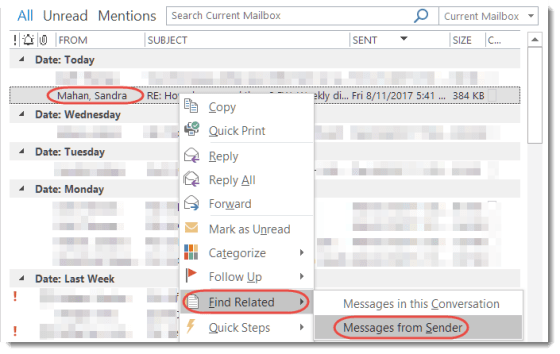
Finding all the emails from a sender in Outlook
Let’s say that a certain boss I report to asks me about an email she sent me, and I’m desperately trying to find it so I don’t look dumber than normal. This Outlook trick can quickly filter down all my emails to only the items she sent me.
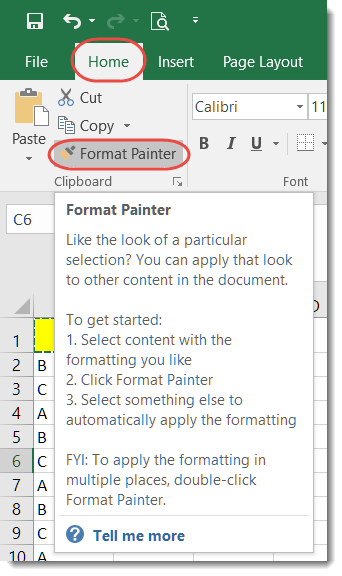
Using the Format Painter in Excel
This was a feature I never used before, but I can see where it would come in very handy at times… the Format Painter in Excel.
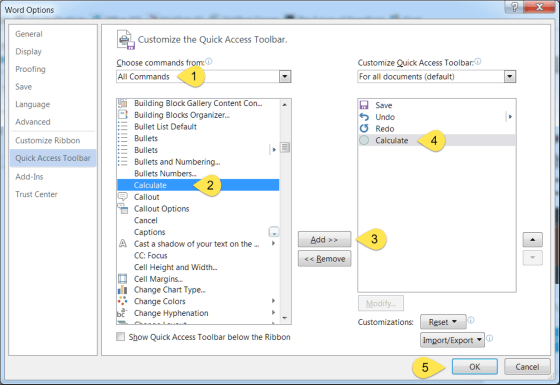
Adding a “calculator” to Word
This is one of those things that I find more interesting than useful, but I can also see how some people might find this to be just the tool they need. So, with that… here’s how to add a calculator to Word. 🙂
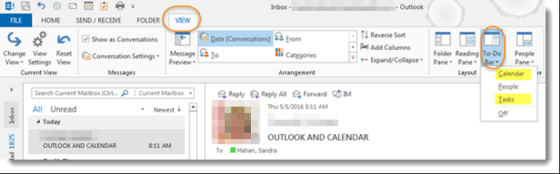
Outlook – To-Do Bar
Today I received an email from a colleague indicating that she had recently lost her calendar and task bar on the right side of her screen and asked how to get them back.
Retrieving deleted emails with the Undo feature
Sandra shared this one with me today, and neither of us had thought about using Undo in this fashion. But it works really well for getting an email back that you inadvertently sent to the Deleted Items folder (assuming you use Undo right after you did the delete).