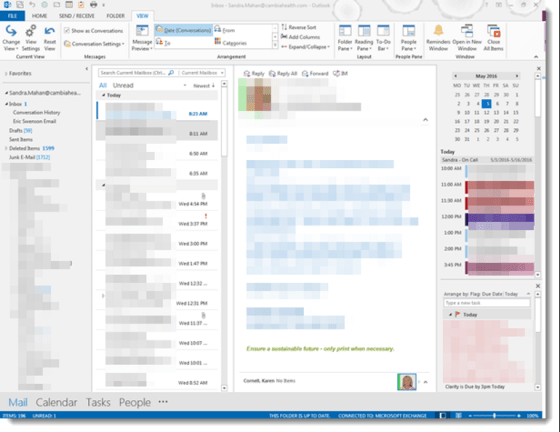
Outlook – Minimizing Screen Items

Sometimes there isn’t a lot of room in Outlook to see everything when using the reading pane, especially if you have a smaller monitor or are using a laptop. Here are a few tricks to free up space.

Jazzing up your PowerPoint presentations with Transitions

People have a love/hate relationship with PowerPoint presentations… too many words, death by bullet point, having the speaker read the slides to them… a bad presentation can be a soul-sucking experience.

However, you can add a bit of motion and action to your slides when you go from one to another, and it can help keep your audience a bit more engaged (as in… “what’s gonna happen next time s/he changes the slide?”). You do that with Transitions.

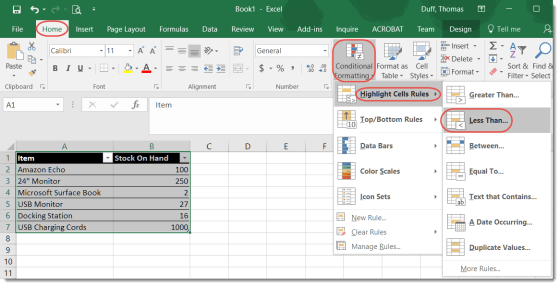
Conditional Formatting in Excel

This isn’t so much a cool “magical” tip as much as it’s a reminder to myself that it exists and I should use it more often. Excel has a Conditional Formatting feature that allows you to apply rules to a spreadsheet to have certain data situations display in different ways automatically.