When you’re working with Copilot in Microsoft Teams or a web browser, you can save your prompts so that it’s easy to use them repeatedly. But it feels like Microsoft changed the way you get to the Copilot Prompt Gallery lately. If you’re having problems on how to find your saved prompts, here’s how that works…
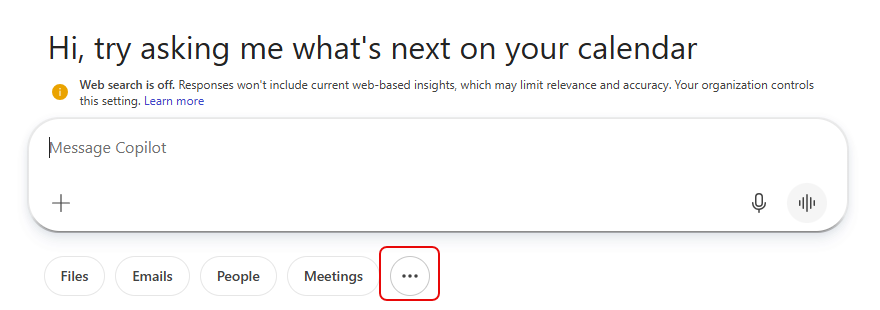
When you’re at the prompt area, there is an ellipsis at the bottom of the area. To get to the prompt gallery, click on the ellipsis:
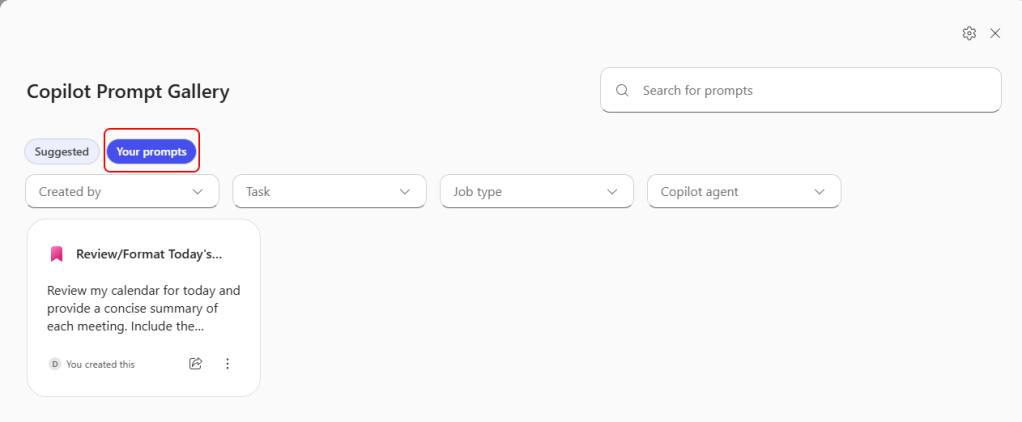
You’ll be taken to the Copilot Prompt Gallery, where you can choose from suggested prompts or the ones you’ve saved. When you click on the prompt, it fills in the prompt area for you:
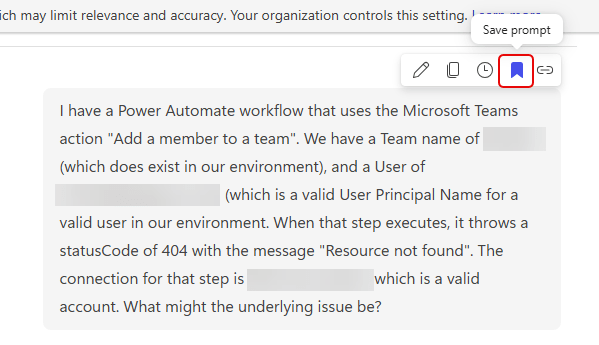
And if you’re wondering how to save a prompt… hover over one of the prompts you’ve submitted. You’ll see a small icon bar, and one of the icons is the Bookmark icon, which will save that prompt in the prompt gallery for you: