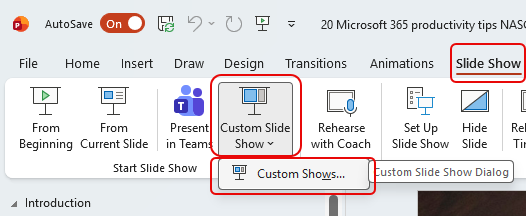
It’s tips like this that make me happy to have a wife who also works in the same tech field as I do. 🙂 Have you ever had a PowerPoint slide deck that has a significant number of slides, but you wish you could create smaller custom versions of that deck without having to maintain multiple files? Well, you can using the Custom Slide Show feature! Here’s how that works…
To build a Custom Slide Show, open up one of your slide decks and select Slide Show > Custom Slide Show > Custom Shows:
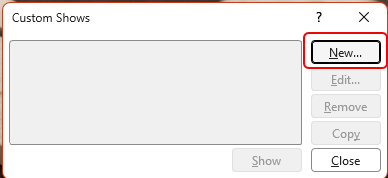
To create a new Custom Slide Show, click the New option:
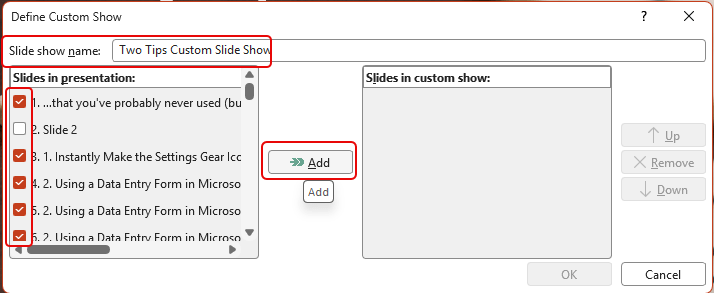
Name your custom slide show and select the slides in your presentation that you want to have be part of your custom show. Click on Add:
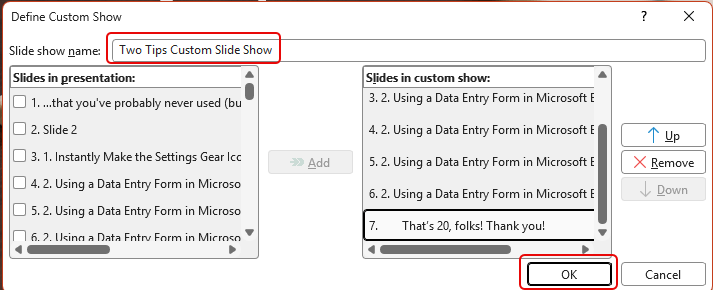
Make sure the name is correct and that your custom show slide order is correct. Once you do that, click on OK:
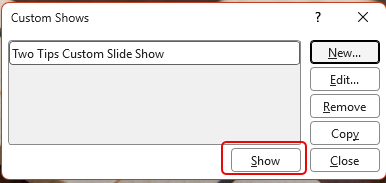
You’ll now see that you have one Custom Show based on this slide deck. To see what it looks like, click Show:
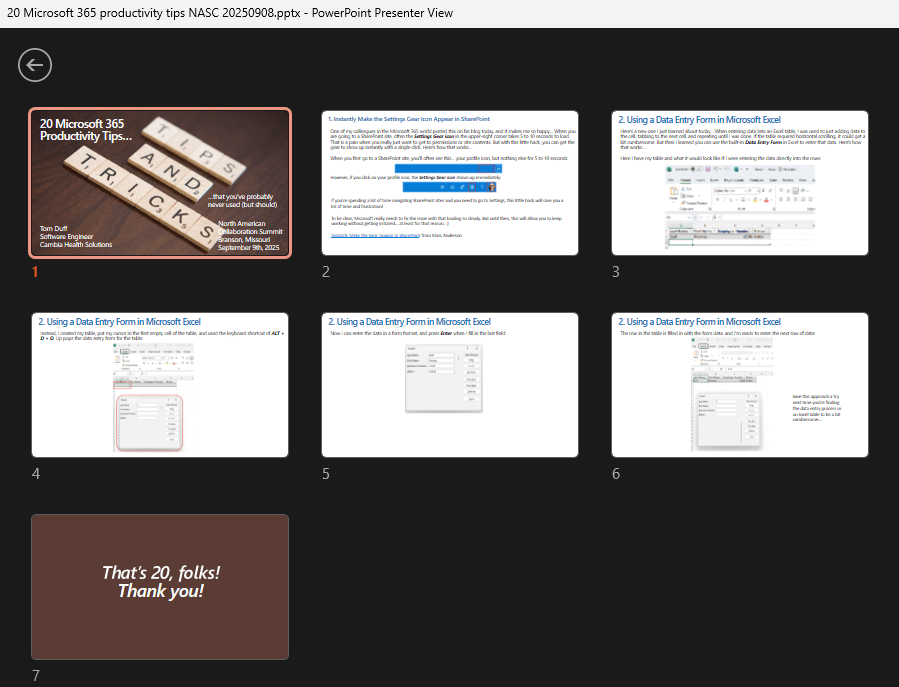
Here is my custom show with two tips in it:
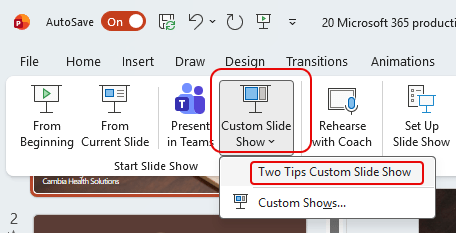
In order to use that custom slide show, click on Custom Slide Show and then select the custom show that you’ve created:
This is a great way to make a number of slide shows for various purposes without having to create (and maintain!) separate files. You could decide to create a large deck with all the slides you would need on a topic, and then create a custom slide show for each audience.


