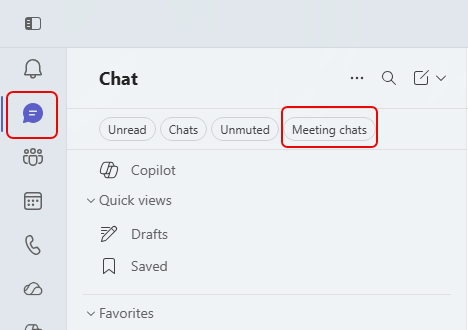
In Microsoft Teams, every meeting you have may have a chat associated with it. And while all those chats will show up in your Chat navigation area, good luck in scrolling through the mix of meeting chats, group chats, and one-on-one chats you’ve had over time. Fortunately, Microsoft is rolling out a change that allows you to filter your chat area to ONLY show your meeting chats. Here’s what it looks like…
In the Chat area in Microsoft Teams, you will see a tab labelled Meeting chats once the change rolls out to you:
Once you click that tab, all you will see are chats associated with meetings:
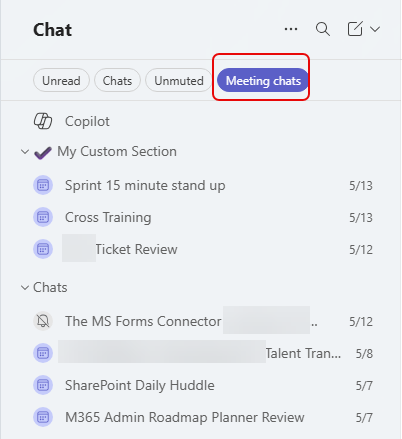
This makes it much easier to find the chat for that one meeting that was somewhere around three months ago…


