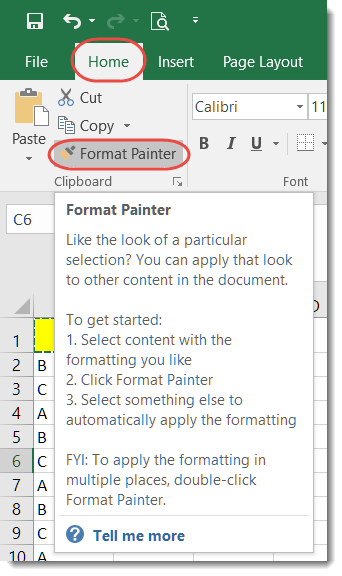
This was a feature I never used before, but I can see where it would come in very handy at times… the Format Painter in Excel.
Learning new Microsoft Office tricks in "just a minute"
This was a feature I never used before, but I can see where it would come in very handy at times… the Format Painter in Excel.
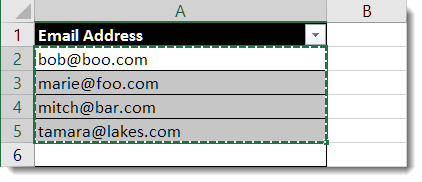
This little trick is handy if you have a list of email addresses in Excel, and you want to use that list to send everyone an email using Outlook. It’s really nothing more than copy and paste!
It’s that time of year again!
Each year, Eric Ligman from Microsoft has a blog entry that posts links to a LARGE collection of FREE ebooks on Microsoft technology. There’s no catch, it’s all legal, and it’s simply a “thank you” to everyone who is a Microsoft customer or partner. They are full versions of the titles, they are not time-bombed, etc. They are really and truly FREE for downloading.

When I go to start a new Word document or Excel file, I nearly always take the default blank template in the upper left corner. However, I recently decided to scroll down and see what Excel file templates were out there. I was amazed at what options I had to create something that was “out of the ordinary”.
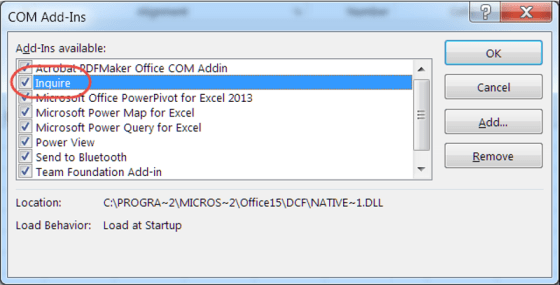
Sometimes when working with Excel, you may end up with a spreadsheet that has an excessive amount of formatting. That formatting can come with a cost, such as large file sizes and long wait times to launch the spreadsheet.
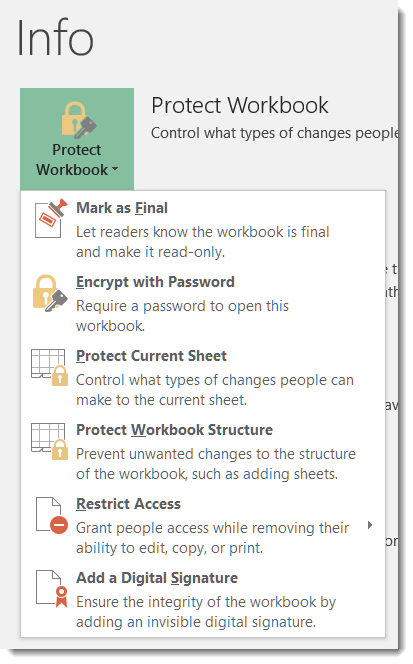
I had a question yesterday from someone asking if there was a way to password protect an Excel file. I just assumed that everyone knew that was possible, but I didn’t have a direct answer that said “click here, here, and here” to help her. Thus, today’s tip on how to password protect files in Excel, Word, and PowerPoint.
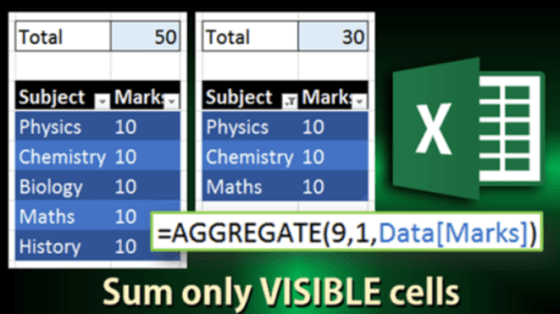
A customer asked us a question a while back related to Auto Sum on a column with hidden rows. Not being an Excel wizard, I left the question in my inbox to investigate later. Fortunately, the answer arrived in an Efficiency 365 email!

Some time and somehow over the last couple of days, my Outlook email started showing up with the Ribbon Bar tabs appearing but none of the commands underneath them. To do anything with my email, I had to click the Messages tab to get all the related commands. Since this had One Minute Office Magic tip written all over it, I decided to figure out what I did and how to fix it.

So have you ever been working away on a Word document or Excel file, only to have the power go out or your laptop throw the Blue Screen of Death? All your work… gone.
But not necessarily… if you have AutoRecover configured in your Office programs (specifically, I’m referring to Word, Excel, and PowerPoint), you will only lose a limited amount of work. Here’s how you do that…
 One Minute Office Magic