If you work with Excel spreadsheets, you’ve likely ended up with the need to compare two dates to find the number of days, months, or years between them. Using the DATEDIF function, you can easily accomplish that.

Learning new Microsoft Office tricks in "just a minute"
If you work with Excel spreadsheets, you’ve likely ended up with the need to compare two dates to find the number of days, months, or years between them. Using the DATEDIF function, you can easily accomplish that.
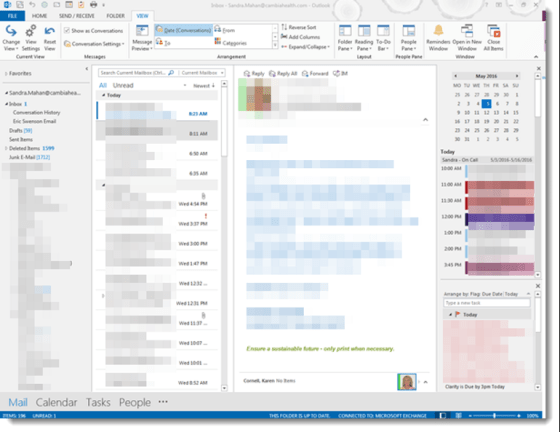
Sometimes there isn’t a lot of room in Outlook to see everything when using the reading pane, especially if you have a smaller monitor or are using a laptop. Here are a few tricks to free up space.

One of my colleagues at work wondered if there was an easy way to clear out multiple column filters in Excel without having to go into each column separately. A quick search on Google showed that you definitely can do that…
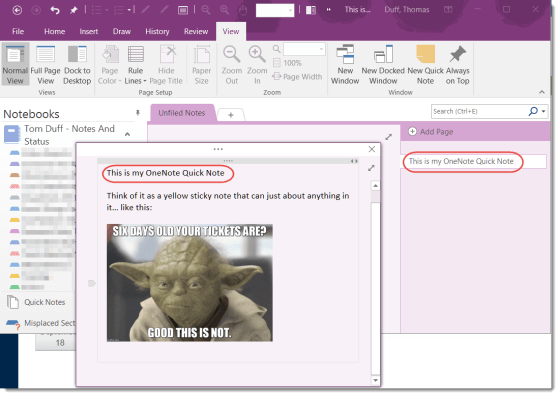
This is one of those features I accidentally discovered by wondering what the Quick Notes entry was doing at the bottom of my notebook lists on the left-side navigation of my OneNote client. After a quick bit of research, I think this will now become a go-to feature for me.

Have you ever joined a Skype meeting a couple minutes early, only to find that you’ve joined the tail end of a different meeting? That’s a very annoying situation (to me, at least), and a colleague shared a tip with us to make sure that doesn’t happen to you.

People have a love/hate relationship with PowerPoint presentations… too many words, death by bullet point, having the speaker read the slides to them… a bad presentation can be a soul-sucking experience.
However, you can add a bit of motion and action to your slides when you go from one to another, and it can help keep your audience a bit more engaged (as in… “what’s gonna happen next time s/he changes the slide?”). You do that with Transitions.
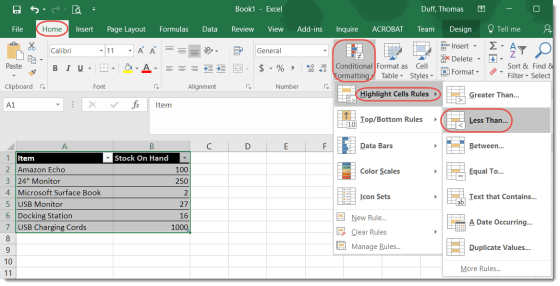
This isn’t so much a cool “magical” tip as much as it’s a reminder to myself that it exists and I should use it more often. Excel has a Conditional Formatting feature that allows you to apply rules to a spreadsheet to have certain data situations display in different ways automatically.
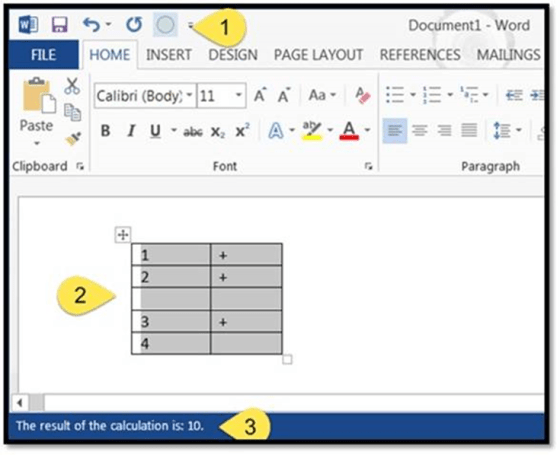
A colleague sent me an email after last week’s tip on creating a calculator in Word. She wondered if you could create a “spreadsheet” of claims in Word, and use the calculator to add up the claim totals. Much to my surprise, you *can* do something like what she suggested.
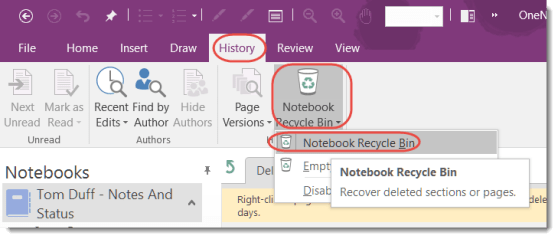
Lately I’ve had a few panicked phone calls from my customers who are missing content (either pages or whole sections) in their OneNote notebooks. In order to help everyone reduce those feelings of dread, I’d like to make sure you know about the OneNote Recycle Bin, which almost always has the material that was deleted.

