If you’re like me, there are many instances during the day when you’re in Microsoft Teams and you want to have a quick meeting with a group. However, it’s a pain to have to schedule the meeting first, and then hope that everyone can join. Now, you can just use the Meet Now option in Teams to create an ad-hoc meeting without the hassle of setting things up first. Here’s how that works…
Replacing your video in Microsoft Stream using the same URL
There are times when you’ve created a video that needs to be updated, but you’ve already published the video’s URL in too many places to count. You’d ideally like to just replace the video and keep the same URL. Now you can in Microsoft Stream. Here’s how that works…
Trimming videos directly in Microsoft Stream
While Microsoft Stream is a great video content delivery system, it really doesn’t have much in the way of tools to manipulate the video once it’s recorded. That’s starting to change now with the new ability to trim a video directly from within Microsoft Stream. Here’s how that works…
Adding Comments to non-Microsoft files in SharePoint Online and OneDrive
One of the many benefits of storing files in SharePoint Online or OneDrive as opposed to file shares is the ability to add comments to the file for additional context and collaboration. However, until recently that was only allowed for Microsoft files (such as Word, Excel, etc.) Now the ability to add comments has been extended to non-Microsoft files, such as PDF files. Here’s how that works…
Dark Mode in the Outlook mobile app
It seems like 2019 has been the year of “Dark Mode” when it comes to having black background and white text on various applications and web sites. If you’re a regular user of Outlook on your mobile device, you can take advantage of that feature now. Here’s how to set it up…
Pinning your favorite channels in Microsoft Teams
If you have a number of Microsoft Teams workspaces that you are part of, it can be a hassle to stay focused on the few select channels that are meaningful and that need your attention. A recent enhancement will make that much easier now… Pinned Channels in the Microsoft Teams client. Here’s how that works…
Button and Call To Action web parts on SharePoint Online pages
Have you ever needed a quick button on a web page? Or perhaps a way to get people to notice and do something? You can now use the Button and the Call To Action web parts on Modern SharePoint Online web parts. Here’s how…
Weather and World Clock web parts on SharePoint Online pages
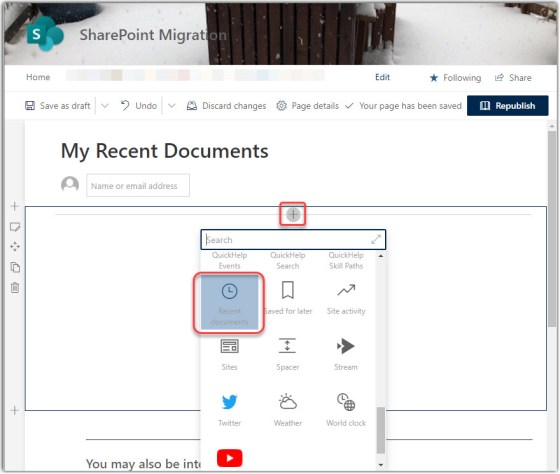
In SharePoint Online modern web pages, there are two new web parts that might look nice on your intranet home page… the Weather and the World Clock web parts. Here’s how they work…
Channel cross-posting in Microsoft Teams
I’m happy to see that the ability to cross-post in multiple channels in Microsoft Teams has arrived in our tenant. This will make it much easier to get certain messages out to a wider audience much more easily. This is how it works…