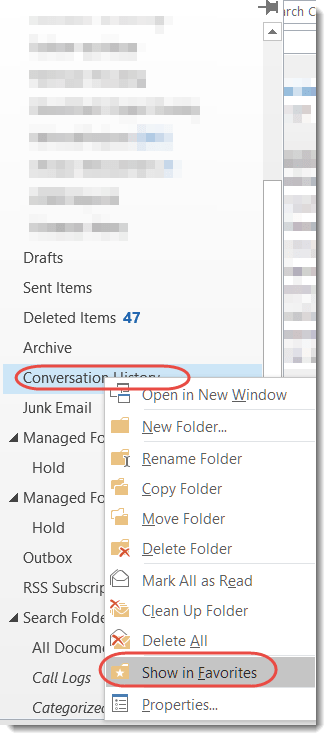
Sandra showed me a cool trick last week that I was unaware of. She likes to keep her Outlook Folder Pane minimized down the left side of the screen, but I’ve always disliked it because it didn’t list the folders I cared about. She fixed that problem by showing me how to add Favorites there! Here’s how you do it…
Category: Outlook
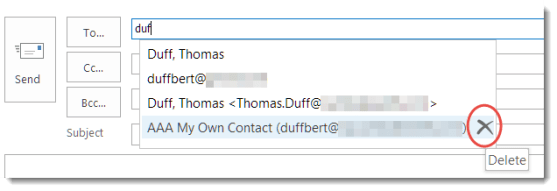
Removing names from the Outlook Autocomplete list
Over time, Outlook builds up quite a collection of email addresses that it “helpfully” assists you with when you start to type a name in the To field. However, people move on, change email addresses, or no longer qualify as someone you want or need to email. Here’s how you can get rid of those names that just clutter things up.
How to Write Effective Emails that People Will Actually Read
But sometimes I read something that is a bit more general, but is *very* important in terms of being effective with the Office tools that you have. In this case, I read the following article: How to Write Effective Emails that People Will Actually Read.
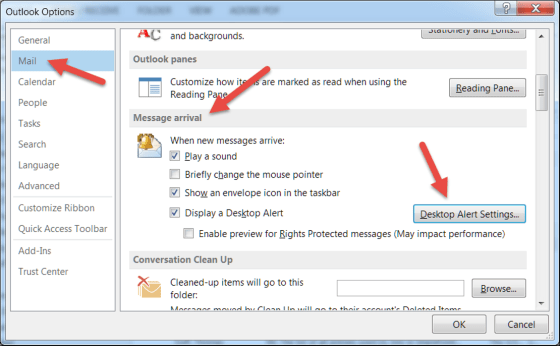
Adjusting Outlook incoming email alerts
Do you wish there was some way to be notified when new emails come in? Do you hate the fact that you *do* get notified when new emails come in?
Where did my Ribbon Bar commands go?
Some time and somehow over the last couple of days, my Outlook email started showing up with the Ribbon Bar tabs appearing but none of the commands underneath them. To do anything with my email, I had to click the Messages tab to get all the related commands. Since this had One Minute Office Magic tip written all over it, I decided to figure out what I did and how to fix it.
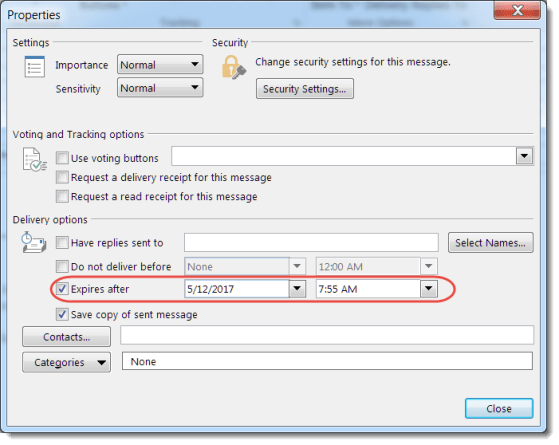
Expiring mail in Outlook
There’s a feature in Outlook that allows you to send an email that “expires” at a certain date and time. Sandra and I were discussing it the other day, and we really didn’t know what it would do. I decided to figure it out for today’s tip. 🙂
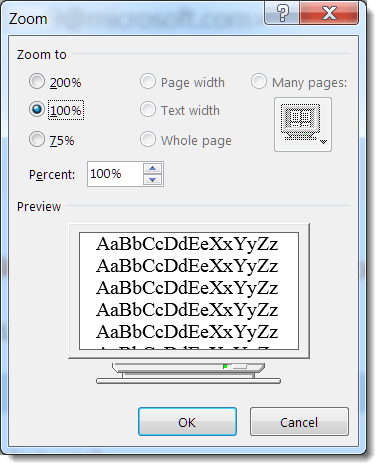
Zooming the text in an Outlook email
Depending on the quality of your eyesight (and the font size choice of your email sender), you might find that you need some extra “help” in reading the text in a particular email. Outlook provides a couple of ways that you can easily zoom in and increase the text size of your email.
Outlook Calendar – Email Schedule
Have you ever been asked, “What days and times are you free to meet this week?” Rather than jotting down all the dates and times manually, there’s a quicker way to provide the information.
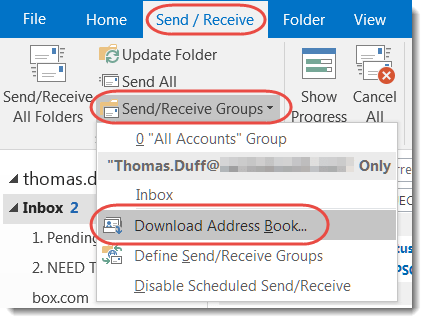
Updating the Outlook address book from the Global Address Book
Earlier this week, I was getting bounced mail to a person who I knew was still with the company, and it was part of a Reply To email. I couldn’t figure out why, until our mail administrator asked me to update my cached Outlook address book from the Global Address Book in Exchange. Here’s how that works…