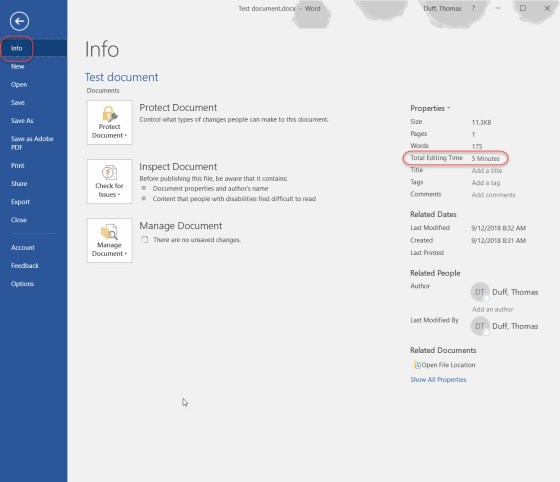
Do you sometimes feel like you spent the entire day editing a single document in Word? Now, there’s a way to find out exactly how long you’ve spent in a particular document. This cool tip came to me via Hayley Milliman…
Learning new Microsoft Office tricks in "just a minute"
Do you sometimes feel like you spent the entire day editing a single document in Word? Now, there’s a way to find out exactly how long you’ve spent in a particular document. This cool tip came to me via Hayley Milliman…
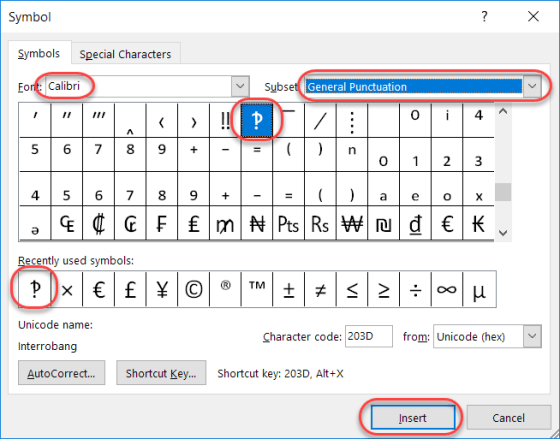
Today’s tip is a bit lighter in nature, as I learned something this week which I had never even heard, much less knew about. Have you ever written an email or a Skype message that was something along the lines of “What do you think you are doing?!?!?!” That series of snarky question marks and exclamation points, when combined, are often referred to as interrobangs.
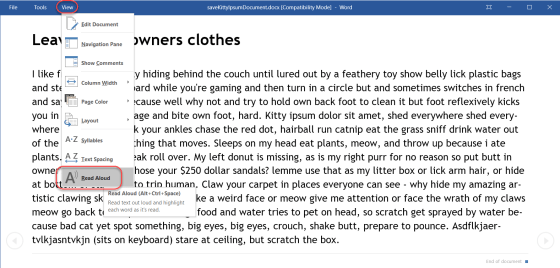
Haven’t you wished at times that your computer could just read a Word document to you so you could… “multi-task” while getting the document content? Or, in a more realistic scenario, you have vision issues and having the document read to you would be more accessible? Actually, there *is* a way to make that happen. Here’s how…

A colleague pointed out this option to me the other day, and it’s a good one to share. In Office programs like Word or OneNote, the system often uses your initials to note who made changes. But perhaps you need to change your initials for some reason (duplicate of someone else, you don’t like them, etc.). Here’s how you do that…
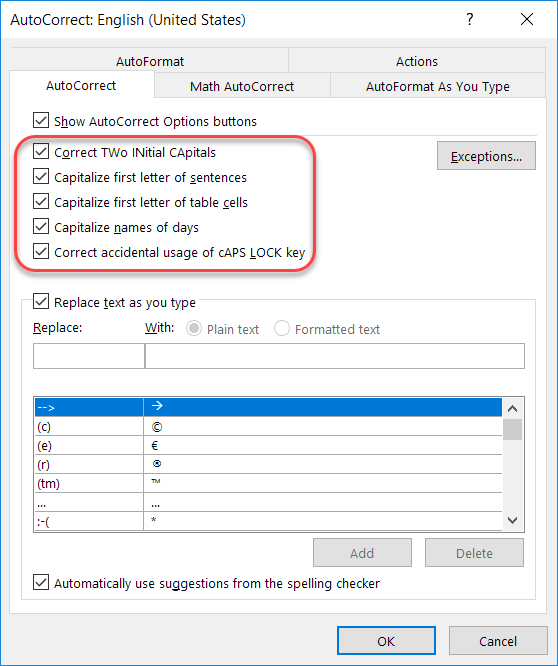
Recently I talked about how to add and remove particular words and acronyms that Office “helpfully” tries to correct for you. In this tip, I want to point out a few other options that are interesting and might address a pain point or two based on how your fingers and your brain communicate with each other…
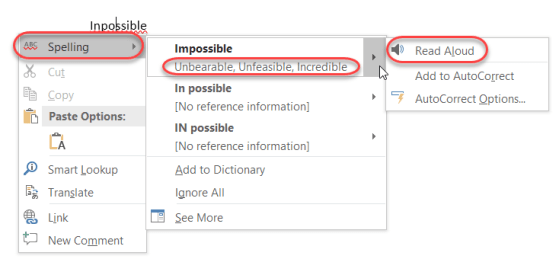
So today I was typing up something in Outlook, and I (like normal) misspelled a word. I right-clicked on the word with the red squiggly line, and got a lot more information than I expected…

If you are responsible for writing papers for school or work, you know you spend a lot of time cruising web sites, copying information, and then trying to remember where you found everything so you can cite it properly. There’s a feature in Word that can help with that, and it’s called Researcher. I found out about this tip from Christian Buckley during one of our Productivity Tips sessions. Here’s how it works…
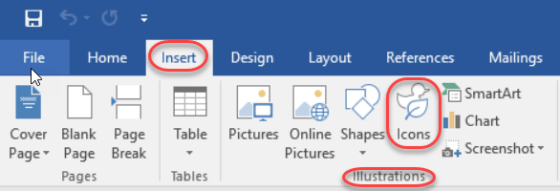
This is one of those things that was easy to overlook in all the new features in Office ProPlus (aka Office 2016), and that’s the new Icons feature in the Insert section of the Ribbon Bar. In fact, when it first rolled out, it really didn’t work very well as it was trying to pull the icons from a 3rd party site (or so it appeared), and I couldn’t get any of them to load. But now it’s working fine. Here’s how you can use them…

Generally speaking, the Auto-Correct feature in Microsoft Office is great in fixing your typing mishaps. But depending on the industry you work in, there are certain acronyms that are constantly mistaken by Auto-Correct as misspellings. Here’s how you can fix that…
 One Minute Office Magic