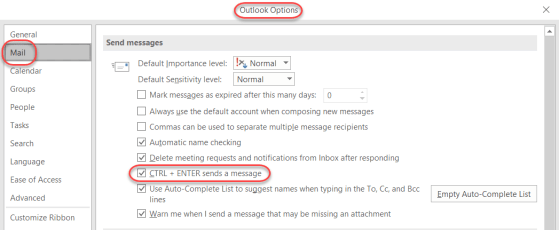
I know a number of my readers are keyboard wizards, and they would prefer do most/all functions using keyboard shortcuts rather than the mouse. I just learned this shortcut today… sending an Outlook email using the CTRL + ENTER shortcut…
Learning new Microsoft Office tricks in "just a minute"
I know a number of my readers are keyboard wizards, and they would prefer do most/all functions using keyboard shortcuts rather than the mouse. I just learned this shortcut today… sending an Outlook email using the CTRL + ENTER shortcut…
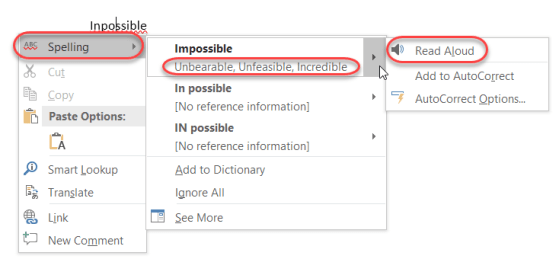
So today I was typing up something in Outlook, and I (like normal) misspelled a word. I right-clicked on the word with the red squiggly line, and got a lot more information than I expected…

A colleague passed along a cool tip on how to easily see what folder an email is in, especially when you’re doing a search. Here’s how you add an In Folder column to your Inbox in Outlook…
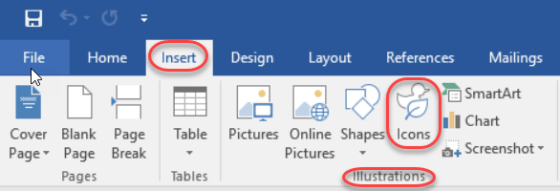
This is one of those things that was easy to overlook in all the new features in Office ProPlus (aka Office 2016), and that’s the new Icons feature in the Insert section of the Ribbon Bar. In fact, when it first rolled out, it really didn’t work very well as it was trying to pull the icons from a 3rd party site (or so it appeared), and I couldn’t get any of them to load. But now it’s working fine. Here’s how you can use them…

Generally speaking, the Auto-Correct feature in Microsoft Office is great in fixing your typing mishaps. But depending on the industry you work in, there are certain acronyms that are constantly mistaken by Auto-Correct as misspellings. Here’s how you can fix that…
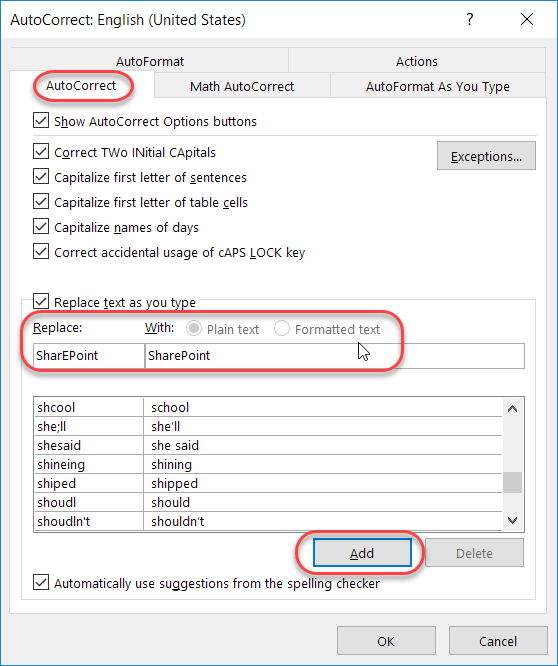
Admit it… you have a few(?) words that you always misspell or mistype when working on a Word document, a PowerPoint deck, an Excel file, a OneNote notebook, or an Outlook email. And, for whatever reason, the program decides that your quirky spelling isn’t important enough to fix for you automagically. Well, you can actually add your own spelling quirks to Office so that you don’t have to wear out the backspace key fixing your errors. And yes… this is a case where you can fix it once, and *all* the programs will pick up the change!
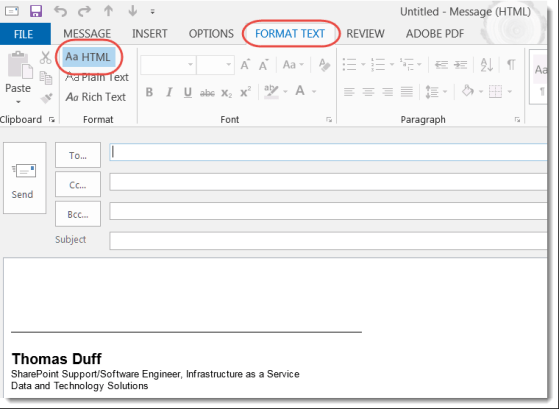
I hesitate to share this tip, as I see it abused all too often… but hey, it can be fun. 🙂
You can add images and colors as the background to emails you create in Outlook. This can be helpful if you need an email to stand out, or even if you just want to be a bit unique.
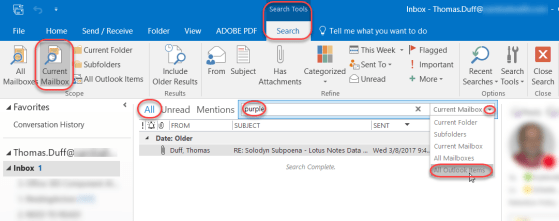
This tip came to me via Sandra in the typical fashion… a Skype ping that starts “I just figured out something cool… wanna see?” She shared her screen and showed me how to search for items in your Outlook mail file and have it show you what folder it’s in! Here’s how it works…

There’s no question that Word, Excel, PowerPoint, and Outlook have a ton of functionality. However, sometimes it’s nearly impossible to remember or find the right menu option to trigger it. In Office 2016, there’s a new feature called Tell me what you want to do. It is a lifesaver in finding what you need to know when you need to know it.
 One Minute Office Magic