While the act of entering a prompt for Microsoft Copilot is easy, it’s not always so easy to come up with prompt ideas that could help you improve your work. In other words, you don’t know what you don’t know. Here’s a way to use Copilot to get ideas for prompts that might work out well for you, and give you ideas you hadn’t even considered. Here’s how that looks…
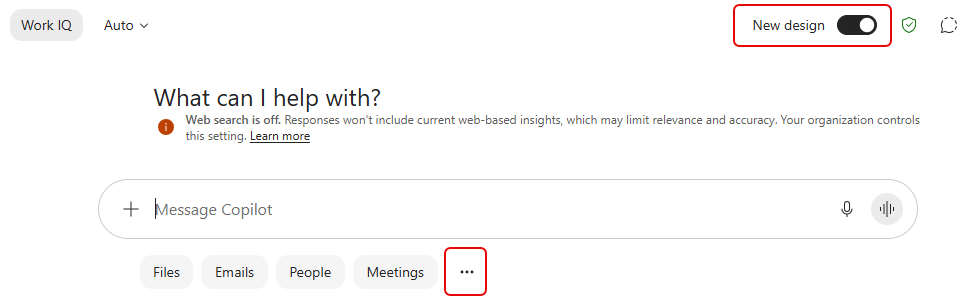
Using the New design layout, click on the ellipsis at the bottom of the page:
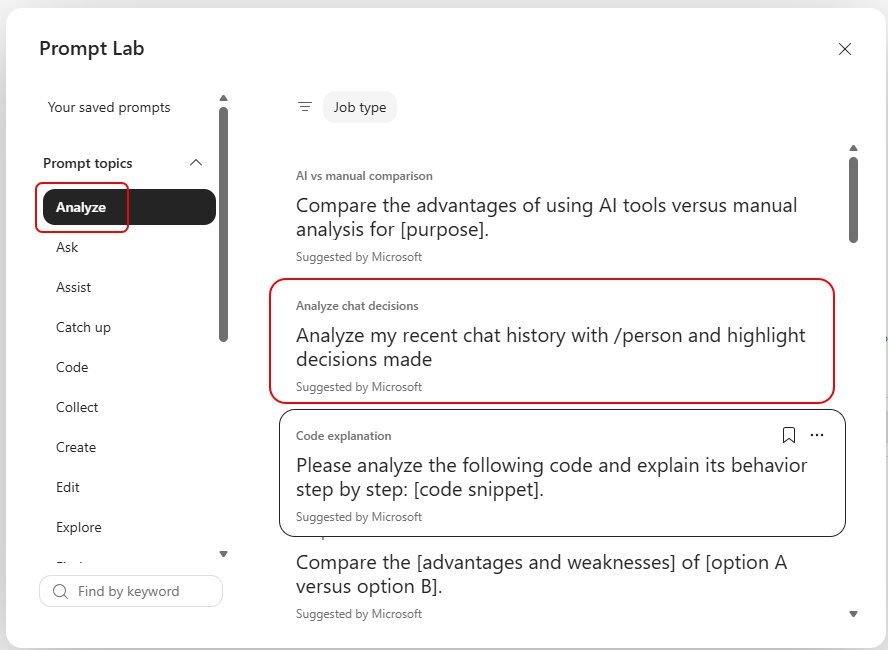
On the left side, expand out the Prompt topics area to see categories of prompts you can explore. In this example, I’m using a prompt from the Analyze category, asking Copilot to analyze my chat history with someone and highlight decisions:
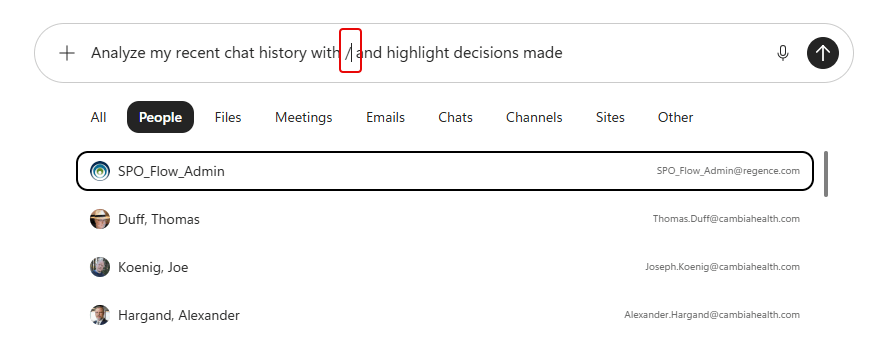
When I click on that prompt, it loads it into the Prompt area on the home page, along with options to select the person. It uses the “/” option to get a list of things to select:
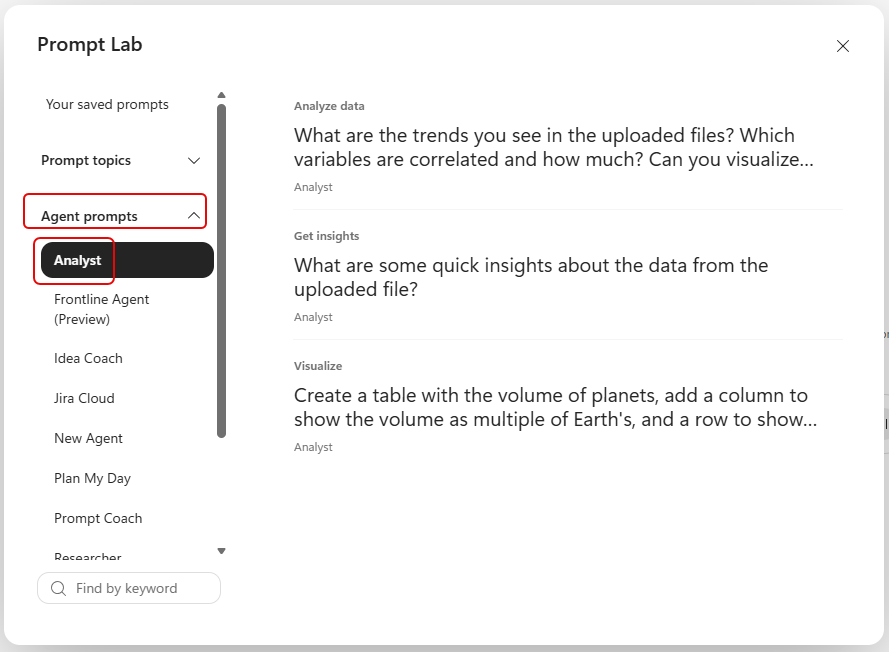
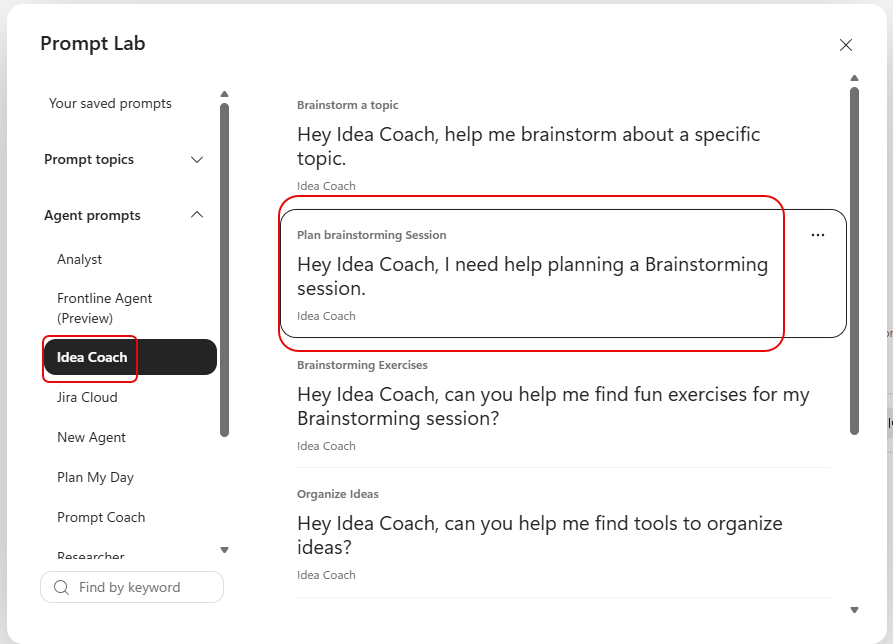
A new prompt feature is really interesting, however. Under the Prompt topics is an option for Agent prompts. You’ll see a list of various Copilot agents, along with selected prompts for those agents that can be useful to explore:
In this example, I selected Idea Coach and selected the prompt to plan a brainstorming session:
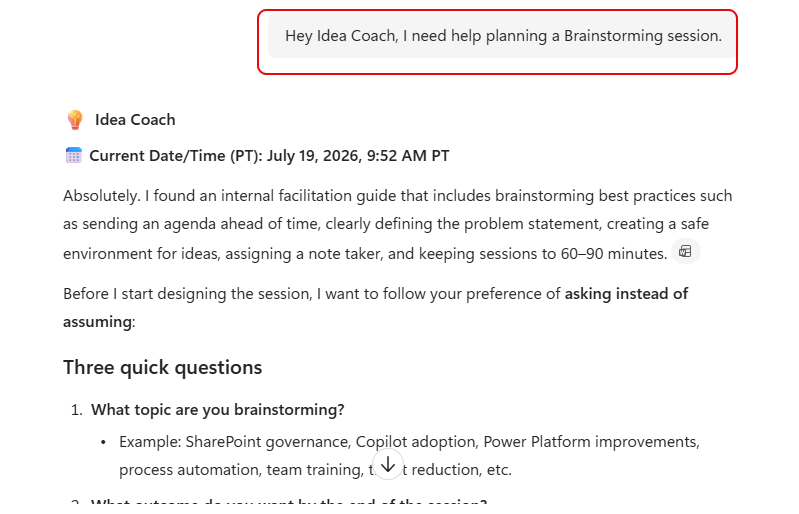
The prompt is loaded into the Prompt area, and it makes sure that the Idea Coach is selected as the agent to use in the prompt:

As you see below, it returns a response, and starts asking you questions to help narrow down topics and guidelines:
I highly recommend familiarizing yourself with these prompt suggestions to help you expand your thinking about what can be done with Copilot.


