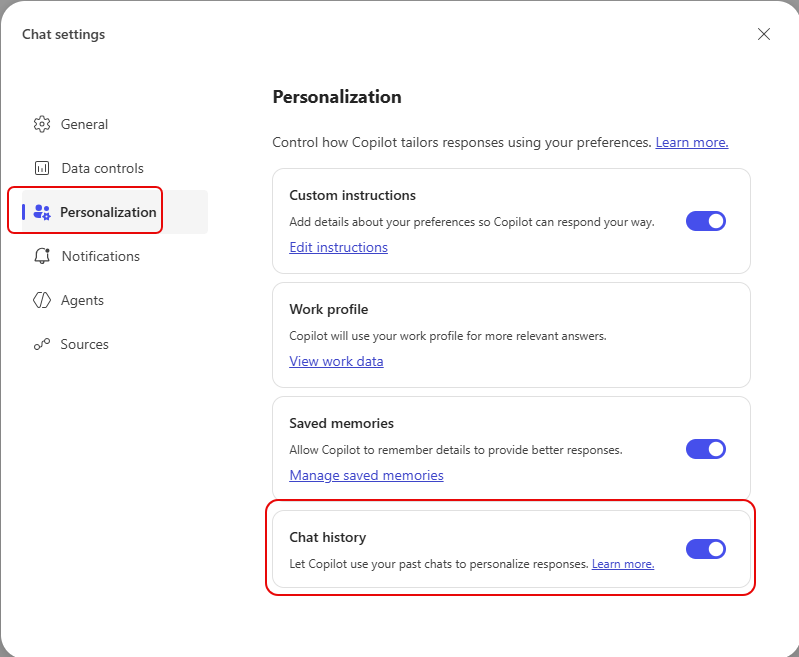
The more that Copilot knows about you, the more helpful and detailed it can be over time. One setting in the Personalization area can help immensely… Chat History. Here’s how that works…
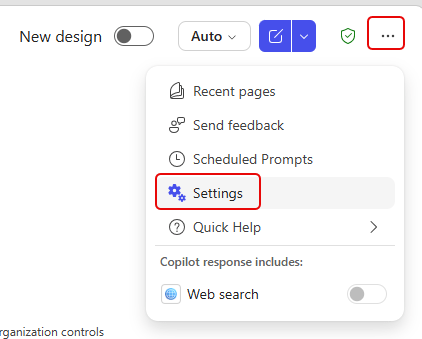
To activate this setting, go to the Copilot settings in the upper right corner (ellipsis) and select Settings:
In Personalization, go to Chat history and turn that on:
Copilot will now use your chat history to personalize responses. This beats having to try to rebuild chat information or find a particular chat that had useful information about you.
For more information about how to personalize Copilot, check out the article Personalize what Microsoft 365 Copilot remembers.


