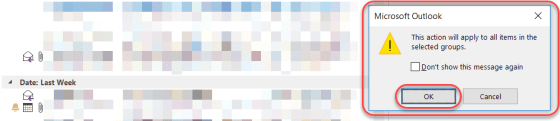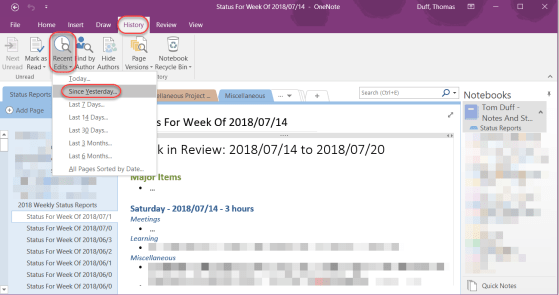
So this was a new one for me… I use the Reading Pane in Outlook quite a bit, but I didn’t realize you could control how long it takes for an email to be marked as Read based on how long it appears in the Reading Pane. Here’s how you do it…
Break out of your rut with Office templates
When I go to start a new Word document or Excel file, I nearly always take the default blank template in the upper left corner. However, I recently decided to scroll down and see what Excel file templates were out there. I was amazed at what options I had to create something that was “out of the ordinary”.
Adding team member calendars to Outlook
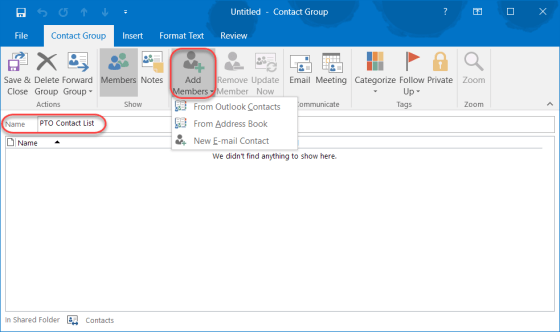
One of my colleagues pointed out a really cool trick for quickly adding all the calendars of your team members to your Outlook client without having to look each one up individually.
Meeting Reminders in Outlook
It’s a pretty safe bet these days that we’re all swamped with meetings on our calendars, and we need a reminder when the next meeting is due to start. Here’s how to set up Reminders on your calendar entries (both for yourself and for others you invite to the meeting), as well as how to hit the Snooze button on the alarm.
Searching for date ranges in Outlook
I received a great tip from Tamara Bredemus yesterday when it came to searching for mail in Outlook. She needed to narrow down her inbox to only show items for a two week period. By using the received keyword in the search bar, she easily made that happen. Here’s how…
Voting buttons in Outlook
In Outlook, you can send an email with simple voting options to get quick feedback from people.
Saving time in a SharePoint Person/Group field
When you’re working in SharePoint and you have to fill in someone’s name, you’re seeing what is commonly called a People Picker field. It’s a field that’s set up to allow for names, and it has two icons to check the name format as well as to look up a name in the Select People and Groups dialog box.
However, I often see people clicking on the Address Book icon even if they know the name of the person they want to add to the field. Following are some various ways to add a person’s name into the field and maybe save yourself some clicking around to do so.
Removing excess formatting from an Excel spreadsheet
Sometimes when working with Excel, you may end up with a spreadsheet that has an excessive amount of formatting. That formatting can come with a cost, such as large file sizes and long wait times to launch the spreadsheet.
File protection for Excel, Word, and PowerPoint files
I had a question yesterday from someone asking if there was a way to password protect an Excel file. I just assumed that everyone knew that was possible, but I didn’t have a direct answer that said “click here, here, and here” to help her. Thus, today’s tip on how to password protect files in Excel, Word, and PowerPoint.