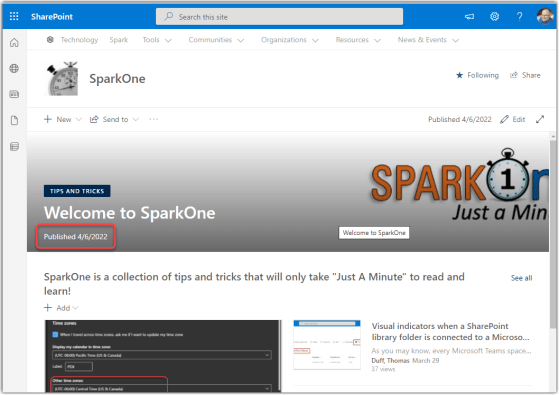
This is a nice feature that we recently had show up in our tenant. You can now set the page header on a SharePoint Online page to show the Published date so that everyone can see when it was last updated. Here’s how you do that…
Learning new Microsoft Office tricks in "just a minute"
This is a nice feature that we recently had show up in our tenant. You can now set the page header on a SharePoint Online page to show the Published date so that everyone can see when it was last updated. Here’s how you do that…
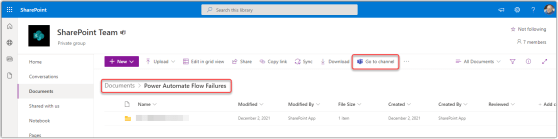
As you may know, every Microsoft Teams space has a SharePoint site attached to it in the background. All your files that you post in a Teams channel get stored in the backend SharePoint site in the Documents library, and the folder that they’re stored in matches the name of the Teams channel. However, if you’re just looking at the SharePoint Documents library, you may not know which folders are connected to Teams channels. Now there’s an indicator that makes that more obvious. Here’s how that works…

This is a new feature that I’ve been waiting for, and Sandra found that it hit our tenant the other day! You can now create a Board View for a SharePoint list. Imagine having a kanban-style view where you can drag and drop items between columns and have the status update automatically. Here’s how it works…
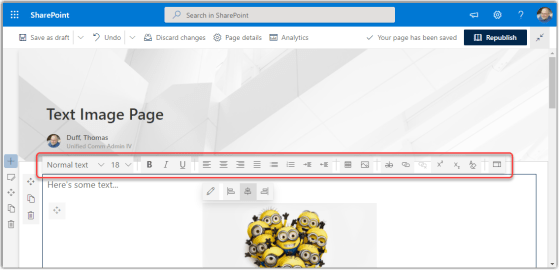
When working with SharePoint Online modern pages, you used to get only a limited number of options in the Text web part toolbar. To get the whole list of options, you had to open the Properties pane on the right side of the page. Now, you can access all the text properties from the toolbar. Here’s how that looks…

id you know you can drag and drop an email from Outlook into a SharePoint document library? This is a feature I really like, as it allows me to store relevant emails in a document library that is being used as a project repository. Here’s how it works…

SharePoint allows you to create hub sites in your environment to help with searching and content roll-up. You can then attach existing sites to that particular hub site. However, you haven’t been able to associate a hub site with another hub site. Microsoft has addressed that issue, and now hub sites can be associated with another hub site. Here’s how that works…
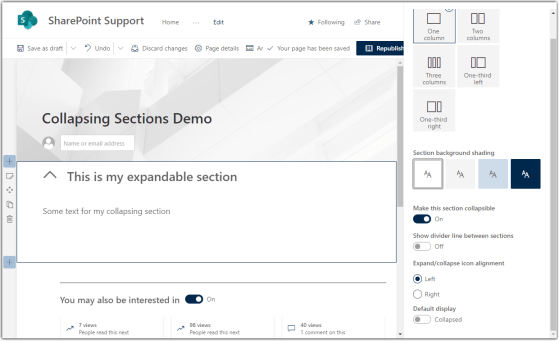
This is another new feature that I’ve been watching for, as it’ll allow for some great page design techniques to reduce visual overload. It’s the ability to create collapsible sections on your modern SharePoint page. Here’s how it works…
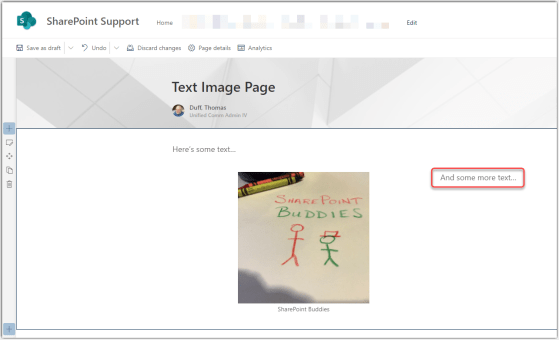
This is a change I’ve been waiting for ever since I saw it hit the Microsoft 365 roadmap… the ability to paste combined text and images into a SharePoint Online text web part. Here’s how it works…
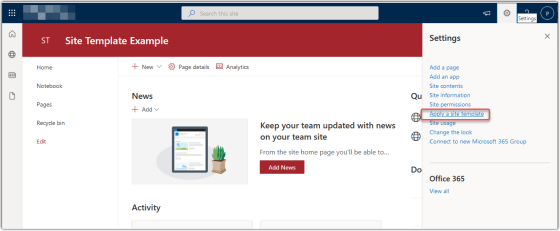
Microsoft has added a new feature for SharePoint Online sites involving the ability to apply a site template to your site. They have provided a number of templates for both Communication sites and Team sites. I’m going to show you how it’s done, and then give you some guidance on what you need to consider before you try this out…
 One Minute Office Magic