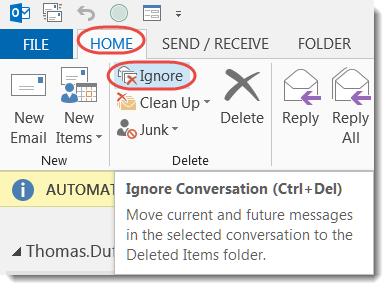
Resist the urge to use Reply All to get off an email thread.
Learning new Microsoft Office tricks in "just a minute"
Resist the urge to use Reply All to get off an email thread.

Outlook Quick Steps can simplify those repetitive email tasks.
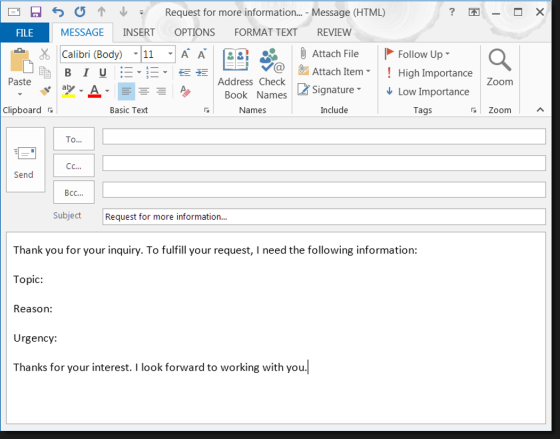
You don’t have to re-type commonly used email templates in Outlook.

It’s easy to turn an Outlook email into an Outlook calendar entry.
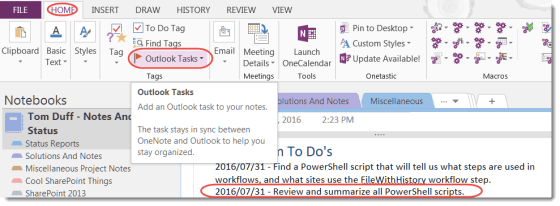
Did you know you can create Outlook Tasks from within OneNote?

It’s easy to create a new meeting for an e-mail topic with a single click.

While copy and pasting images in your documents is adequate, there is a better way to have your images pop when they’re seen.
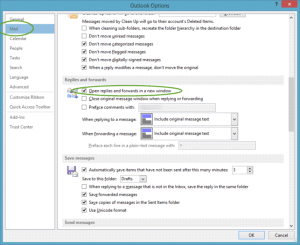
When I’m creating new e-mails or replies in Outlook 2013, I like to work in a separate window. This is the option that allows me to do that.
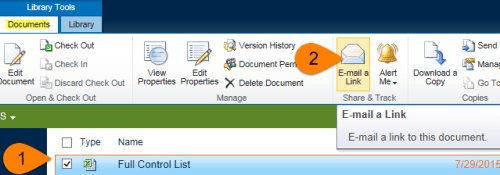
Are you tired of sending and receiving large file attachments?
 One Minute Office Magic