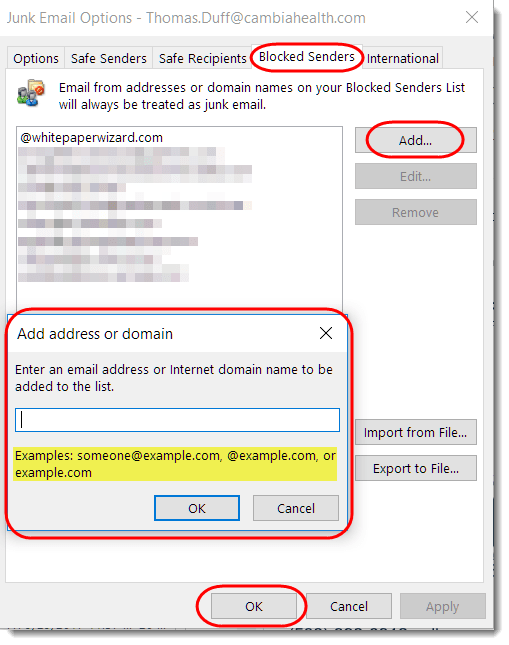
Into each Inbox some Junk Mail must fall… and we get to play Whack-A-Mole to try and get rid of it. Here are a couple of options for getting junk mail out of your inbox and into your Junk Email folder…
Learning new Microsoft Office tricks in "just a minute"
Into each Inbox some Junk Mail must fall… and we get to play Whack-A-Mole to try and get rid of it. Here are a couple of options for getting junk mail out of your inbox and into your Junk Email folder…
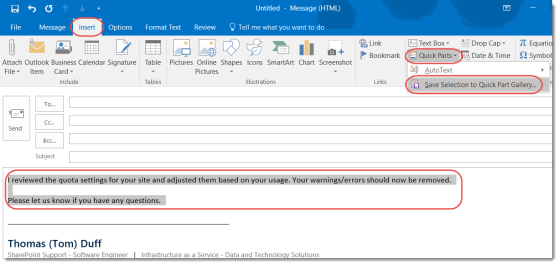
So earlier this week I shared a tip on how to use Quick Parts and AutoText in Word. One of my colleagues at work let me know this feature also exists in Outlook! Here’s how it looks and works there…
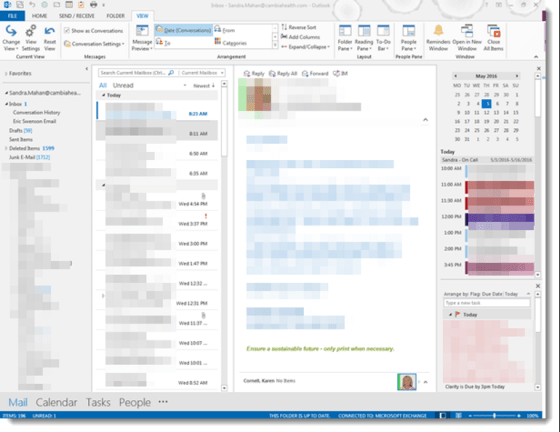
Sometimes there isn’t a lot of room in Outlook to see everything when using the reading pane, especially if you have a smaller monitor or are using a laptop. Here are a few tricks to free up space.
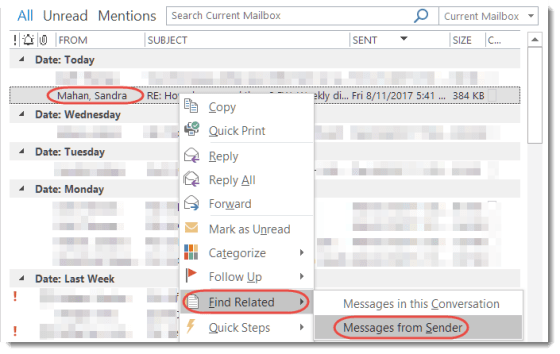
Let’s say that a certain boss I report to asks me about an email she sent me, and I’m desperately trying to find it so I don’t look dumber than normal. This Outlook trick can quickly filter down all my emails to only the items she sent me.
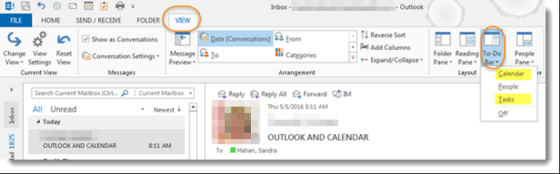
Today I received an email from a colleague indicating that she had recently lost her calendar and task bar on the right side of her screen and asked how to get them back.

Sandra shared this one with me today, and neither of us had thought about using Undo in this fashion. But it works really well for getting an email back that you inadvertently sent to the Deleted Items folder (assuming you use Undo right after you did the delete).
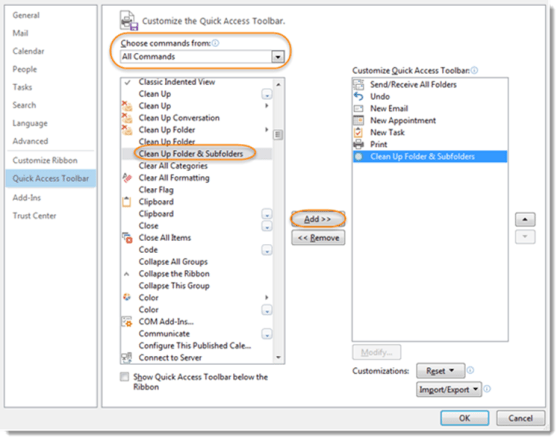
We recently shared how you can Clean Up Folders in Outlook. If you’d like to skip a couple of steps, here’s a great way to add an action to your Quick Access Toolbar.
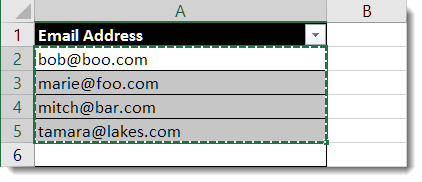
This little trick is handy if you have a list of email addresses in Excel, and you want to use that list to send everyone an email using Outlook. It’s really nothing more than copy and paste!
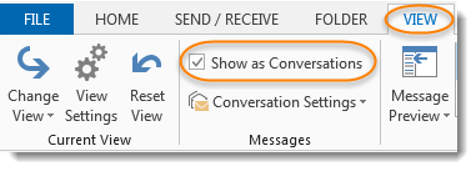
Have you ever received an email, then a reply to that email, and another reply to that email, and another, and so on? Have you felt like you should review each email to see what had changed in order to make sure you hadn’t missed anything?

