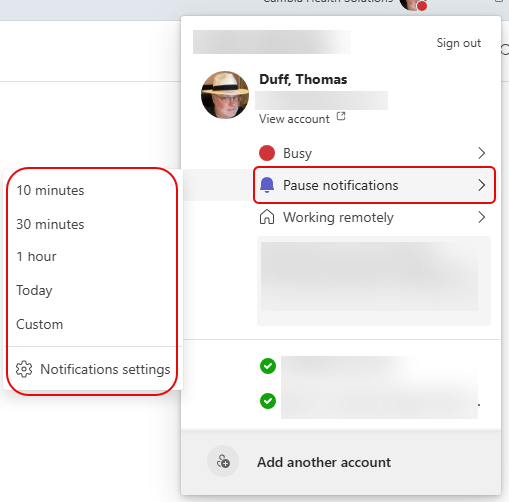
There is a new way to pause your Microsoft Teams notifications for a set period of time. The feature is Pause notifications, and it’s very easy to set. Here’s how you do that…
Learning new Microsoft Office tricks in "just a minute"
There is a new way to pause your Microsoft Teams notifications for a set period of time. The feature is Pause notifications, and it’s very easy to set. Here’s how you do that…

In Microsoft Teams, you will often see file previews if someone sends you a file in a chat or conversation. However, you may wish to just see a link to that file so as to not potentially show sensitive information if you’re screen sharing. There’s a setting you can use in Microsoft Teams that will allow you to turn off file previews for your Teams client. Here’s how that works…
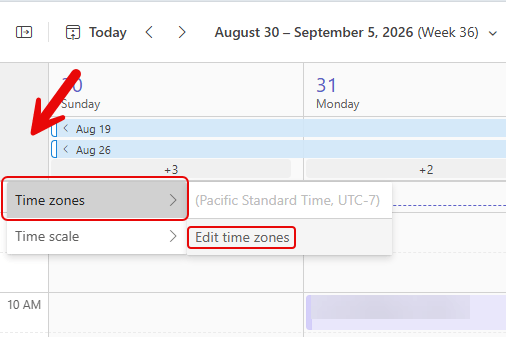
Once of my colleagues pinged me today and asked if I could do a tip on how to set time zones in a Teams calendar. I’ve covered it a couple of times for Outlook, but the time zone settings for the Microsoft Teams calendar are separate from the Outlook settings. So… here’s how you add additional time zones in the Teams calendar…
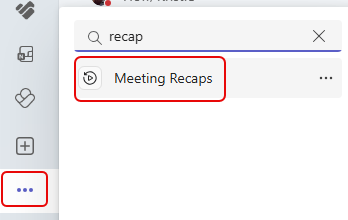
In all likelihood, you spend a LOT of time in Teams meetings during the days and weeks. And trying to find the recaps of those meetings can be… difficult. Now, you can use the Meeting Recap application in Microsoft Teams to find all the recaps of your meetings over the last 30 days in one convenient location. Here’s how that works…
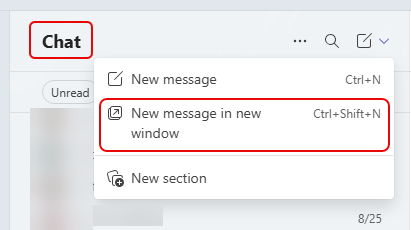
Microsoft Teams has been adding the ability to pull out chats and conversations into separate windows to make it easier to multi-task. A recent change makes it even easier to pull out a chat into a separate window at the very start of a new chat. Here’s how that works…
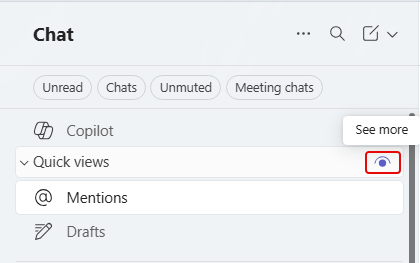
Microsoft made a change to the Quick Views area for chats. By default, those quick view categories only show up if there’s an unread item that qualifies for one of the categories. If something like @Mentions has no unread items, it doesn’t show up. However, you do have the option to change that on each of the chat quick views. Here’s how you do that…
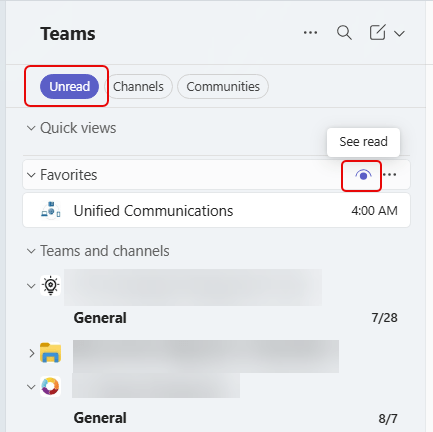
In Microsoft Teams, you can choose to filter your chats and channels to only show unread items. However, that makes it difficult to see or get to other channels that do not have unread items. Now you can use a special icon to see chats and channels with read items so you can quickly navigate to them. Here’s how that works…
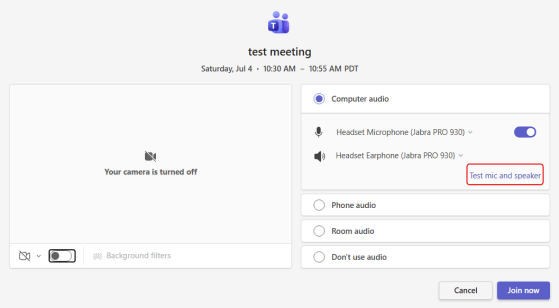
Ah, yes… in virtually every Teams meeting, you will hear this phrase: “Can you hear me?” Wouldn’t it be nice if there was a way you could test your microphone and speakers before you actually join a meeting? Now you can! Here’s how that looks and works…
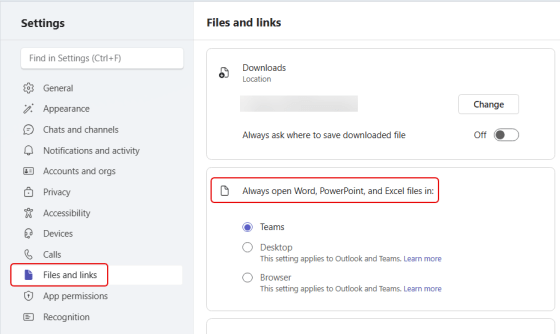
Up until now, you’ve had three options for opening files when you’re in Teams. You could open the file in Teams, the Browser, or the Desktop app. However, Microsoft is making a change in the default setting for opening files in Teams. Here’s the scenario…

