
Microsoft has been adding a number of new Quick Views in Microsoft Teams to let you know when you’re named in a Teams conversation (Follow), when you’ve been mentioned (Mentions), or when you’ve forgotten to send a Teams chat (Drafts). That’s all well and good, but those new views take up room in the navigation pane. Now Microsoft has added a feature to allow you to decide if you want to always see the Quick View or only see it if there’s something there. Here’s how that works…
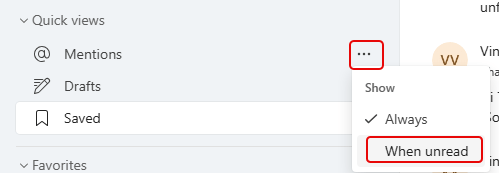
Here’s an example of a Quick View (Mentions) in the Chat area. When you see the ellipsis for that Quick View, you can choose whether to see it all the time (Always) or only see it if there’s an unread item in there (When unread):
It’s also similar to the Teams area:

If you don’t make a specific choice, you’ll see all the Quick Views all the time. But this change gives you the opportunity to save some real estate on the Quick Views area.


