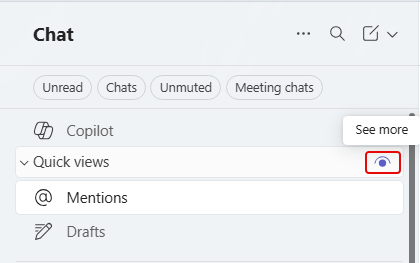
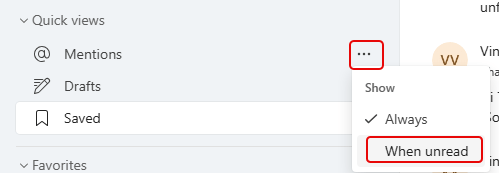
Microsoft made a change to the Quick Views area for chats. By default, those quick view categories only show up if there’s an unread item that qualifies for one of the categories. If something like @Mentions has no unread items, it doesn’t show up. However, you do have the option to change that on each of the chat quick views. Here’s how you do that…