The Properties Pane is back in Office ProPlus

When we first started upgrading to Office ProPlus (aka Office 2016), we were excited and happy… until someone noticed that the Properties Pane for things like Word, Excel, and PowerPoint documents was no longer visible. Needless to say, this made some of our customers “not very happy”.

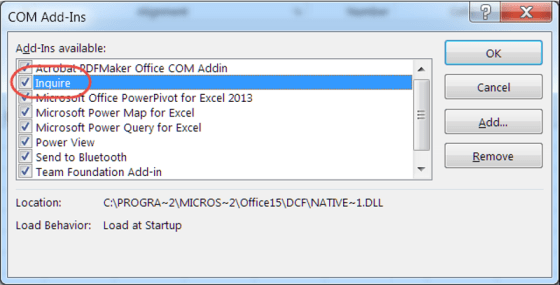
Somewhere along the way, Microsoft fixed that problem in the Office clients, and now you can once again see and access the properties. Here’s how you do it…

Conditional Formatting in Excel

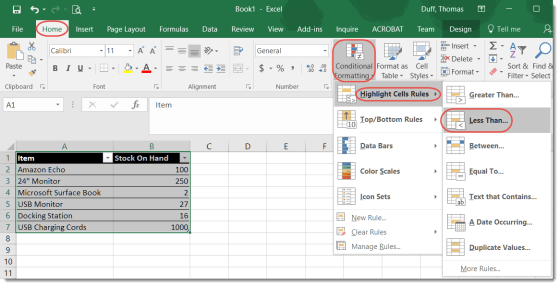
This isn’t so much a cool “magical” tip as much as it’s a reminder to myself that it exists and I should use it more often. Excel has a Conditional Formatting feature that allows you to apply rules to a spreadsheet to have certain data situations display in different ways automatically.

Free tech books and documents from Microsoft!

It’s that time of year again!

Each year, Eric Ligman from Microsoft has a blog entry that posts links to a LARGE collection of FREE ebooks on Microsoft technology. There’s no catch, it’s all legal, and it’s simply a “thank you” to everyone who is a Microsoft customer or partner. They are full versions of the titles, they are not time-bombed, etc. They are really and truly FREE for downloading.

Break out of your rut with Office templates

When I go to start a new Word document or Excel file, I nearly always take the default blank template in the upper left corner. However, I recently decided to scroll down and see what Excel file templates were out there. I was amazed at what options I had to create something that was “out of the ordinary”.