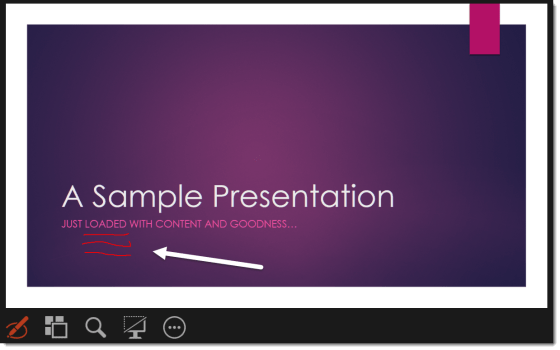
As a follow-up to the last PowerPoint tip, here’s how you can mark up your PowerPoint slides with an electronic “pen” when you’re presenting.
Learning new Microsoft Office tricks in "just a minute"
As a follow-up to the last PowerPoint tip, here’s how you can mark up your PowerPoint slides with an electronic “pen” when you’re presenting.
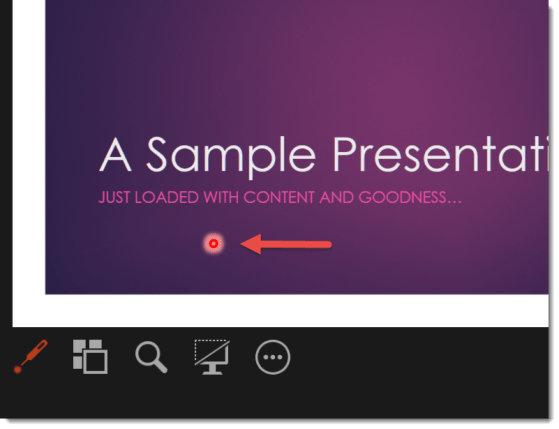
Did you know that there’s a built-in laser pointer in PowerPoint that you can use when you’re giving a presentation from your keyboard?

Finding your Skype for Business contacts made easy…

Subjecting your fellow meeting attendees to your background noise is distracting to everyone.
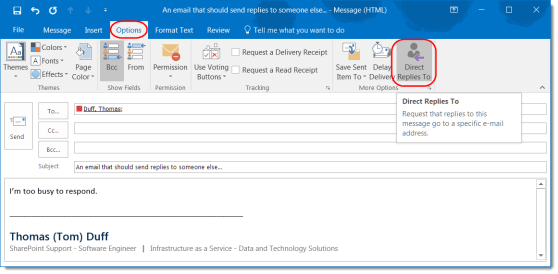
This is a great feature if someone else should be handling responses to a particular email.
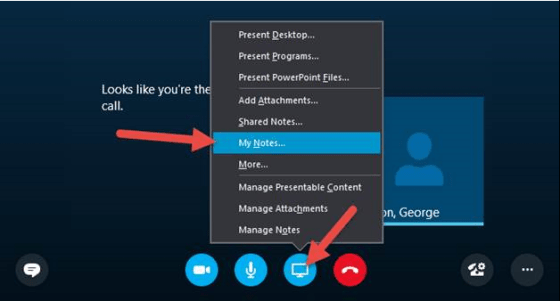
My Notes in Skype for Business is a quick way to start your own personal notes about your Meeting.
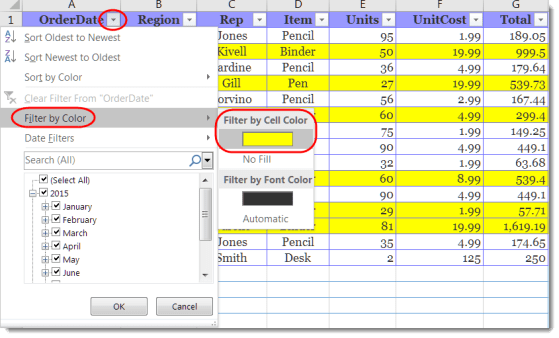
You can filter your Excel spreadsheet by the colors in the cells.
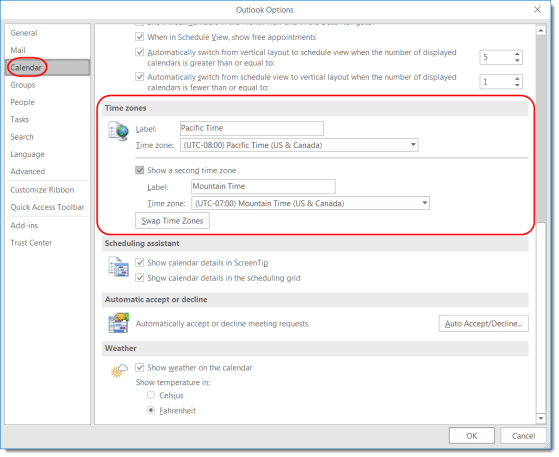
This feature can make it easier to answer the question “what time is it there?”

Are you on a phone call at your computer and you need to leave your office? Just transfer the call to your own mobile number using Transfer.
 One Minute Office Magic