Adding a hyperlink in a Teams message

As with many things Microsoft, there is usually more than one way to accomplish a task. This particular tip makes it much easier (for me, at least) to add a hyperlink in a Teams message you’re creating. No more hunting for the link icon for formatting… just a simple copy and paste! Here’s how it works…

Creating hyperlinks in Outlook on the web

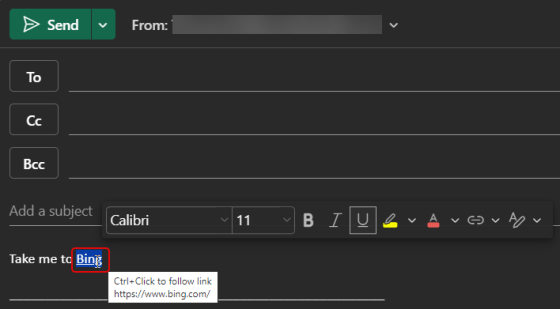
We ran across a cool little tip this week that pertains to Outlook on the web. Instead of having to click a hyperlink icon to add a link (or use CTRL-K to get a dialog box), you can just highlight the word in your email and paste the link over it… voila! You have a hyperlink! Here’s how that works…

Updating hyperlinks in a Word document

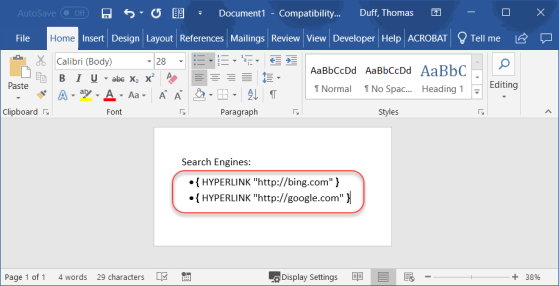
Sandra Mahan recently found a cool tip for a customer who needed to update hyperlinks in a Word document, preferably without having to edit each hyperlink separately. She found the keyboard shortcut of ALT-F9 which displays the underlying hyperlink so you can do replacing. Here’s how that works…