Join Christian Buckley and myself as we present 20 Microsoft 365 productivity tips that can help you save time and effort on a daily basis!

Learning new Microsoft Office tricks in "just a minute"
Join Christian Buckley and myself as we present 20 Microsoft 365 productivity tips that can help you save time and effort on a daily basis!

While I prefer to write emails and documents using my keyboard, there are some people who prefer (or need) to use voice dictation to get “words on paper.” Fortunately, there’s a Dictate feature in Word and Outlook for Windows that makes that easy. Here’s how it works…
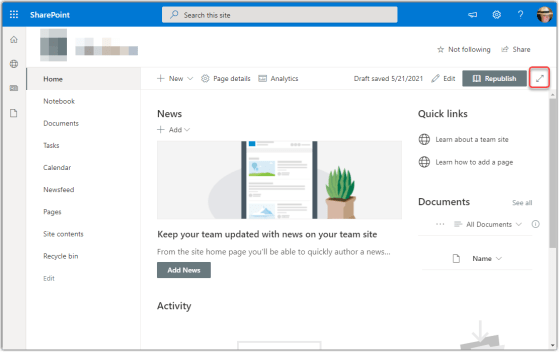
While a modern SharePoint page looks nice, there are times where you may want to maximize the amount of content you can view on your screen (like if you’re working on a small laptop). Focus mode for modern SharePoint pages allows you to click on an icon and hide the site header, site navigation, and global navigation. Here’s how it works…
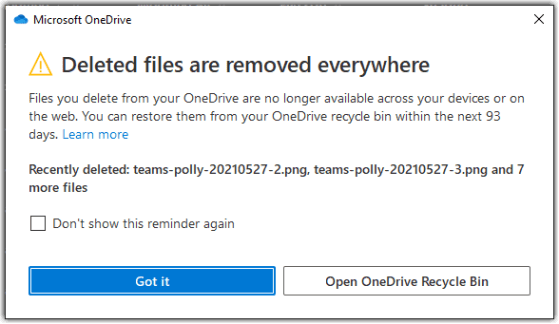
When you delete files on Windows or on a Mac that are synchronized to your OneDrive area, it might not be intuitive that those deleted files get deleted *everywhere*. Microsoft now gives you a heads-up on what is happening, as well as an easy way to get to the OneDrive Recycle Bin. Here’s what it looks like…
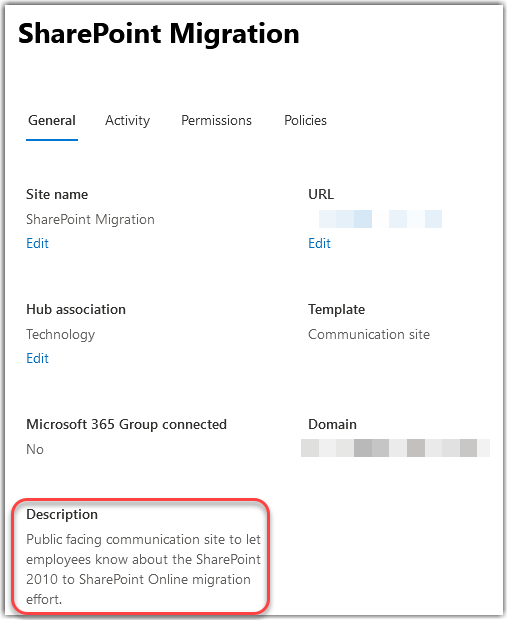
SharePoint has always had a Site Description field where you can provide an explanation of what your site is used for. However, it never seemed to show up in search results, so it wasn’t as useful as it could be. Fortunately, a recent change by Microsoft (outlined by Mikael Svenson in this blog post) means that the Site Description is now indexed by Search, and can help people find your site more easily. Here’s how it works…
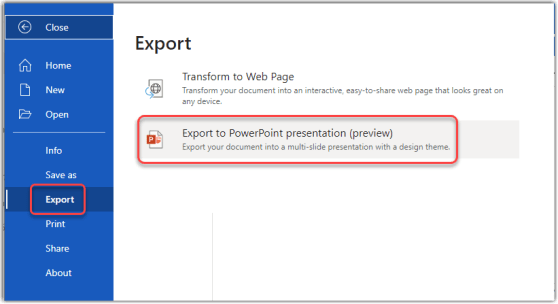
OK… this blew my mind this morning. Joanne C Klein tweeted about the new Export to PowerPoint preview feature in Word on the Web. I gave it a try, and it’s pretty impressive! Here’s how it works…

As you probably know, you can export SharePoint lists to Excel. It’s a great way to get the data into other formats for analysis. Microsoft has added a new twist to the Export feature… you can now export to a CSV (comma-separated values) file instead of Excel. Here’s how it works…
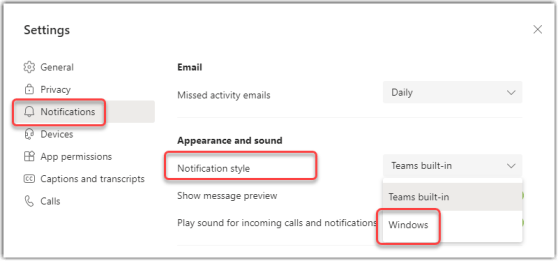
Depending on how you prefer to work, you might want to consolidate all your system notifications into the Windows notification area (the notification icon in the Windows task bar). Now Microsoft Teams will allow you to set your notifications to go to that area instead of showing up in Teams. Here’s how that works…
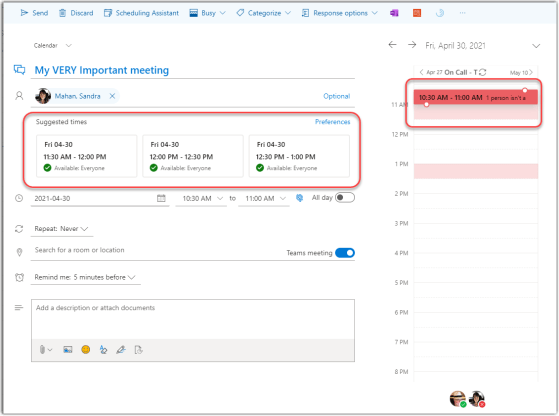
This just popped up in Outlook on the Web for us today, and it’s rather cool! Now when you’re using the Outlook calendar on the web, you get a Suggested times view within the invite, and you don’t even have to go to the Scheduling Assistant! Here’s how it works…
 One Minute Office Magic