Merging your PDF files in OneDrive on the web

If you have multiple PDF files stored in OneDrive that you’d like to have merged into a single PDF file, you don’t have to look for third party software to make that happen. You can do it with the Merge function in OneDrive on the web. Here’s how that works…


Extracting your PDF files in OneDrive on the web

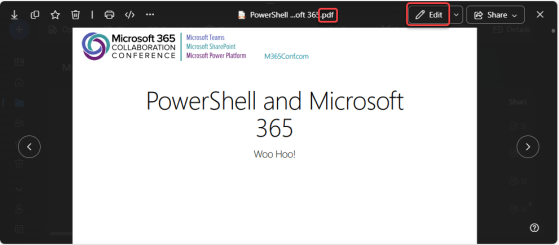
Have you ever had a PDF file where you’d like to extract certain pages to create a new PDF file, but you don’t have any software (that you know of) that would allow you to do that? Now you do! You can use OneDrive on the web to open up a PDF file and extract selected pages to make a new PDF file. Here’s how that works…

Compressing your PDF files in OneDrive on the web

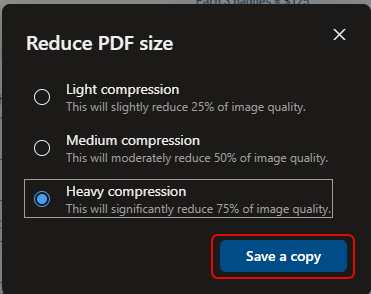
It’s not unusual to have large PDF files stored in your OneDrive that you’d like to email or share, but that are too large to do so. There’s now an option in OneDrive on the web that allows you to compress that PDF file (without destroying the original). Here’s how that works…

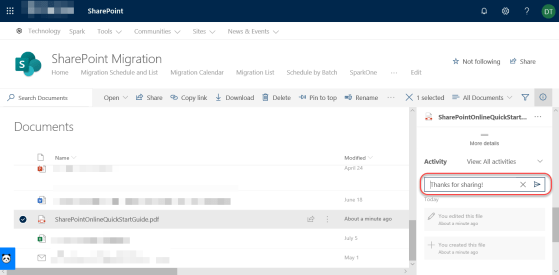
Adding Comments to non-Microsoft files in SharePoint Online and OneDrive

One of the many benefits of storing files in SharePoint Online or OneDrive as opposed to file shares is the ability to add comments to the file for additional context and collaboration. However, until recently that was only allowed for Microsoft files (such as Word, Excel, etc.) Now the ability to add comments has been extended to non-Microsoft files, such as PDF files. Here’s how that works…