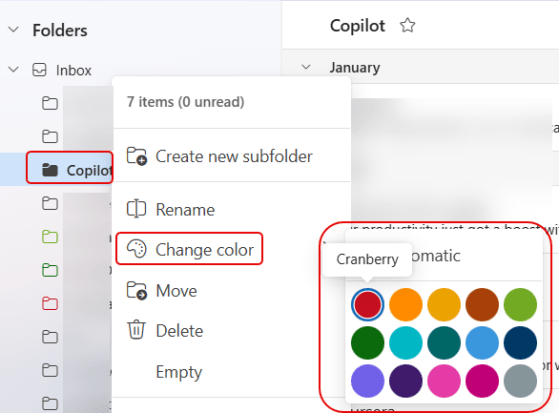
If you’re looking for a small color accent for all your Outlook folders, you can now do that using the Change Color feature. Here’s how that works and looks…
Learning new Microsoft Office tricks in "just a minute"
If you’re looking for a small color accent for all your Outlook folders, you can now do that using the Change Color feature. Here’s how that works and looks…
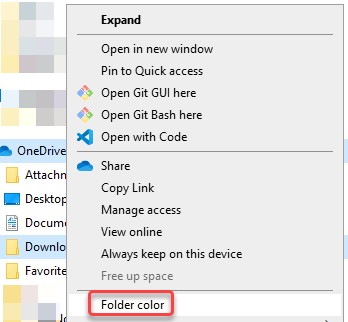
Some time ago, Microsoft added a feature to allow you to change the folder color in a SharePoint or OneDrive library. That color would show up in Windows File Explorer, but you couldn’t set the folder color from there. But… now you can! Here’s what that looks like and how it works…

When you’re in a document library in SharePoint Online and there is a long list of folders, it can be hard to quickly pick out a particular folder you might use on a regular basis. Now you can make it easier to find a particular folder by changing the color of it in the document library. Here’s how that works…
 One Minute Office Magic