Skip to content

One Minute Office Magic

  • Facebook
  • LinkedIn
  • Twitter
  • Instagram

Learning new Microsoft Office tricks in "just a minute"

  • Home
  • About
  • Contact

Tag: Expiration Links

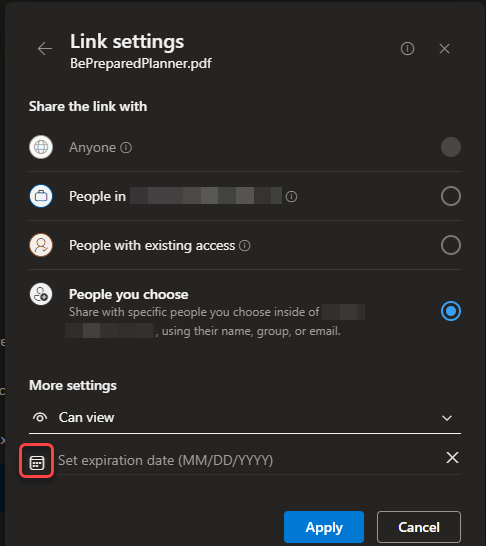
Using Expiration Dates in sharing links

It used to be when you’d share a file in SharePoint or OneDrive, that link was valid until such time as you removed the person from the access to the file. Now you can simply set an expiration date on the link, and they will no longer be able to access the file after that date. Here’s how that works…
Expiration Links, OneDrive, SharePoint Online

Search

Text Widget

This is a text widget, which allows you to add text or HTML to your sidebar. You can use them to display text, links, images, HTML, or a combination of these. Edit them in the Widget section of the Customizer.
Blog at WordPress.com.
  • Subscribe Subscribed
    One Minute Office Magic
    Join 80 other subscribers

    Have a WordPress.com account? Log in now.

  • One Minute Office Magic
    View site in Reader
    Manage subscriptionsSign upLog in
    Report this content
    Collapse this bar