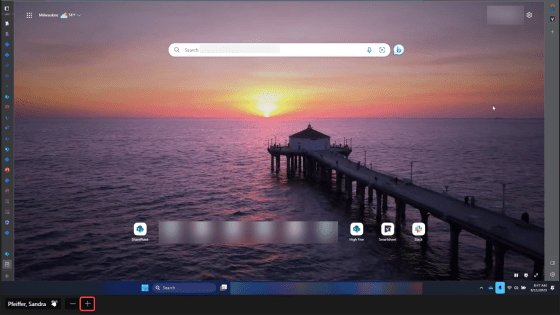
Have you ever been watching someone share their screen, and you’ve struggled to see the detail as everything is tiny. Well, now in Microsoft Teams, you can zoom in during a screen share and magnify the parts that need more definition. Here’s how that works…
Tag: Microsoft Teams
Using Speaker Coach in Microsoft Teams
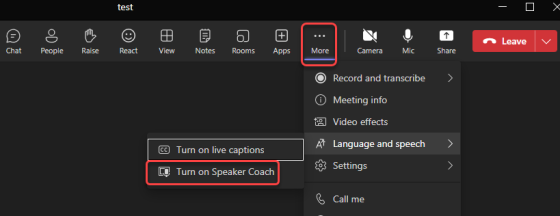
The fear of public speaking is real, and when you’re nervous it can make for an unpleasant experience for both you and the attendees. Wouldn’t it be nice to get some free coaching on your speaking style? Now in Microsoft Teams, you can! The Speaker Coach will give you real-time feedback when you’re presenting, as well as providing a post-meeting assessment of your effort. Here’s how that works…
Seeing the count of people in your Teams meeting
Getting a count of people in your Microsoft Teams meeting used to take a little bit of work, involving clicking on the People icon at the top of the screen. But now, Microsoft has made it much easier to see the count of people at a glance. Here’s what it looks like…
Exporting Microsoft Teams wikis to OneNote
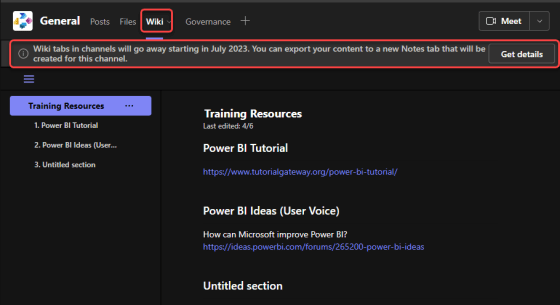
As if there are not enough migrations going on already… Microsoft has deprecated the Wiki application in Microsoft Teams, and you will need to export the contents of your standard channel wikis to the OneNote application that is part of your Microsoft Teams space. Fortunately, there is a tool that will do that export for you. Here’s how to make that happen…
Microsoft Teams Compact Chat settings have been improved!
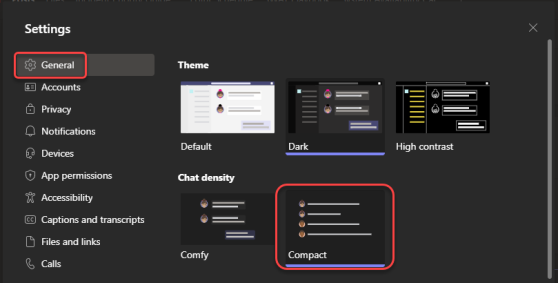
Microsoft Teams came out with a “compact” chat setting some time back, and it reduced the amount of white space between messages. However, I really didn’t like it as the time-stamp of the message didn’t display unless you hovered over it, and it was on the far side of the page. The recent changes to compact chat have fixed that and also hidden the message previews you see in the chat list. Here’s what that looks like…
Automatic lowering of hands in a Teams meeting
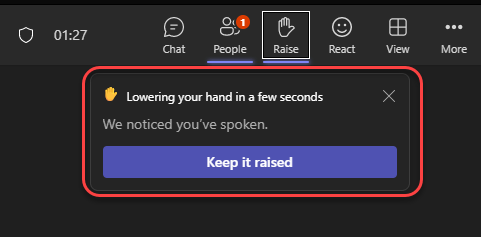
If you’re hosting a Microsoft Teams meeting and trying to moderate the lowering of hands after someone raises theirs, your job just got a bit easier. Teams will now automatically lower a person’s hand a few seconds after they stop speaking. Here’s what that looks like…
Adding Pronouns to your Microsoft 365 profile
Just like our names, pronouns are extensions of our individual identity. You may have noticed that people are including their pronouns on email signatures and as part of their video conferencing identification; you can now include yours in your Microsoft 365 profile. This information will appear in Outlook and Teams. Here’s how that works…
Ending a meeting in Microsoft Teams
I’m sure you’ve all experienced the “never-ending Teams meeting”… The organizer leaves the meeting, expecting the recording to show up momentarily. However, the recording never seems to show up. If you go back into the meeting (which should be over), you’ll find that one person who was off doing something else, and they’re still in the meeting… muted and causing the recording to go on and on and on… If you’re the meeting organizer, you can force the end of a meeting when you leave by using the End Meeting option. Here’s how that works…
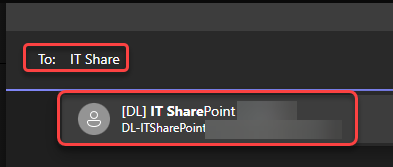
Starting a Microsoft Teams chat with a distribution list
There’s probably been more than one occasion when you’ve wanted to start a group chat with a number of people, and all those people happen to belong to a certain distribution list. Instead of typing in each name individually to start the group chat, wouldn’t it be nice to just use the distribution list to populate the names? Well, now you can! Here’s how that works…