In Microsoft Forms, open text fields are great for entering free-form information. But you run into problems if you want to place restrictions on the data that one enters into that type of field. Microsoft has added a new feature that can help with restricting the type or format of the data entered. Here’s how that looks and works…
Tag: Microsoft Forms
Using pre-filled forms in Microsoft Forms
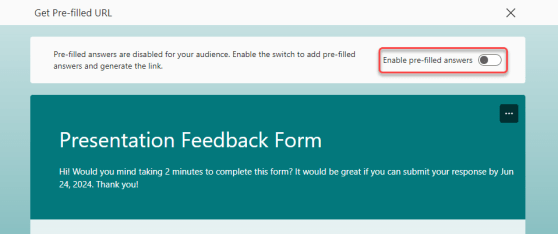
Microsoft Forms is a great way to collect information from people, such as feedback after a session. But wouldn’t it be nice if you could “pre-fill” part of the form based on certain information specific to the people who attended a particular session? Now you can using the Pre-Fill Responses feature in Microsoft Forms. Here’s how that works…
Removing question numbers on Microsoft Forms
Sandra found a nice new feature in Microsoft Forms, and it involves the numbering of the questions on your form. Normally, every one of your questions is numbered. While that might be proper for a business-type survey, it may be a bit too formal if you’re just sending out an invitation to a lunch gathering. Now you can turn off the numbering to provide an alternative look. Here’s how it looks and works…
Forms: Distribute your forms by using Teams as a new channel
Microsoft has a new feature for Forms that allows you to publish the form directly to a channel in Teams (instead of having to get a link and post it somewhere). Here’s what that looks like…
Creating a persistent Microsoft Forms response spreadsheet
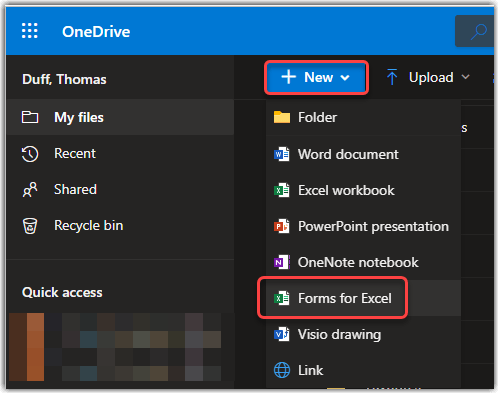
If you use Microsoft Forms, you know that in order to see the responses you need to export them to Excel. However, having to export them *every single time* you want to see the responses can be a pain point. Did you know you can pre-create the Microsoft Forms response spreadsheet in OneDrive, and then you simply have to open it to see the most up-to-date responses to your Form? Here’s how that works…
Splitting up the Collect Responses and Collaboration options in Microsoft Forms
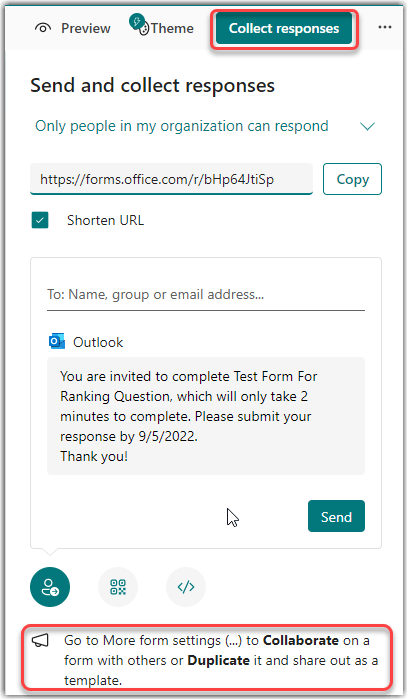
When Microsoft Forms first came out, there was a single button that had the options for both collecting responses from people and for letting others collaborate on building your form. Unfortunately, this often led to people getting links to collaborate when in reality they should have only been able to respond. Now, Microsoft has split those two options out to clarify the options. Here’s what that looks like…
Using the Ranking question type in Microsoft Forms
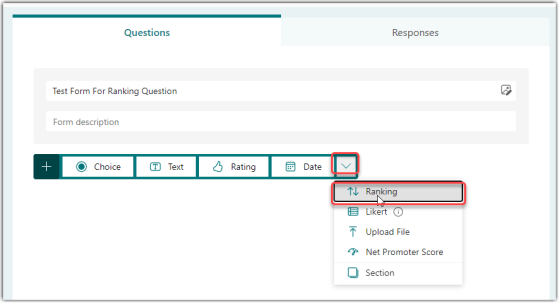
When you’re creating a Microsoft Forms questionnaire, you might want to give people a list of options and provide the opportunity to move them around into a preferred order. You can do that with the Ranking question type. Here’s how that works…
Grouping your Microsoft Forms into Collections
One of the common complaints about Microsoft Forms is that there isn’t a way to group your forms into some logical (to you) organization. Now with the addition of Collections, you can group *your* forms to keep track of them better. Here’s how that works…
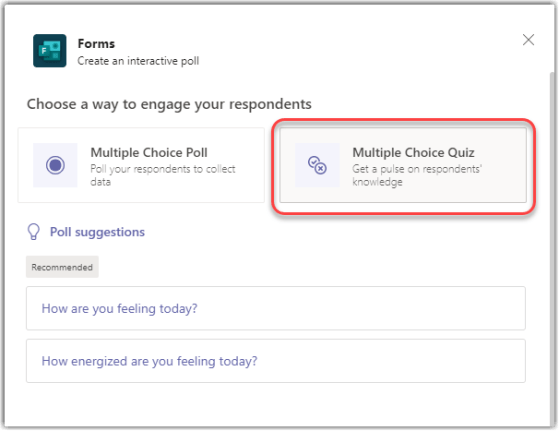
Designating a correct answer in a Microsoft Teams poll
Microsoft Forms is a great way to poll your audience in a Microsoft Teams meeting. Now there’s a feature that also allows you to select a correct answer in a Poll question so that people know if their answer was right. Here’s how that works…