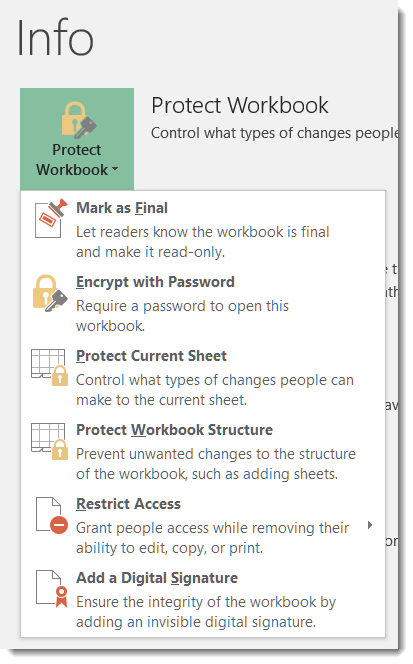
I had a question yesterday from someone asking if there was a way to password protect an Excel file. I just assumed that everyone knew that was possible, but I didn’t have a direct answer that said “click here, here, and here” to help her. Thus, today’s tip on how to password protect files in Excel, Word, and PowerPoint.
Category: Excel
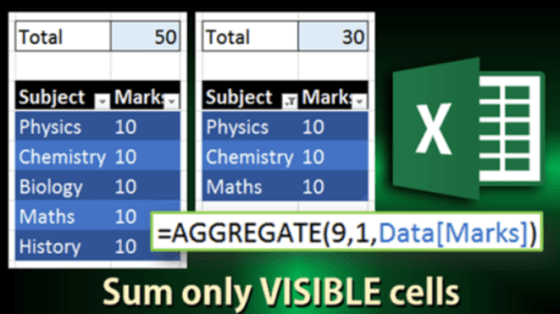
Adding numbers in an Excel column with hidden rows
A customer asked us a question a while back related to Auto Sum on a column with hidden rows. Not being an Excel wizard, I left the question in my inbox to investigate later. Fortunately, the answer arrived in an Efficiency 365 email!
Where did my Ribbon Bar commands go?
Some time and somehow over the last couple of days, my Outlook email started showing up with the Ribbon Bar tabs appearing but none of the commands underneath them. To do anything with my email, I had to click the Messages tab to get all the related commands. Since this had One Minute Office Magic tip written all over it, I decided to figure out what I did and how to fix it.
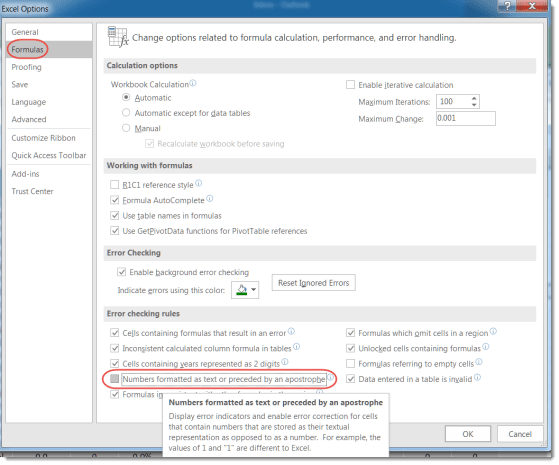
Getting rid of the Excel numeric/text error completely
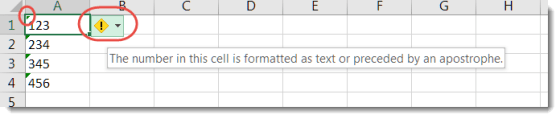
Last month, I shared a tip about how to clear out the numeric/text error in Excel without having to correct it one cell at a time. I mentioned there was no blanket way to turn it off, but I was… WRONG! A colleague pointed out an option setting in Excel that allows you to ignore that error completely.
AutoRecover in Excel, Word, and PowerPoint
So have you ever been working away on a Word document or Excel file, only to have the power go out or your laptop throw the Blue Screen of Death? All your work… gone.
But not necessarily… if you have AutoRecover configured in your Office programs (specifically, I’m referring to Word, Excel, and PowerPoint), you will only lose a limited amount of work. Here’s how you do that…
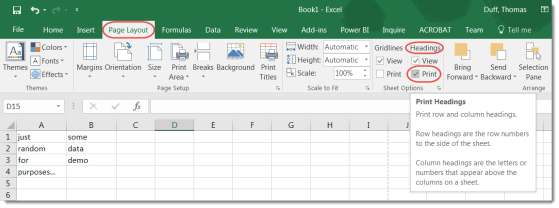
Printing the row letters and column numbers on an Excel spreadsheet
Most of the time when you print a spreadsheet, you only want to see the data, not the letters for each column and the numbers for each row. However, there is a way to get the letters and numbers to show up if you need them on your printout.
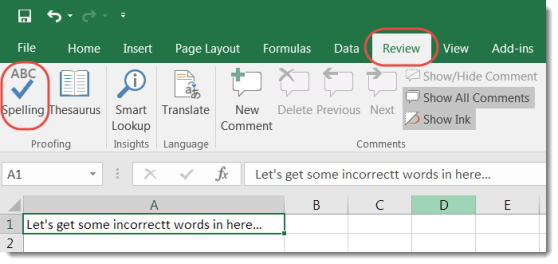
Excel Spell Check Options
One of our Enterprise Service Center (ESC) supervisors shared a cool Excel tip yesterday. They often hear complaints about how there is no automated Spell Checker in Excel. However, there are a couple of different ways that you can complete a spell check.
Getting rid of the numeric/text error in Excel
While there’s no way to shut off the numeric/text error in Excel completely, there is a way to clear the error on a number of cells at once rather than one at a time. Here’s how it works…
Getting rid of the Paste Options button in Excel
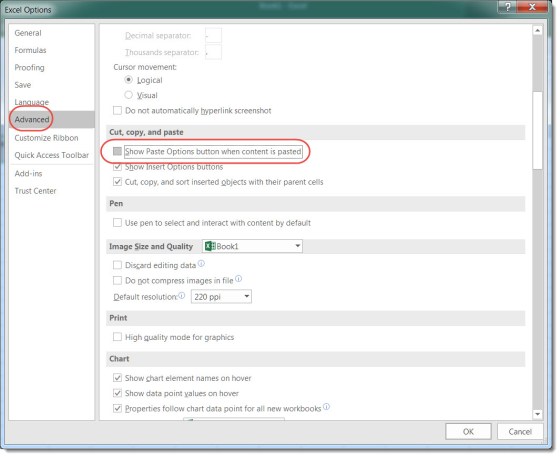
Generally speaking, when I paste something in Excel, I have a pretty good idea of how I want it to look. The last thing I want is a Paste Options button showing up (and usually blocking content) on my page. Here’s an easy way to remove it temporarily and permanently.