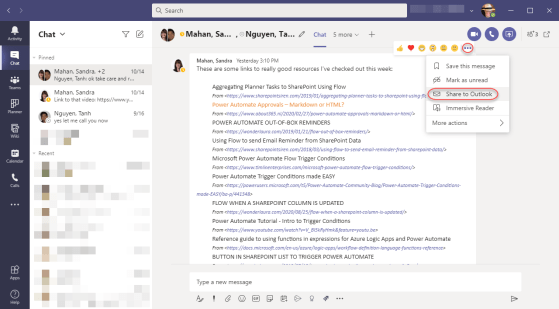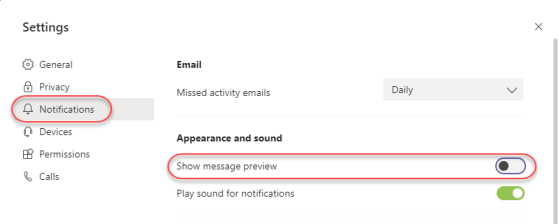
Read receipts in Microsoft Teams is one of those features that will have two very distinct reactions from people. Some will love the idea of being able to tell when people have read the latest information in the chat (I fall into that camp). Others will have a strong “it’s none of your business” reaction, much like read receipts in email (which I will admit to hating). So I’ll put this out there for your viewing pleasure, and you can react as you see fit. 🙂
Author: oneminuteofficemagic
Renaming URLs in a SharePoint Online site
One of the questions I’ve grown to dread in my years of working with SharePoint is “can we change the URL of my site?” Up until now, the answer was pretty much no, unless you wanted to go through major hassles to create a new site, copy over content, etc. However, Microsoft has finally rolled out a feature to allow you to truly rename a URL, *and* it handles automatic redirects if someone uses the old URL. There are some caveats that I’ll point out at the end of this tip, but here’s how it works…
Using the new File Upload question in Microsoft Forms
Microsoft Forms is a great survey tool, but a number of people were wanting to have a question type that would allow people to upload files when responding to a Forms survey. Microsoft listened, and now Forms will allow for people to create File Upload questions as part of their survey response experience. Here’s now that works…
Using the My Day feature on Outlook in the browser
Microsoft’s been doing a good job in getting the web-based Outlook client to feature-parity with the Outlook client. One of the latest additions to web-based Outlook is the My Day feature, which easily allows you to see your to-do and calendar in the main email page. Here’s how it works…
Meeting Insights in Mobile Outlook
If you live off your mobile device, you know it’s not very easy to look at a meeting on your calendar and find any related information that might help you prepare. Now in the mobile version of Outlook on iOS and Android, there’s a new feature called Meeting Insights, and it will gather any documents or emails that might be relevant for you. It’s a great example of how Microsoft is using machine learning to make you more efficient. Here’s what it looks like…
Using the Meet Now feature in Microsoft Teams
If you’re like me, there are many instances during the day when you’re in Microsoft Teams and you want to have a quick meeting with a group. However, it’s a pain to have to schedule the meeting first, and then hope that everyone can join. Now, you can just use the Meet Now option in Teams to create an ad-hoc meeting without the hassle of setting things up first. Here’s how that works…
Replacing your video in Microsoft Stream using the same URL
There are times when you’ve created a video that needs to be updated, but you’ve already published the video’s URL in too many places to count. You’d ideally like to just replace the video and keep the same URL. Now you can in Microsoft Stream. Here’s how that works…
Trimming videos directly in Microsoft Stream
While Microsoft Stream is a great video content delivery system, it really doesn’t have much in the way of tools to manipulate the video once it’s recorded. That’s starting to change now with the new ability to trim a video directly from within Microsoft Stream. Here’s how that works…
Adding Comments to non-Microsoft files in SharePoint Online and OneDrive
One of the many benefits of storing files in SharePoint Online or OneDrive as opposed to file shares is the ability to add comments to the file for additional context and collaboration. However, until recently that was only allowed for Microsoft files (such as Word, Excel, etc.) Now the ability to add comments has been extended to non-Microsoft files, such as PDF files. Here’s how that works…